9 Best Free Transcription Software Picks (Accuracy + Speed)
Discover the top free transcription tools tailored for meetings, podcasts, and captions. This guide ranks options based on real-world use cases.

DeepScribe Team
Content Team
9 Best Free Transcription Software Picks (Accuracy + Speed)
Most “free transcription” lists skip over two critical questions: what happens when you max out your free minutes, and can you keep your audio private or offline? In this post, we’ll debunk these myths and guide you through the world of free transcription software. You'll discover that “free” isn’t just a single category—it’s a series of trade-offs between offline capabilities, cloud efficiency, and privacy needs. This guide ranks the top nine free transcription tools based on real-world use cases like meetings, podcasts, and video captions, anchored by research benchmarks on accuracy and minute limits.
Leading the pack is DeepScribe, a Whisper-powered tool that offers remarkable accuracy and swift exports—an ideal starting point for most users. But don't fret; we'll explore other niche options, too. With our use-case matrix and decision framework, you can find the tool that's perfect for your needs in just two minutes. Dive in to navigate the landscape of free transcription software with clarity and confidence.
Introduction: Decoding Free Transcription Tools
When it comes to the best free transcription software, it's easy to think all tools are created equal. However, "free" transcription tools vary widely in terms of function, usability, and overall effectiveness. Whether you're transcribing meetings, podcasts, or video content, it's crucial to understand the trade-offs involved.
First, think about whether you need an offline or cloud-based solution. Tools like Whisper offer robust offline capabilities with impressive 85-95% accuracy on clean audio, as noted by Merlin Computer’s 2025 rankings. This makes Whisper ideal for privacy-conscious users who want to keep their data local. On the flip side, cloud-based solutions like Otter.ai and Notta offer real-time transcription capabilities with varying monthly limits—Otter gives you 300 minutes, while Notta offers 120.
Next, consider accuracy and export options. Accuracy often hinges on the quality of the audio input—cleaner audio can make even free tools perform close to their premium counterparts. DeepScribe, for example, uses Whisper-powered accuracy to deliver speaker-labeled transcripts swiftly, and you can export these in formats like TXT or SRT on its basic plan. If you're dealing with multi-language content, Whisper supports 99-100+ languages, which can be a game-changer for global teams.
The choices can seem overwhelming, but that's where an informed approach becomes essential. In this guide, we'll unravel the complexity by categorizing the top picks according to different real-world use cases. From meetings and podcasts to privacy-focused offline tasks, we’ll provide a clear pathway to help you pick the right transcription tool tailored to your specific needs.
Whether you're a student, creator, or professional, understanding these nuances will empower you to make a confident choice without the regret of hitting free-tier limits or settling for subpar exports. Let's dive in!
2-Minute Chooser: Finding the Right Tool
Choosing the right free transcription software involves matching specific tools to your unique needs. Let’s quickly zero in on what works best for different scenarios, whether you’re handling meetings, podcasts, or creating captions.
Meetings: Capture Every Moment
For meeting transcription, DeepScribe stands out with its Whisper-powered accuracy and ability to integrate seamlessly with platforms like Zoom, Microsoft Teams, and Google Meet. With features such as speaker detection, live transcription, and actionable meeting summaries, DeepScribe is primed for efficiency and accuracy in professional settings. This tool supports 30 free minutes per month and offers a swift, user-friendly transcription experience that caters to busy schedules.
Podcasts and Interviews: Perfect Your Captions
If you're working on podcasts or interviews, Otter.ai provides 300 monthly minutes of free real-time transcription with speaker identification. Its real-time capabilities and robust speaker identification make it a reliable choice for content creators seeking clarity on multiple voices in a recording.
Video Captions: Seamless Subtitle Generation
For generating captions, you might consider Descript, which allows 60 free minutes of transcription and facilitates text-based audio editing. It’s an excellent choice for video editors needing precise control over subtitles, though it comes with limited free-minute usage.
Privacy-Focused Transcription: Offline and Secure
For those prioritizing privacy, Whisper (OpenAI), with its fully offline capability and support for 99+ languages, ensures secure transcription without internet dependency. Achieving 85-95% accuracy on clean audio, it’s ideal for privacy-sensitive projects.
Multilingual Needs: Flexibility and Breadth
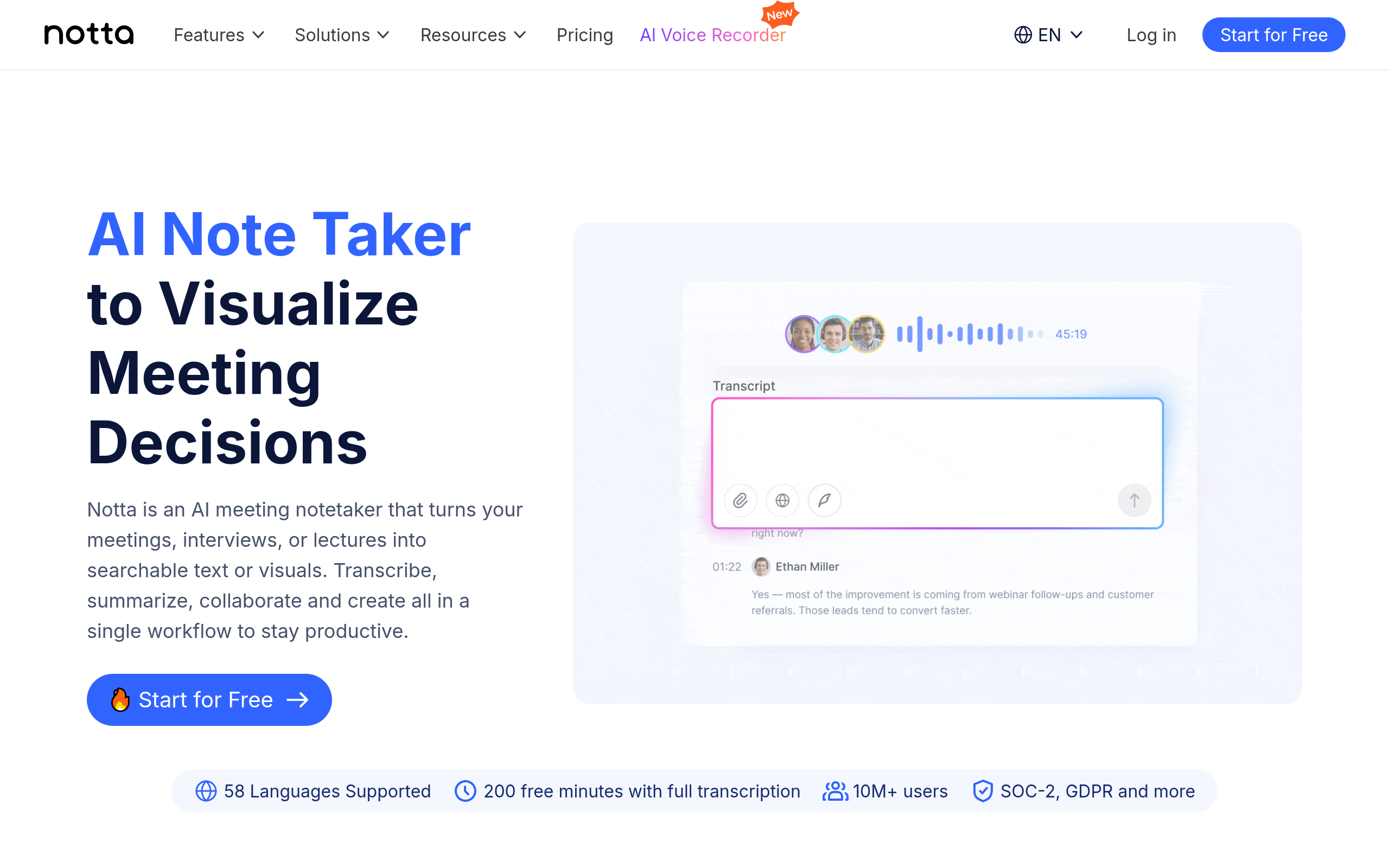
If multilingual transcription is crucial, Notta offers up to 120 free minutes per month and supports transcriptions in up to 120+ languages, providing flexibility for international teams and projects.
This quick guide should help you find the right transcription tool based on your specific needs, allowing you to maximize both efficiency and output quality.
Evaluation Criteria for Transcription Tools
When diving into the world of transcription software, it's essential to evaluate tools based on several critical criteria: accuracy, speed, language support, and privacy. These aspects help determine how well a tool will perform in real-world scenarios, from providing accurate meeting notes to generating multilingual subtitles.
Accuracy
Accuracy is perhaps the single most crucial factor when evaluating transcription tools. A transcription solution must reliably convert spoken words into text. OpenAI's Whisper sets a high bar with its reported 85–95% accuracy on clean audio. This makes it a strong reference point for measuring other tools. Transcription accuracy impacts every aspect of the final product, from clarity to usability. High accuracy minimizes the need for manual correction and ensures that even nuanced or technical language is captured correctly—vital for professionals in fields like journalism and legal services.
Speed
Speed can't be overlooked, especially for those with tight deadlines. The faster a tool delivers accurate transcriptions, the more efficient your workflow becomes. Tools that use advanced AI models, such as Whisper and DeepScribe, offer rapid processing for up to 10 hours of audio simultaneously. This capability is a game-changer for creators who need quick turnarounds on projects like podcasts and videos.
Language Support
For businesses and individuals operating in diverse linguistic environments, language support is a key consideration. Being able to transcribe content in multiple languages broadens a tool's utility. Whisper, for instance, supports 99–100+ languages, making it particularly suitable for organizations with a global reach. This robust language capability ensures that non-English recordings are transcribed with the same accuracy and speed as English, catering to multilingual teams and projects.
Privacy
Privacy remains a significant concern, particularly when dealing with sensitive audio files. Tools that offer offline capabilities, such as Whisper, allow transcriptions to be processed locally, ensuring that files don't need to leave your device—fortifying privacy. Meanwhile, services like DeepScribe provide end-to-end encryption and automatically delete files after processing, addressing the privacy needs for sectors handling confidential information.
Takeaway: "When selecting transcription software, prioritize tools that balance high accuracy with speed, robust language support, and strong privacy protections."
By weighing these criteria, users can make informed choices that align with their specific needs—whether they're recording meetings, conducting interviews, or creating media content. Understanding these key factors not only streamlines the selection process but also enhances the overall transcription experience.
1. DeepScribe: Best for Whisper-Powered Accuracy
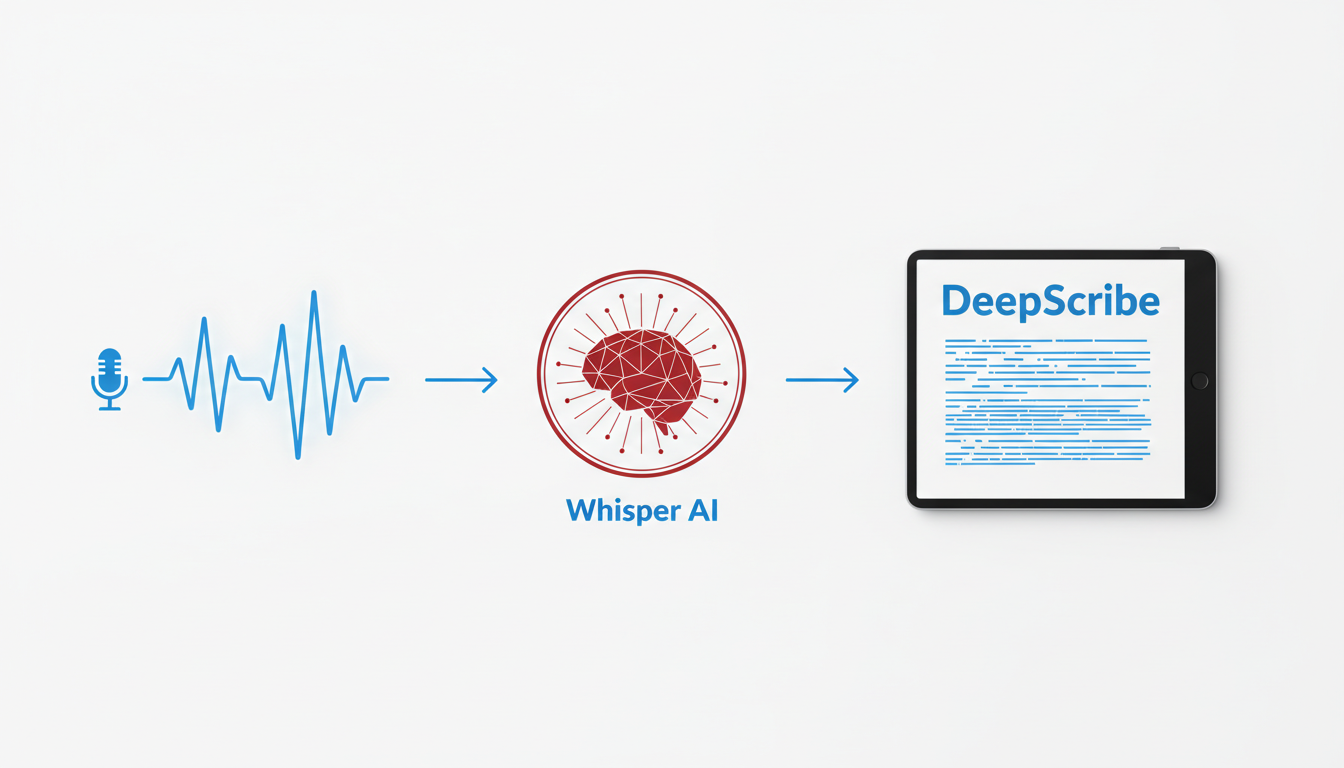
When it comes to transcription, DeepScribe stands out as an exceptional choice for users who prioritize accuracy and flexibility. Powered by OpenAI’s Whisper model, DeepScribe offers unmatched transcription quality, achieving between 85–95% accuracy on clean audio. This makes it ideal for content creators, journalists, and business professionals who need reliable, speaker-labeled transcripts without the hassle.
What’s Free
DeepScribe provides a generous free plan that includes 30 minutes of transcription per month. Users can upload files up to 25MB, supporting formats like MP3, MP4, WAV, and more. This ensures you can start transcribing without financial commitment or credit card details, making it accessible for beginners and professionals wanting to test its capabilities.
Standout Strengths
Whisper-Powered Accuracy: DeepScribe’s integration with Whisper delivers exceptional accuracy even in complex audio environments, such as interviews with background noise or technical jargon. Its advanced speaker detection and labeling capabilities further enhance transcription quality, ensuring clear attribution of dialogue—a feature especially beneficial for journalists and podcasters.
Versatile Export Options: On the free plan, transcripts can be exported in TXT format. Upgrading unlocks various formats like SRT, DOCX, PDF, and VTT, facilitating seamless integration into different workflows, from creating meeting notes to generating video captions.
Trade-offs
While the free tier is robust, it comes with a monthly limit and basic exports. Users with higher transcription needs or those who require advanced export options and faster processing times might consider upgrading to Pro or Business plans for additional minutes and advanced features.
When to Pick It
DeepScribe is ideal if you’re focusing on high-accuracy transcription and need a tool that can handle diverse audio conditions. It's particularly useful when maintaining privacy, given its encryption and automatic deletion policies.
Export/Workflow Tips
To maximize efficiency, consider integrating DeepScribe with meeting platforms like Zoom for automatic transcription of live meetings, reducing manual note-taking efforts. For users frequently involved in multilingual meetings, DeepScribe’s language detection and transcription in 100+ languages support diverse business needs effectively.
For those who are ready to experience Whisper-powered transcription accuracy, exploring DeepScribe's features could be your next step towards streamlined, precise transcription.
2. Whisper: Ideal for Privacy and Offline Use
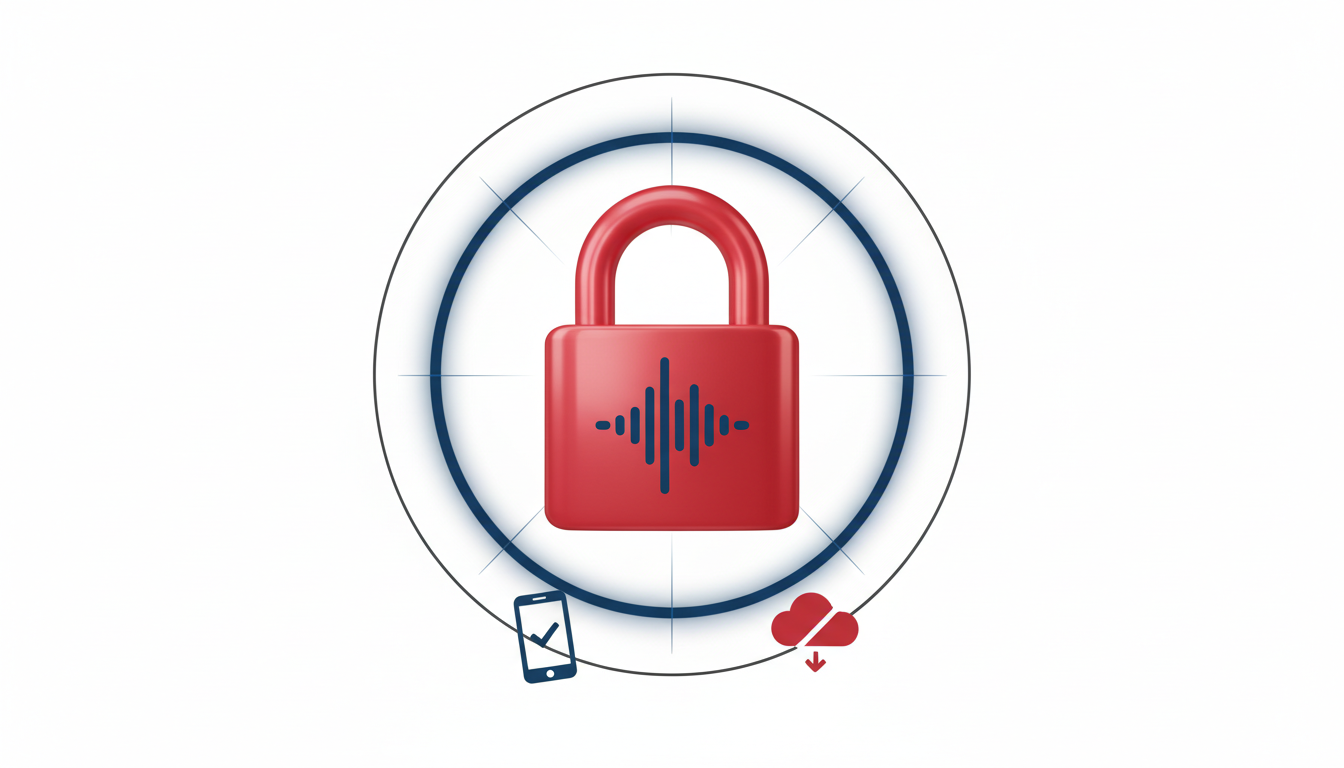
For those seeking offline transcription software, Whisper stands out as a top choice, especially for users emphasizing privacy and open-source solutions. Developed by OpenAI, Whisper is fully open-source, meaning you can run it locally on your own hardware, keeping your audio data private—a significant benefit for sensitive or proprietary material.
Whisper's capabilities extend across 99–100+ languages, making it a versatile option for multilingual transcription projects. This broad language support ensures it can handle diverse audio inputs, catering to international teams or content creators working in multiple regions.
When it comes to accuracy, Whisper delivers impressive results, achieving 85–95% accuracy on clean audio. This level of precision makes it comparable to many paid services, particularly when the input audio is clear and free from excessive background noise. The local processing also means you won't rely on cloud-based services, reducing potential issues with data breaches or internet connectivity.
For tech-savvy users, the open-source nature of Whisper allows for customization. You can tweak and optimize the software to suit specific needs, whether that's adjusting language models or integrating Whisper into a larger transcription pipeline.
Whisper is particularly beneficial for:
- Podcasters needing accurate transcriptions without compromising sensitive audio.
- Researchers looking to ensure data confidentiality during analysis.
- Organizations with strict privacy standards who require offline processing.
In summary, if privacy and control are at the forefront of your transcription needs, Whisper offers an unparalleled balance of accuracy, multilingual support, and customizable features, all while processing offline. This makes it a go-to tool for anyone needing to transcribe sensitive or proprietary recordings within their own secure environment.
3. Otter.ai: Best for Meeting Transcripts
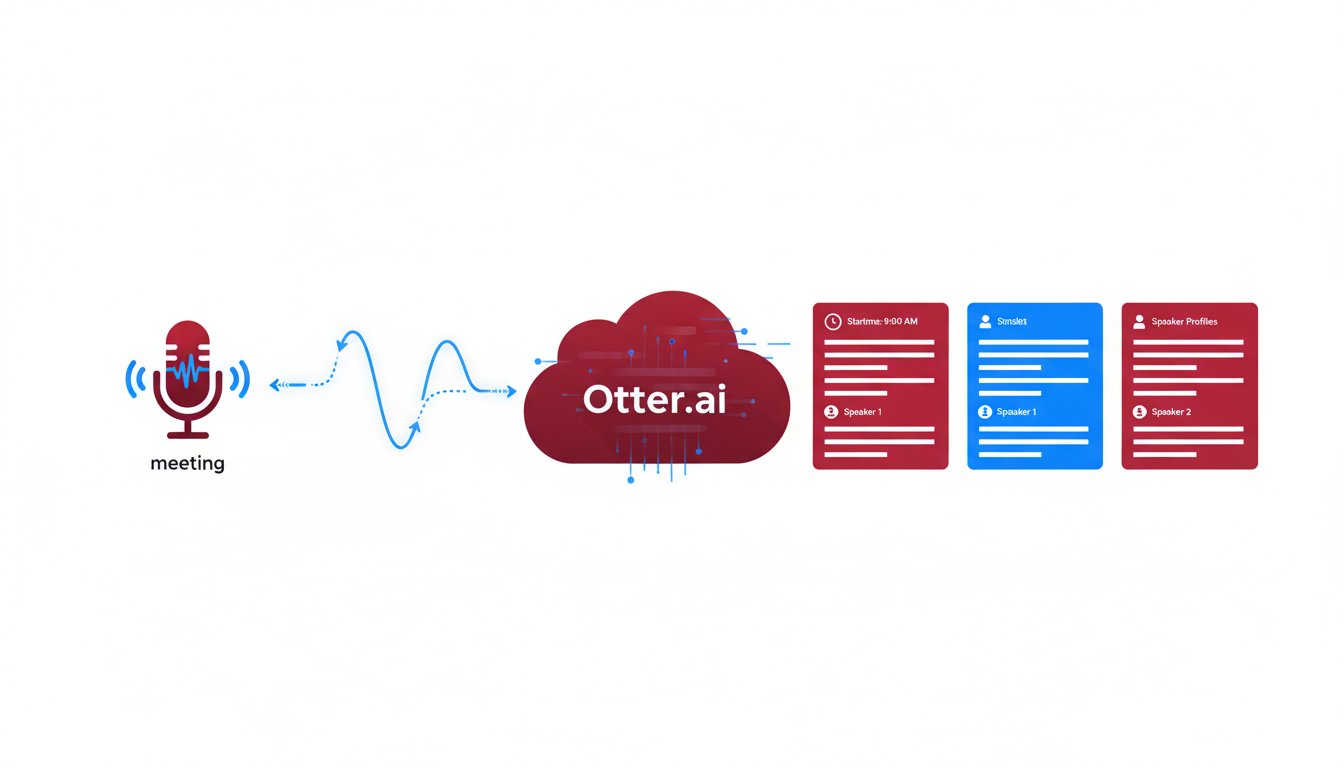
When it comes to meeting transcription software, Otter.ai stands out as a fantastic option, especially for those who prioritize speaker identification and real-time transcription. Offering a generous 300 minutes per month for free, Otter.ai makes transcribing meetings both straightforward and efficient.
One of the standout features of Otter.ai is its real-time transcription, which is incredibly beneficial for meetings. This means that as your conversation unfolds, Otter.ai captures and transcribes the dialogue almost instantly. This can be a game-changer for teams that want to focus on the discussion without the distraction of taking notes.
Otter.ai doesn’t just stop at transcribing the audio; it also provides speaker identification. This means that during a conversation, the software can differentiate between speakers, allowing you to see who said what—a crucial feature for accurately capturing the nuances of team discussions or interviews. This capability ensures that each person's contributions are clearly attributed, making the final transcript more meaningful and actionable.
Moreover, Otter.ai’s integration capabilities enhance its practicality. It syncs seamlessly with other tools you might already use in your workflow, such as Zoom, so live transcripts are available right in your meeting space. This integration can save time and ensure that you never miss any vital information during a call.
However, like many free tools, there are trade-offs. Beyond the 300-minute limit, you might need to consider a premium plan if you require extensive transcription capabilities. Nonetheless, for moderate use, Otter.ai provides a robust solution without any initial financial commitment.
When thinking about exporting your transcripts, Otter.ai offers convenient formats like TXT and PDF, making it simple to share and store notes after meetings.
Otter.ai’s combination of real-time transcription, speaker identification, and convenient integrations positions it as a top choice for users who need an effective and efficient meeting transcription tool. Consider starting with the free plan to ensure it fits seamlessly with your team's workflow.
4. Notta: Multilingual Transcriptions
If you're part of a global team or often engage in multilingual conversations, Notta might just be the transcription tool you need. Offering 120 minutes per month for free, Notta supports up to 120+ languages. This makes it an excellent choice for those needing real-time transcription in diverse linguistic settings.
Best for Multilingual Teams
The standout feature of Notta is its multilingual transcription capability. Whether you're dealing with meetings across continents or podcasts featuring speakers from diverse backgrounds, Notta can accurately handle the linguistic variety. This broad language support is complemented by its real-time transcription, allowing you to keep up with conversations in the moment.
What’s Free
On the free plan, Notta offers 120 minutes per month—ideal for those who have occasional transcription needs. This plan supports a wide range of languages, making it a low-cost solution for capturing conversations bilingually or even multilingually.
Standout Strengths
- Real-time transcription for immediate access to the text during live conversations.
- Extensive language support addressing the needs of multilingual workplaces.
- User-friendly interface that facilitates quick setup and ease of use.
Trade-offs
However, if your transcription needs are large-scale, the 120-minute limit might require you to upgrade for extended use. Also, while Notta excels at language support, some users report needing more robust speaker identification capabilities, which can affect the clarity of transcripts in multi-speaker settings.
When to Pick It
Choose Notta if you're primarily looking for a tool that accommodates multiple languages and offers solid real-time transcription. It's particularly beneficial for educators, international teams, and content creators needing a quick and clear transcription solution across different languages.
Export/Workflow Tips
To make the most out of Notta, use its export features to seamlessly integrate transcripts into your workflow. With the ability to export transcripts in various formats, it's easy to share with your team or across platforms, ensuring that language isn't a barrier to effective communication.
For more transcription solutions that might suit different requirements, check our guide on how to transcribe audio to text for free.
5. Descript: For Podcasts and Interviews
When it comes to transcription for podcasts and interviews, Descript stands out as an excellent choice for content creators. This tool offers 60 minutes of free transcription each month, with a unique feature set that includes text-based audio editing. This can be a game-changer for podcasters looking to streamline their editing process.
What’s Free: The free tier offers 60 minutes of transcription with the ability to make real-time edits directly on the transcript. You can move beyond simple word-for-word transcriptions to quickly polish audio content for podcasts, interviews, or any spoken word media.
Standout Features:
- Text-Based Audio Editing: Descript allows you to edit audio by simply editing text. Want to cut out a pause or filler words? Just delete the text, and it updates the audio file simultaneously.
- Overdub Capability: An innovative feature where you can generate audio dubs in your own voice, perfect for minor changes without needing to re-record.
Trade-offs: While it's packed with features, the 60-minute limit might be restrictive for users who produce lengthy or multiple episodes a month. This can be something to consider if your podcasters need extensive edits or more frequent uploads.
Best For:
- Podcasters: Descript is ideal for podcasters who want an integrated solution that combines transcription with editing. It's especially useful for those who need to make precise edits or patch up quickly without diving back into an audio editor.
- Content Creators: The tool's intuitive interface simplifies workflow, making it a go-to for creators looking to produce high-quality, polished audio content efficiently.
Export/Workflow Tips: Once your transcription and edits are complete, you can export the audio or the transcript in various formats to suit your publishing needs. Whether you're looking to share episodes directly on platforms or create SRT files for captions, Descript provides a comprehensive suite of export options.
For those delving deep into podcast production, Descript offers a pragmatic approach to managing your episodes. However, if you're looking to explore options that provide more minutes or focused privacy features, be sure to check our DeepScribe for its Whisper-powered accuracy and comprehensive transcription support.
6. Happy Scribe: For High-Quality Outputs
Happy Scribe is an excellent choice for professionals who need high-quality transcription outputs. It combines AI technology with optional human proofreading to achieve impressive accuracy rates, ranging from 85% to 99%. This blend caters to those who demand precision in their transcriptions, making it a go-to option for projects where accuracy is non-negotiable.
At the core of Happy Scribe is its freemium model, which allows users to access basic features without upfront costs. Professionals who often deal with complex transcription needs can benefit from its advanced capabilities, ensuring meticulous transcription of interviews, meetings, and focus group discussions. The platform is particularly noted for its robust handling of speakers with varied accents and background noise, crucial for maintaining clarity and understanding in nuanced conversations.
Happy Scribe supports a wide range of languages, making it suitable for multilingual projects. This feature is critical for global teams and projects that involve translations or work across different language barriers. The ability to produce accurate transcripts in multiple languages can be a game-changer for international businesses or researchers dealing with diverse datasets.
Moreover, the platform's interface is user-friendly, and its integration capabilities enable seamless incorporation into existing workflows. Whether you're working with video content needing SRT or VTT caption formats or text exports in PDF and DOCX, Happy Scribe provides flexible options that cater to various professional requirements.
Key strengths of Happy Scribe include:
- AI-powered accuracy enhanced by optional human editing
- Multilingual support, ideal for international projects
- Flexible export formats, ensuring compatibility with various professional needs
However, it's essential to consider the freemium limitations. While the free model gives a taste of its potential, access to higher-tier features requires a subscription. This cost is often justified by the improved precision and broader feature set available to paid users.
To explore Happy Scribe further, you can start with its free tier to evaluate its basic capabilities and upgrade as your transcription needs grow. This approach allows you to test its efficiency and alignment with your specific requirements.
7. Vosk: Lightweight Offline Transcriptions
Vosk presents an intriguing option for those seeking offline transcription software that accommodates a diverse array of languages. Supporting over 20 languages, Vosk excels in scenarios where local transcription is preferred, providing a significant advantage in environments with limited internet connectivity or stringent privacy needs.
One of Vosk's standout features is its ability to function effectively on low-resource devices. This is particularly beneficial for users who require transcription capabilities without the need for high-powered hardware. By processing audio files without the internet, Vosk ensures that sensitive data remains on your local device, offering a layer of privacy that cloud-based solutions do not inherently provide.
Vosk's model shines in various scenarios: Imagine you're a field researcher in a remote area with unreliable internet access, needing to transcribe interviews on the spot. Vosk enables this by delivering robust transcription capabilities directly from your local setup.
Thanks to its open-source nature, Vosk allows for customization and integration with other applications, appealing to developers who appreciate flexibility and the ability to tailor the software to specific needs. This open-access model fosters a growing community that continually enhances its offerings, making it a dynamic choice in the transcription landscape.
For instance, educational institutions often utilize Vosk to transcribe lectures in real-time, providing students with immediate access to class notes without relying on the internet. Similarly, journalists on tight deadlines can benefit from the efficiency of offline transcription, reducing the time spent waiting for connectivity.
Key Takeaway: If you're prioritizing privacy and require transcription that doesn't depend on cloud services, Vosk's offline capabilities might just offer the edge you need, especially for diverse language support. While not the only tool in this space, its lightweight, adaptable framework certainly positions it as a strong contender for specific use cases.
Comparison Matrix of Transcription Tools
Navigating through the maze of transcription software can be a daunting task, especially when you're trying to align features with specific needs. To make this process easier, we’ve compiled a comparison matrix that highlights the real-world use cases, free limits, and language support for each top tool. This will help you make informed choices swiftly and efficiently.
| Tool | Best For | Free Limit | Language Support | Key Feature |
|---|---|---|---|---|
| DeepScribe
|
Meetings, podcasts | 30 minutes/month | 100+ (Pro/Business) | Whisper-powered accuracy |
| Whisper
|
Privacy-focused use | Unlimited | 99–100+ | Fully offline capability |
| Otter.ai
|
Real-time meetings | 300 minutes/month | N/A | Speaker identification |
| Notta
|
Multilingual tasks | 120 minutes/month | 58–120+ | Language versatility |
| Descript
|
Audio editing | 60 minutes/month | English | Text-based audio editing |
| Happy Scribe
|
Professional accuracy | Freemium | 85–99% accuracy with human proofreading | Scalable transcription |
| Vosk
|
Lightweight offline use | Unlimited | 20+ | Offline processing |
Quick Insight: Most tools offer specific strengths—like DeepScribe’s Whisper-powered accuracy and multi-language support, perfect for diverse meetings and content creation. Meanwhile, tools like Whisper excel in offline privacy, and Otter.ai shines in real-time transcription for meetings.
Understanding these trade-offs can help you align the transcription tool not just with your accuracy and speed needs, but also with workflow flexibility and language requirements. Remember, audio quality is pivotal for maximizing AI transcription efficiency, so ensure your inputs are clean for the best results.
Transcription Accuracy and Speed Playbook
Achieving high transcription accuracy and swift turnaround times hinges significantly on the quality of the audio input. Here’s how you can optimize both accuracy and speed in your transcription process.
Focus on Input Quality
Key Insight: The clearer the audio, the better the transcription accuracy. Before transcription, ensure you're working with high-quality recordings. Utilize a good-quality microphone and record in a quiet environment to reduce background noise and echoes.
- Clarity Over Content: Speech should be clear and free from overlapping conversations.
- Minimal Background Noise: Background noise filters can help, but starting with clean audio maximizes results.
- Microphone Placement: Position the mic correctly—about a hand’s breadth from the speaker's mouth—to reduce distortion and capture clear audio.
Setup Tips for Boosting Accuracy
Optimize Recording Settings: Use settings that align with AI transcription tools. For instance, Whisper, renowned for its 85-95% accuracy on clean audio, thrives on high-quality inputs.
- Bitrate and Format: Record at a high bitrate (at least 128 kbps) and opt for lossless formats like WAV when possible.
- Consistent Volume Levels: Maintain consistent volume levels to prevent any part of the conversation from being too faint or too loud.
Speeding Up the Process
Real-time Transcription Use: For live transcriptions, leverage tools like DeepScribe’s Meeting Notetaker feature. This reduces time spent on manual note-taking during meetings and directly offers summarized outputs.
“High-quality input is essential for maximizing AI transcription accuracy.”
Tools and Techniques
Use Whisper or DeepScribe: Whisper, noted for supporting 99–100+ languages and local processing, offers a privacy-oriented option. Meanwhile, DeepScribe provides a seamless experience with its Whisper-powered technology, ensuring both speed and accuracy.
Export Formats for Efficiency: Selecting effective export formats enhances usability. With DeepScribe, exporting to TXT, DOCX, PDF, SRT, and VTT ensures you receive the most useful output for your needs.
Final Takeaway
Always remember, high-quality audio ensures high transcription accuracy, while appropriate tools and settings significantly boost speed. Investing time upfront in setting up your recording environment and understanding tool capabilities can save substantial time in the transcription process.
FAQs about Free Transcription Software
When exploring the best free transcription software, several questions often pop up. Let's tackle these common inquiries to help you make an informed decision.
1. What's the Difference Between Free and Freemium Transcription Software?
BLUF: Free vs. freemium boils down to limits and upgrades. Free transcription tools typically offer basic, no-cost services with limitations—like Otter.ai's 300 minutes per month or Descript's 60 minutes. Freemium models provide additional, more comprehensive features at a cost once a limit is exceeded.
- Free: Offers basic transcription for short periods or fewer files.
- Freemium: Starts with free options but charges for extended use or advanced tools like deeper integrations or higher quality exports.
Understanding these distinctions can prevent surprises down the line, especially when a project surpasses the free-tier limitations.
2. How Does Privacy Impact Transcription Software Choice?
BLUF: Privacy often dictates whether to choose online or offline tools. If keeping your data local is crucial, offline tools like Whisper are ideal, as they process data directly on your device without cloud involvement.
- Whisper: Supports offline transcription with high accuracy (85-95% on clean audio) and multilingual capabilities (99-100+ languages).
- Cloud-Based Tools: While convenient, they involve uploading data to servers, which might not be suitable for sensitive content.
Choosing offline options when privacy is paramount ensures that your data remains securely on your device.
3. Is Whisper Transcription Really Free?
BLUF: Yes, Whisper transcription is fully free and open-source. Powered by OpenAI, it offers robust performance, especially for those with technical know-how to set it up.
- Pros: No cost, high accuracy, supports multiple languages.
- Cons: Requires local installation and may need some technical setup.
Whisper remains a favorite among privacy-conscious users who value control over their data.
4. What Happens If I Exceed the Free Minutes?
BLUF: Exceeding free minutes typically triggers the premium tier of a freemium model. For instance, with Otter.ai, using more than 300 minutes shifts users to a paid plan.
- Plan Management: Regularly check current usage to avoid unexpected charges.
- Alternatives: Consider tools like DeepScribe if frequent transcription is needed. While its free plan is limited to 30 minutes per month, their premium options are attractive for sustained use.
Keeping tabs on usage and knowing when to upgrade ensures smooth workflow management.
Expert insight: "The key is matching your workflow needs with the software's limitations. Always plan for the times you may surpass the 'free' offerings."
5. How to Generate Captions with Free Tools?
BLUF: Free tools can indeed help create captions, but may have limitations in formatting and accuracy. For seamless SRT or VTT caption generation, explore tools like Descript and DeepScribe, which export captions supporting various formats.
- Free Plan Constraints: Limited in how many minutes or formatting options you receive.
- DeepScribe: While it requires a paid plan for extensive use, its platform offers seamless caption creation for various projects.
With increasing demand for video content, understanding your captioning needs versus software capabilities can save time and improve accessibility.
Each of these FAQs highlights a vital consideration in selecting the right transcription software, ensuring you choose the best tool for your needs.
Conclusion: Why DeepScribe is the Best Starting Point
Choosing the right transcription tool is essential, and DeepScribe emerges as the optimal starting point for several reasons. Let's break it down.
First and foremost, DeepScribe is powered by OpenAI's Whisper, renowned for delivering industry-leading accuracy ranging from 85-95% on clean audio, according to Merlin Computer. This ensures that your transcripts are not only fast but also highly reliable, minimizing the need for further corrections.
For those who require flexibility, DeepScribe supports a vast array of export formats—including TXT, DOCX, PDF, SRT, and VTT—catering to diverse workflow needs, from document sharing to subtitle creation. This feature, coupled with high-speed processing, makes DeepScribe particularly appealing to content creators and professionals managing large volumes of transcription tasks.
The 30 minutes per month free tier, as stated on DeepScribe's website, allows users to explore its capabilities without any financial commitment, making it a risk-free starting point. This trial, devoid of credit card requirements, enables individuals to experience the benefits of Whisper-powered accuracy firsthand.
Furthermore, DeepScribe is unmatched when it comes to multilingual transcription, handling 100+ languages with automatic detection—a boon for global teams. Its robust speaker identification and meeting note features empower users to seamlessly integrate with platforms like Zoom, Microsoft Teams, and Google Meet, offering true meeting intelligence.
Key takeaway: DeepScribe's combination of accuracy, flexibility, and robust features tailored for modern transcription needs makes it an ideal starting point.
In summary, whether you're focused on precision, speed, or multilingual capability, DeepScribe is positioned as the expert's choice for anyone seeking powerful, reliable transcription without the drawbacks of freemium restrictions. For more detailed guidance on maximizing these features, check out the DeepScribe blog.
Frequently Asked Questions
Is Whisper really free?
Yes, Whisper is fully open-source and free to use offline with high accuracy on clean audio.
Do I need an offline transcription tool?
Offline tools are ideal for handling sensitive audio or when internet access is limited.
What if I exceed my free minutes?
Consider upgrading your plan or exploring another tool that meets your usage needs.
How important is audio quality for transcription accuracy?
Audio quality is crucial; high-quality input ensures better transcription accuracy.
Can free transcription tools handle multilingual content?
Some tools, like Notta and Whisper, support multiple languages extensively.
Final Thoughts
In exploring the best free transcription software, it’s clear that each tool has its strengths and trade-offs. Here are the key takeaways:
- Whisper's Accuracy: Highly accurate on clean audio, providing excellent baseline results.
- Language Support: Tools like Notta offer broad language options, catering to multilingual needs.
- Minute Limits: Many free plans limit usage time, affecting those with extensive transcription requirements.
- Audio Quality Sensitivity: Clear audio yields better results, so assessing your recording quality is crucial.
When you're ready to find a balance between accuracy and speed, try DeepScribe. With Whisper-powered precision, seamless exports, and flexible meeting tools, it’s ideal for many users. For a detailed setup, check out our DeepScribe guides here. Start exploring the right tool for your workflow today!
Written by

DeepScribe Team
Content Team
The DeepScribe content team shares insights on audio transcription and AI technology.
Related Articles
Continue reading about this topic
11 Free AI Transcription Tools for Videos (2026)
Dive into the best free AI transcription tools of 2026, tailored for creators and small teams. Learn when upgrading to DeepScribe becomes essential.

DeepScribe Team
February 26, 2026 · 28 min read · 5,435 words