9 Best Free Transcription Tools to Try in 2026
Discover the top free transcription tools in 2026, with a focus on free-tier limits and choosing the right tool. DeepScribe Free offers a seamless start.

DeepScribe Team
Content Team
9 Best Free Transcription Tools to Try in 2026
In a world where AI transcription promises to transform conversation into crystal-clear text, free-tier plans seem like a dream come true—until you hit their notorious limitations. Whether it’s minute caps, meeting-only restrictions, or accuracy ceilings, knowing where these tools pinch is crucial for finding the right fit for your workflow. This roundup isn’t just another list of free tools; it’s a navigational guide through the hidden tangles of AI limits, offering a decision matrix tailored to your specific needs.
Kick-starting your transcription journey should be as seamless as possible. That’s why we’re spotlighting DeepScribe Free as the default choice for individuals and small teams. With 30 minutes of whisper-powered transcription each month and no credit card required, it’s the clean slate you need to experience hassle-free, modern transcription. Dive in as we unravel the best free options, providing clear paths based on your priorities and practical advice on boosting accuracy through audio cleanup. Welcome to your essential guide for navigating the world of free transcription in 2026.
Introduction: The Reality of Free Tiers
Navigating the world of free transcription tools in 2026 can feel like a maze, filled with unexpected limitations and tradeoffs. Free transcription tools often promise robust features without the cost, but they typically come with strings attached. Here’s the scoop: minute caps, accuracy dips, and setup hurdles are common. Let’s break down these limitations and introduce a standout option, DeepScribe Free, to ease you in smoothly.
Most free transcription plans cap usage between 300 and 500 minutes per month, nudging heavy users toward paid upgrades (Statista 2023). While tools like Otter.ai offer 300 minutes/month, they are best suited for short meetings, but for deeper engagement, you'd need more minutes. The allure of free services dims when frequent users hit these caps within a week.
Accuracy is another critical factor. While human transcription achieves up to 99% accuracy, free AI tools hover between 80–90% (Statista 2023). This gap often leads to misidentified speakers and garbled text when audio quality is less than perfect. You can boost accuracy to that coveted 99% mark through pre-transcription noise removal, but it’s an extra step not everyone is ready for.
Privacy, too, remains a concern with many free tools requiring cloud uploads, making services like MacWhisper appealing for those valuing local processing, despite its initial setup complexity.
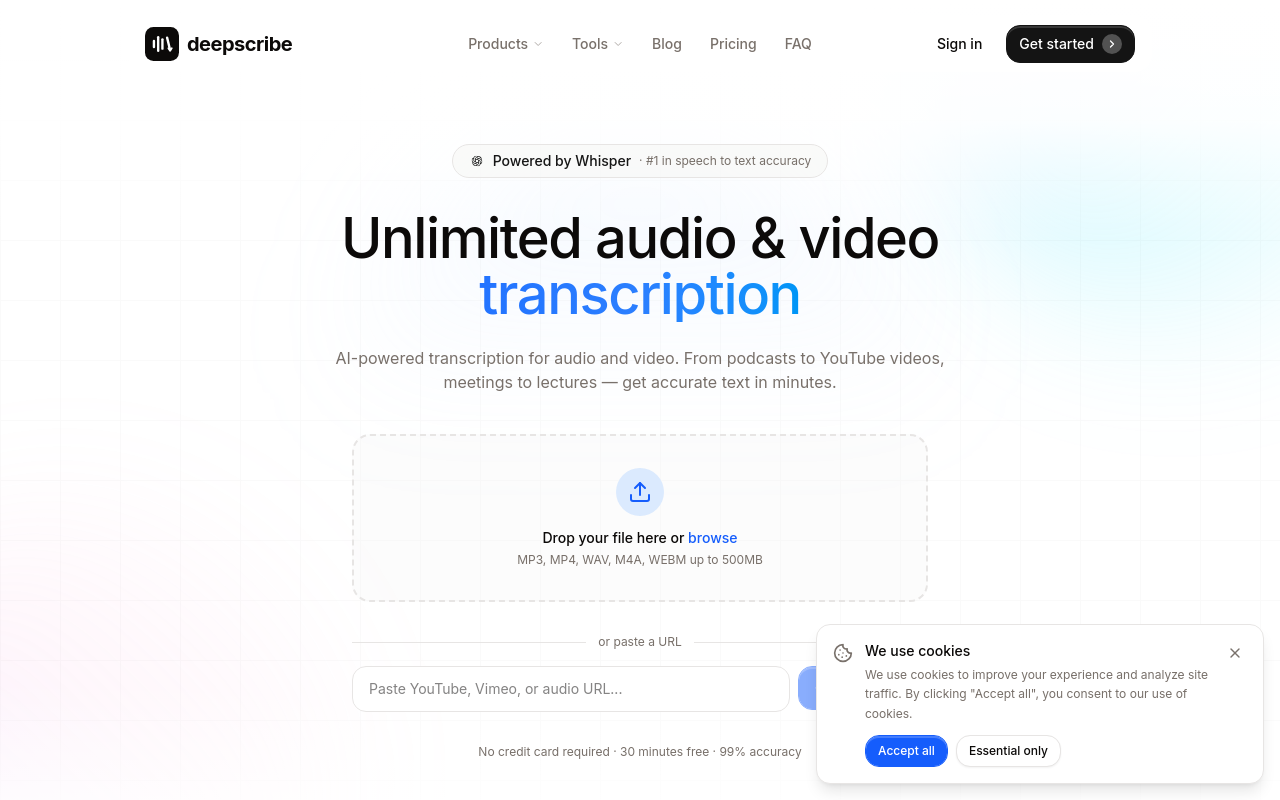
For those just dipping a toe into transcription, DeepScribe Free offers an accessible starting point with 30 minutes of transcription per month and no credit card required. This Whisper-powered tool stands out for its ease of use and accuracy, particularly in speaker-labeled transcripts, without the fuss of complex setup or hidden costs.
Embark on your transcription journey with confidence. Consider starting with DeepScribe Free, perfect for small teams or individuals seeking a hassle-free, reliable introduction to AI-powered transcription. For a deep dive into meeting transcription, see How to Transcribe Zoom Meetings with AI.
How We Evaluated the Best Free Transcription Tools
When it comes to evaluating the best free transcription tools for 2026, we dived deep into the aspects that matter most to users: minute limits, accuracy, speaker labeling, privacy, and setup. Here's how each of these criteria played a crucial role in our assessment.
Minute Limits: Understanding the Free-Tier Reality
Most free transcription tools impose monthly caps, often between 300 to 500 minutes. This is a significant factor, as going over these limits can force users into premium plans unexpectedly. For instance, Otter.ai offers 300 minutes a month, while Descript provides 3 hours of transcription. Understanding these minute caps helps you plan better, ensuring you don’t face sudden service cut-offs.
Accuracy: The Critical Gap
Transcription accuracy is vital. According to Statista 2023, human transcription reaches up to 99% accuracy, while free AI transcription tools hover between 80–90%. Tools that use advanced models like OpenAI's Whisper tend to perform better. However, for those seeking near-perfect accuracy, cleaning up audio before transcription—removing noise, clarifying speech—can significantly help push AI accuracy closer to human levels.
Speaker Labeling: Clarity in Conversation
Good transcription software must accurately label speakers to make dialogue easy to follow, especially in interviews or meetings. Not all tools excel in this area. DeepScribe stands out here with its speaker labeling capabilities, making it the go-to choice for many looking for clarity and structured outputs.
Privacy: Security in Transcription
Privacy is a growing concern, with many users wary of uploading sensitive audio files. Tools like MacWhisper, which offer local processing, alleviate these concerns by processing data on your device, providing a private transcription experience without cloud dependencies.
Setup: Ease of Use Matters
An intuitive setup process is crucial for beginners. Advanced tools might offer extensive features but can be daunting to configure. Starting with a simple tool like Google Docs Voice Typing can be a low-friction entry point, though it might not cover complex needs like accurate transcription of noisy audio.
In navigating these criteria, our aim was to help you find not just any tool, but the right one for your specific needs. Whether accuracy, privacy, or minutes are your priority, knowing these details equips you to make a more informed choice.
1. DeepScribe — Best Starter for Individuals and Teams
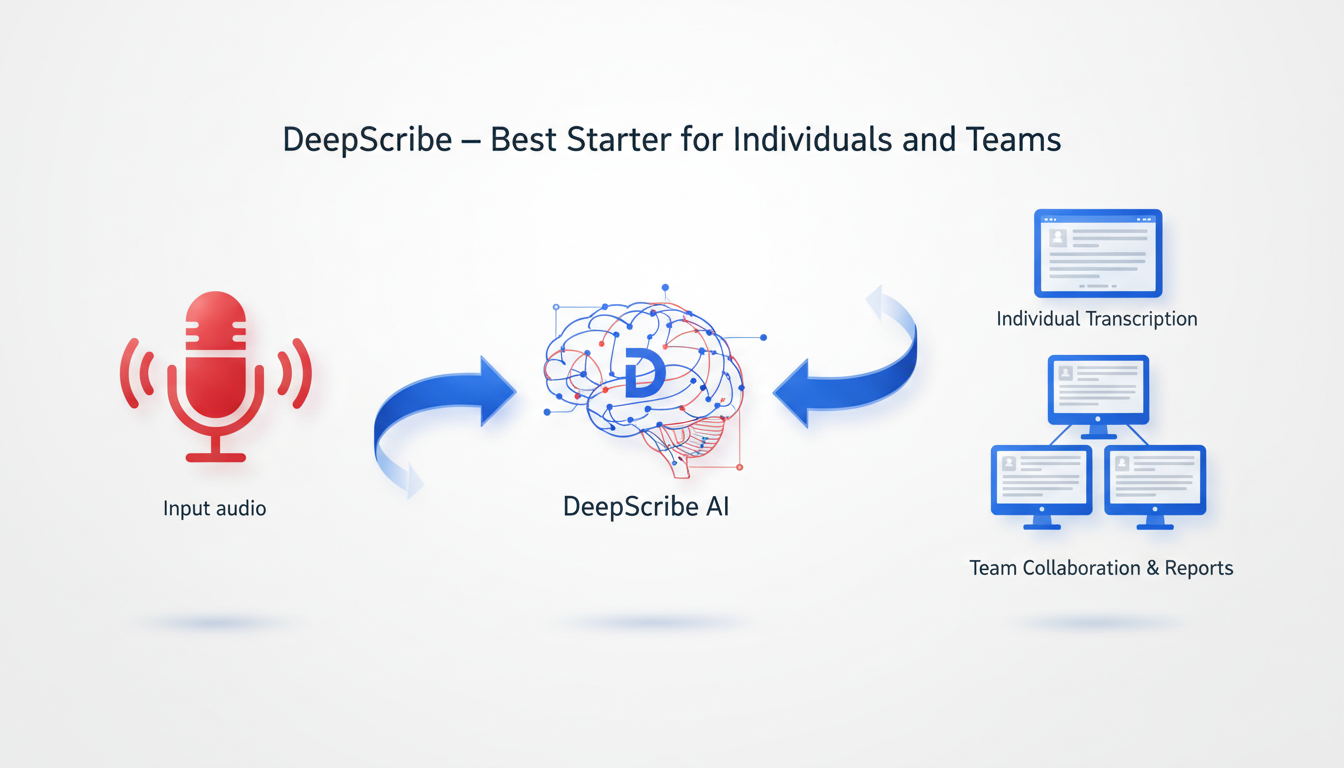
When it comes to free AI transcription tools, DeepScribe Free stands out as an unbeatable starting point. Offering 30 minutes of transcription per month without requiring a credit card, DeepScribe provides a low-friction entry into high-quality transcription services. The key here isn’t just the free minutes—it’s the Whisper-powered accuracy that makes it a top choice for individuals and small teams.
DeepScribe leverages OpenAI’s Whisper model, which is renowned for its ability to handle accents, background noise, and even complex jargon, achieving accuracy that free AI tools typically fall short of. According to Statista 2023, while free AI tools hover around 80–90% accuracy, DeepScribe edges closer to the gold standard of human transcription, which can reach up to 99%.
One area where DeepScribe really shines is its easy setup. Unlike other tools that require laborious configurations or credit card information, DeepScribe enables users to get started with just a few clicks. Simply drag and drop your audio or video files, and you’re on your way to receiving precise transcripts.
For those concerned about privacy, DeepScribe employs end-to-end encryption, ensuring that your data remains secure throughout the transcription process. Files are automatically deleted after processing, which means you don’t need to worry about lingering data vulnerability.
This tool is versatile enough to be used across various industries—from journalists seeking quick interview transcriptions to content creators needing accurate captions. Whether you’re running a small team meeting or simply recording notes for your next big project, DeepScribe provides a seamless experience with minimal barriers to entry.
Key Features at a Glance:
- Free Plan: 30 minutes/month, 25MB max file size.
- Formats Supported: Export in TXT format.
- Advanced Accuracy: Powered by Whisper, tackling tougher audio challenges.
- Privacy Assurance: End-to-end encryption with automatic file deletion.
For those ready to elevate their transcription game with ease and precision, DeepScribe Free is an ideal starting choice.
For more details on how DeepScribe can streamline your workflow, visit DeepScribe.
2. Otter.ai — Best for Meeting Transcription
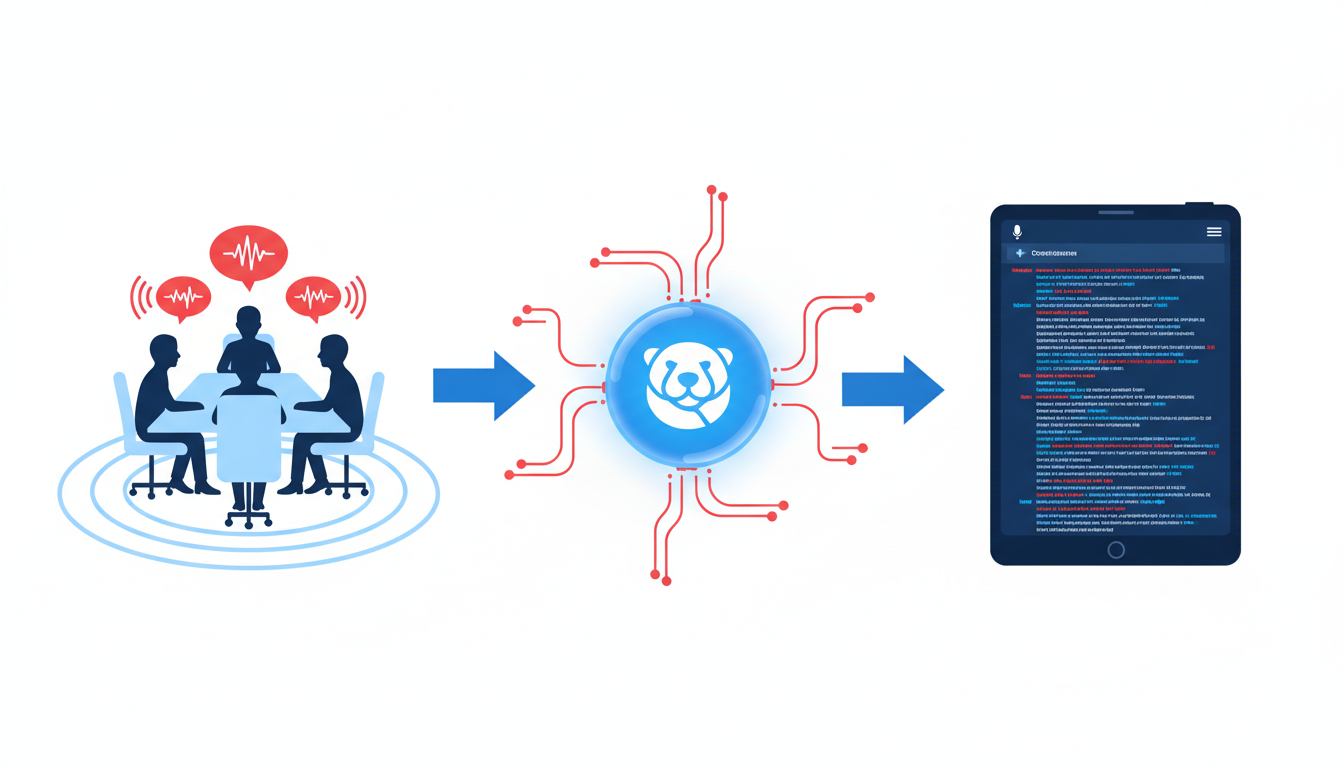
When it comes to meeting transcription, Otter.ai stands out with its robust features and user-friendly interface. With a free plan offering 300 minutes of transcription per month, Otter.ai is especially suited for individuals and small teams who value real-time transcription during meetings. Its primary strengths lie in live transcription and speaker identification, making it an excellent choice for those focused on meeting workflows rather than file uploads.
Otter.ai's live transcription capabilities shine in real-time settings. As meetings unfold, Otter captures every word, allowing participants to focus on discussion without distraction. Its real-time processing provides an immediate textual record that participants can access during and after the meeting, which is ideal for professionals who need to engage deeply without missing key points.
Another standout feature is speaker identification, which accurately distinguishes between different speakers. This is particularly valuable for meetings with multiple participants, helping in attributing comments and ensuring clarity in conversation summaries. Given its strengths in live settings, Otter.ai is less suited for transcribing uploaded files due to its design focus on live meeting scenarios.
"Otter.ai's free plan suits meetings with live transcription, but users should upgrade for precision beyond 80–90% AI limits." — GoTranscript
While the free tier is generous, the 300-minute cap can become limiting for users with heavier transcription needs. In such cases, users might consider upgrading to unlock more features and extend their transcription limits to accommodate their workflows.
For a comprehensive guide on how AI transcription tools like DeepScribe handle various scenarios, you might explore related resources like How to Transcribe Zoom Meetings with AI.
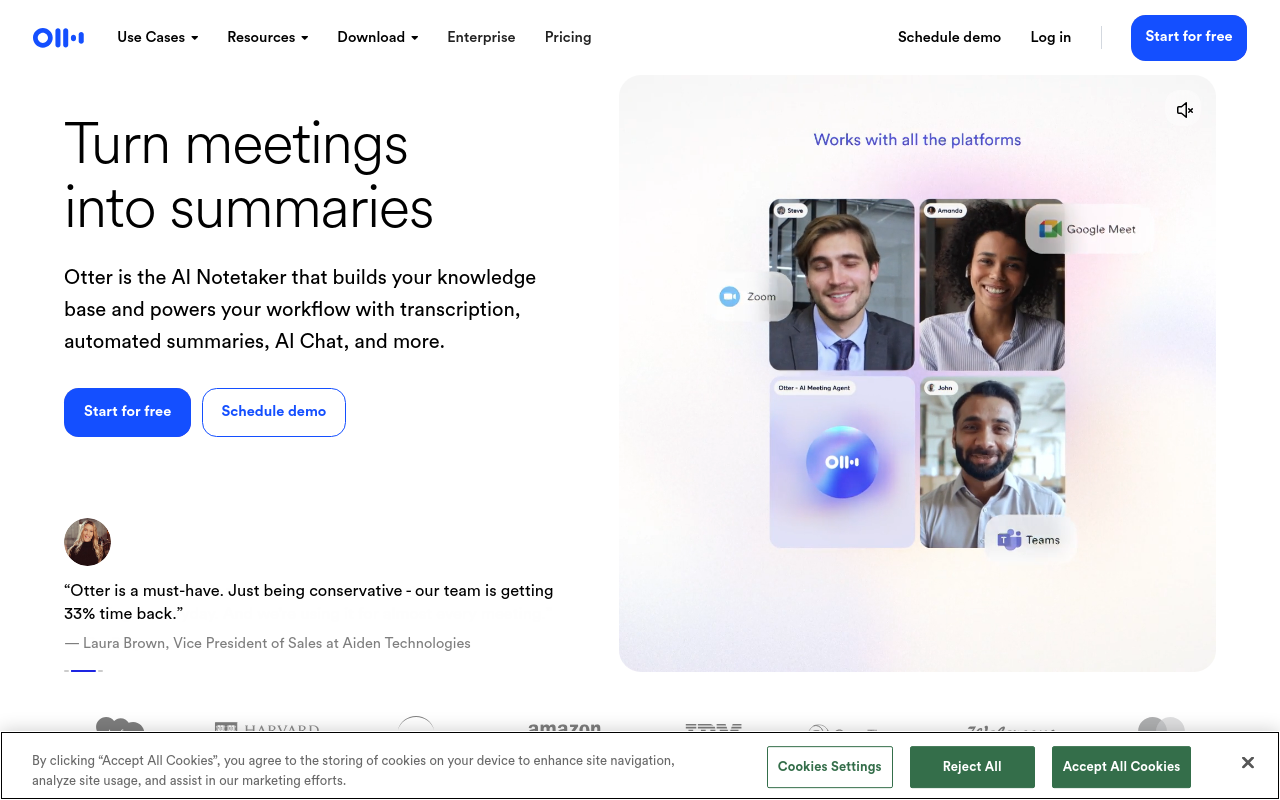
Otter.ai remains a solid choice for team collaborations and live meetings, offering efficient transcription with a focus on accuracy and speaker differentiation.
3. Descript — Best for Creative Projects
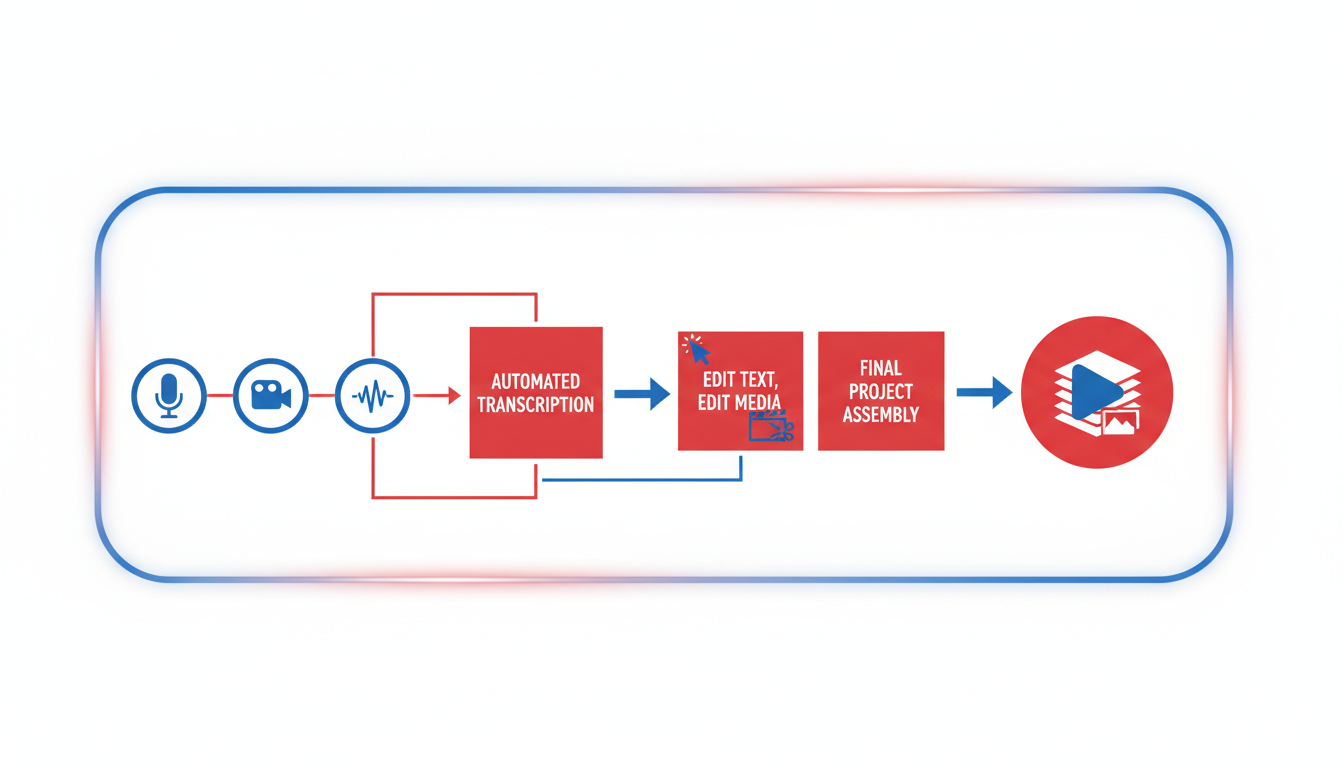
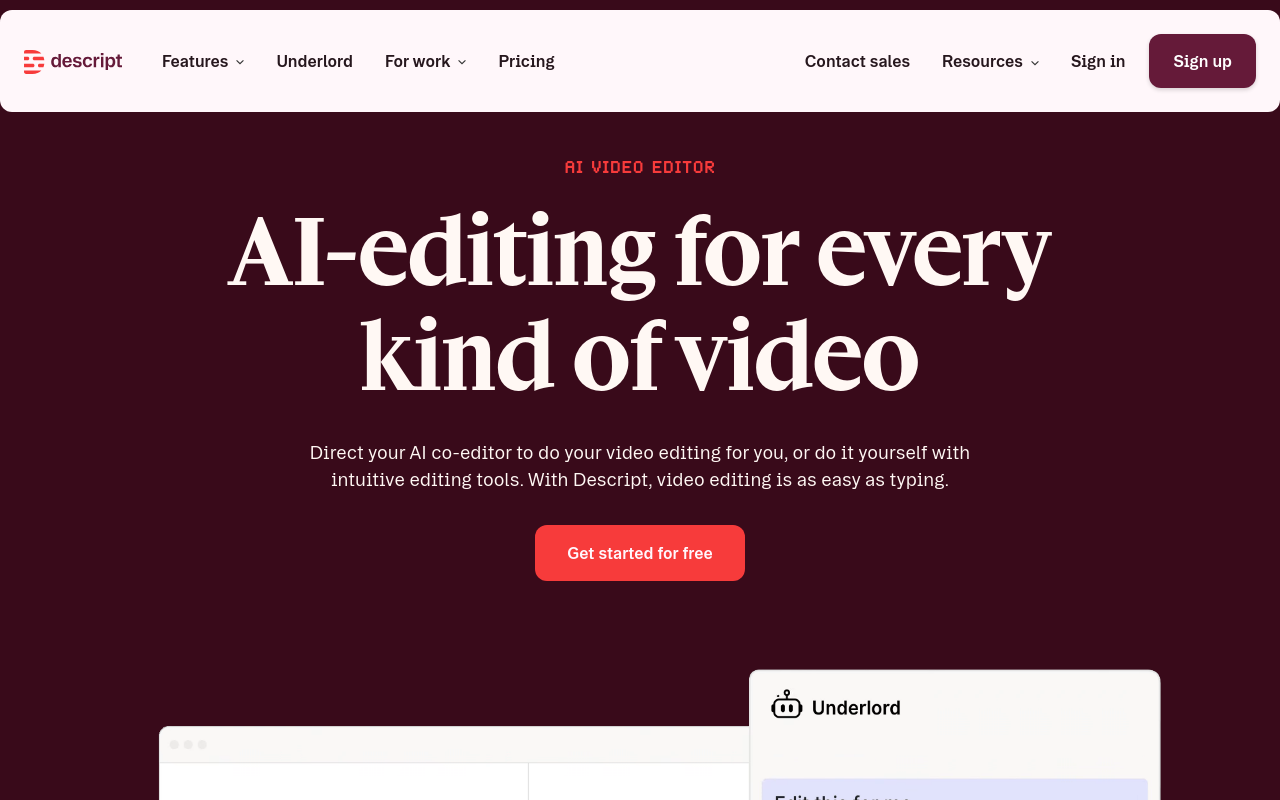
If you’re a creative professional dipping your toes into transcription for video and podcast projects, Descript might just be your go-to. This versatile tool is renowned for its seamless integration into editing and production workflows, making it a beloved choice among video editors and podcasters alike.
Free Plan Details: Descript offers a free plan with up to 3 hours of transcription per month. While this might seem limited, it’s a generous offer for creators working on shorter projects or just getting started with transcription.
Why Creatives Love It: Descript isn’t just about transcription; it’s part of a broader production toolkit. Creators can edit videos and podcasts right within the app. Imagine correcting audio errors, trimming video segments, or adding music—all while effortlessly switching back to transcription. This kind of integrated workflow is what sets Descript apart as a true free transcription app for creatives, transforming how they handle video to text tasks.
Where Limits Show Up: The free tier clocks out at 3 hours per month, which might not suffice for more intensive projects. However, it’s an excellent starting point to test its capabilities. More advanced, long-form content creators may find the need to upgrade to unlock more minutes and features.
Accuracy and Features: While AI transcription tools generally hover around the 80-90% accuracy range (Statista 2023), Descript enhances this through its smart editing capabilities. To further finesse accuracy, many creators apply audio cleanup techniques beforehand, boosting potential accuracy closer to 99% when paired with these enhancements.
If you’re exploring the crossroads of transcription and production, Descript offers an exciting glimpse into the future of creative workflows, making it an invaluable companion for any aspiring or seasoned editor.
For more on how AI transcription can work with your creative projects, take a look at DeepScribe’s guide to transcription for YouTube to see how modern tools can amplify your media reach.
4. Google Docs Voice Typing — Best for Real-Time Typing
When it comes to real-time dictation, Google Docs Voice Typing is a standout option, especially for those seeking an accessible and straightforward solution. As part of the Google Docs suite, this tool offers unlimited real-time dictation, seamlessly transforming your spoken words into text as you speak. It's perfect for users who want to transcribe notes, brainstorm ideas, or simply capture their thoughts on the go without worrying about monthly minute caps.
One of the major benefits of Google Docs Voice Typing is its availability across devices. As long as you have a Google account, you can access this feature on desktop and mobile devices, making it an extremely convenient option for on-the-fly transcription needs. Additionally, since it's integrated into Google Docs, setup is a breeze—just a click to enable voice typing, and you're off.
However, it's important to recognize the trade-offs. While Google Docs excels in real-time dictation for simple, clear audio, it struggles with complex audio or multi-speaker scenarios. The tool's accuracy significantly diminishes with background noise, strong accents, or when multiple people are speaking—a common drawback noted when comparing to the more specialized transcription tools like DeepScribe, which leverage Whisper technology for higher accuracy.
Moreover, Google Docs Voice Typing doesn’t offer features like speaker identification or enhanced formatting options you might find in dedicated transcription services. It's more of a raw transcription tool, best suited for single-speaker contexts or simpler audio inputs. This makes it a handy tool for basic dictation but not the go-to for more nuanced or professional transcription needs.
If privacy and local processing are top priorities, consider alternatives like DeepScribe, which not only offers more accurate transcriptions of complex audio but also includes functionalities like speaker labeling, meeting notes, and more—all with security features like end-to-end encryption.
For many casual users, however, Google Docs Voice Typing remains a handy and free option for dictation tasks, as long as the audio is straightforward and privacy concerns are minimal.
5. oTranscribe — Best for Manual Transcription
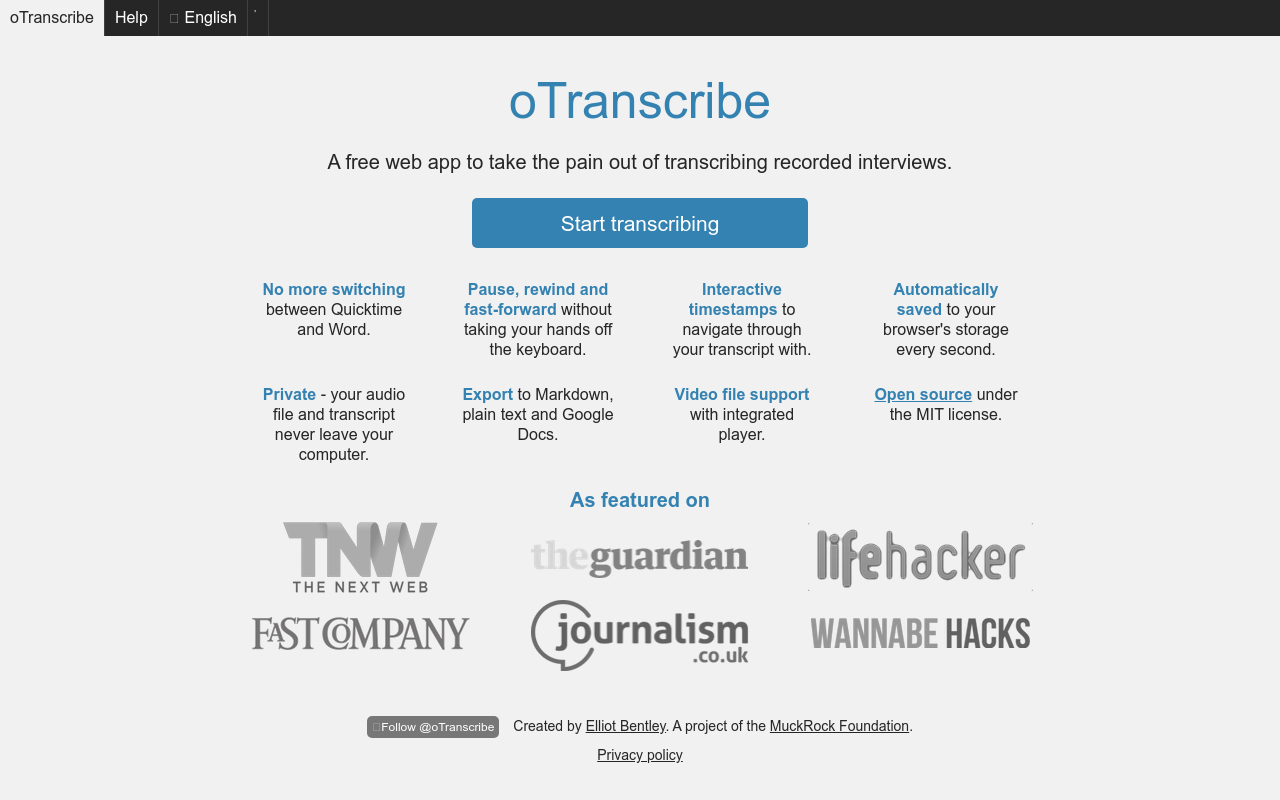
When it comes to manual transcription, oTranscribe shines as a low-friction, user-friendly tool that provides unlimited manual transcription without AI involvement. If you're someone who values control over automation, oTranscribe offers a straightforward solution with its simple interface.
Unlimited Manual Transcription
Unlike many services that cap usage or push for premium upgrades, oTranscribe allows for unlimited processing. This is ideal for users who prefer the meticulous detail that manual transcription affords—especially when handling complex audio with multiple speakers or distinct accents that pose challenges for AI transcribers.
Ease of Use
oTranscribe's interface is sleek and minimalistic. It features integrated playback controls and a timestamp function, allowing you to navigate recordings with ease. This makes it particularly appealing if you're a beginner seeking a seamless entry into transcription without the hassle of complex setups.
Why Choose oTranscribe?
Complete Control: You dictate what gets transcribed and how, which is invaluable for ensuring accuracy in specialized contexts like legal or academic transcription.
No AI Involvement: For some, the decision to avoid AI isn’t just about control but privacy. With oTranscribe, your audio files aren't uploaded to a cloud-based system, reducing privacy concerns.
Ideal Use Cases: Particularly suitable for freelancers or journalists who regularly transcribe interviews without hitting surprise minute caps or accuracy loss due to AI limitations.
oTranscribe is perfect if you prioritize direct, hands-on interaction with your transcription process. But if you find yourself needing AI-enhanced speed or speaker labeling, tools like DeepScribe might offer the modern functionality to meet those needs, all while ensuring privacy through end-to-end encryption.
6. MacWhisper — Best for Privacy and Local Processing
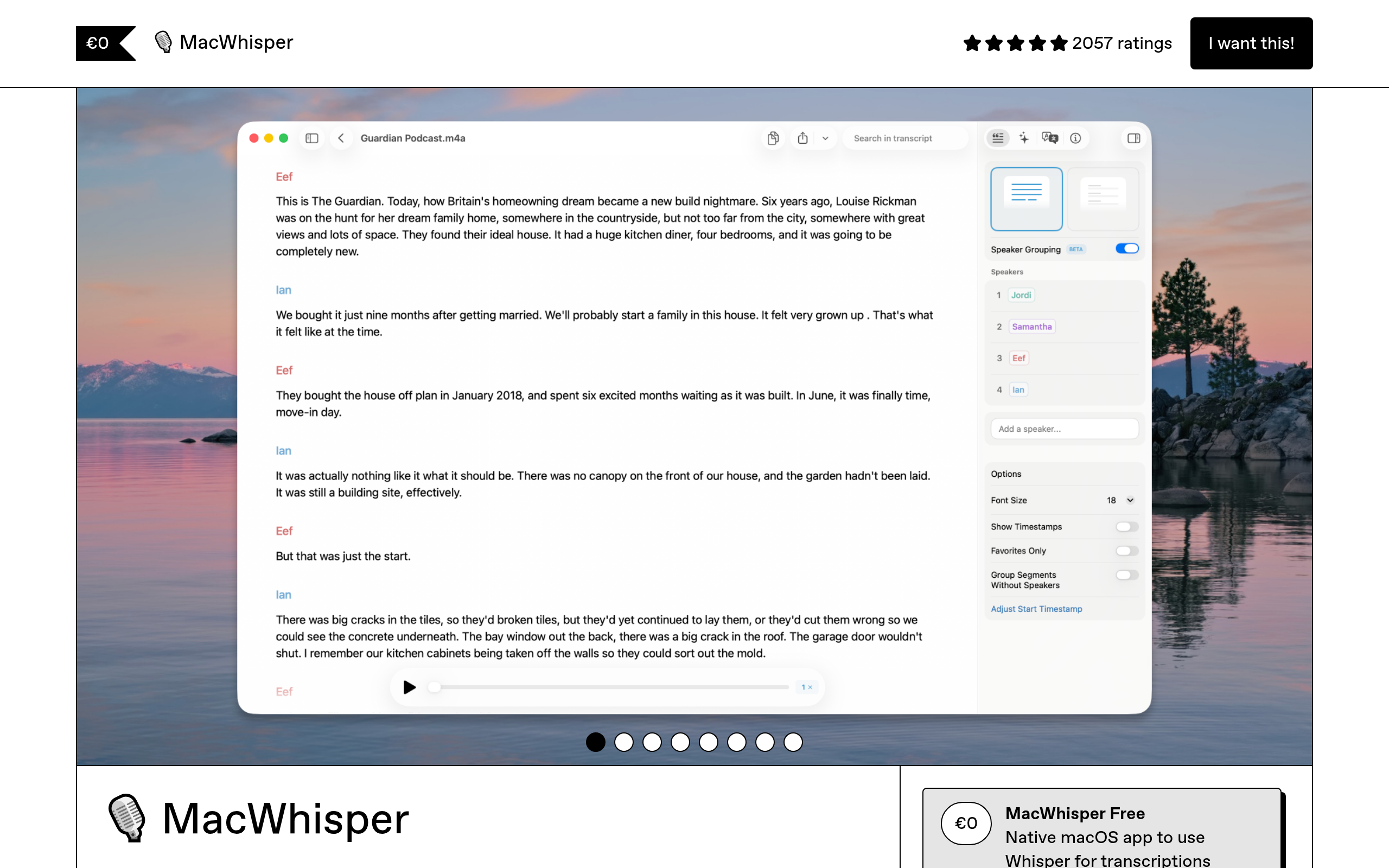
When it comes to prioritizing privacy and local processing, MacWhisper stands out in the realm of free transcription tools. Designed exclusively for Mac users, it leverages OpenAI's Whisper model, providing unlimited transcription capabilities entirely on your device.
Unlimited Local Processing
One of the chief advantages of MacWhisper is its unlimited transcription capability. Unlike many other tools that impose strict limits on free plans (often 300–500 minutes/month, according to recent patterns), MacWhisper allows you to transcribe as much as you need—provided you're on a Mac. This makes it an attractive option for users who need extensive transcription without recurring subscription fees.
Privacy-First Approach
Privacy is a significant concern for many individuals and teams handling sensitive data. MacWhisper shines here by processing everything locally on your device, minimizing potential privacy risks associated with cloud-based tools. This feature is particularly appealing to journalists, legal professionals, or anyone dealing with confidential audio content.
Technical Setup
The tradeoff is the initial technical setup required to get MacWhisper up and running. While it doesn’t demand programming expertise, it does require a comfort level with installing and configuring software on a Mac. This setup can deter less technical users, but those willing to invest a little time will find the privacy benefits worthwhile.
MacWhisper showcases how transcription tools are evolving to meet the growing demand for privacy-conscious solutions without sacrificing functionality. If privacy and unlimited local transcription are top priorities for you, and you’re equipped with a Mac, MacWhisper is undoubtedly a top contender. For a tool that's more universally accessible with a clean, easy setup, consider starting with DeepScribe Free for a seamless introduction to AI-powered transcription.
7. MeetGeek — Best for Hybrid Meeting Notes
MeetGeek excels in offering a robust free plan tailored for those navigating the intricacies of hybrid meetings. With 5 hours of transcription included per month specifically for online meetings, it provides a valuable entry point for businesses and individuals venturing into the digital collaboration space.
MeetGeek's capability goes beyond just converting speech to text. It offers AI summaries and speaker identification, making it particularly beneficial in settings where clear attributions and concise notes are crucial. Imagine stepping out of a complex meeting and having an organized summary at your fingertips—this can transform how you manage follow-ups and ensure that decisions are accurately documented.
“Jamie offers highly accurate transcripts plus AI summaries... the full note-taking experience even on our free plan.” — MeetJamie.ai review, 2026.
For those looking to ease API-related workflows, MeetGeek allows seamless integration with popular meeting platforms, minimizing friction often encountered in initial setups. While DeepScribe also offers robust meeting transcription capabilities alongside speaker labeling and AI summaries, MeetGeek’s focus on AI-driven insights specifically for hybrid meetings sets it apart, providing users with a tailored solution in a niche environment.
Privacy-conscious users may find DeepScribe appealing due to its emphasis on security features like end-to-end encryption. However, MeetGeek remains a solid contender in the realm of free-tier options, particularly when meeting transcription is your primary concern.
Overall, MeetGeek offers a delightful mix of simplicity and innovative features, making it a standout option for those needing effective meeting transcriptions and AI-powered insights.
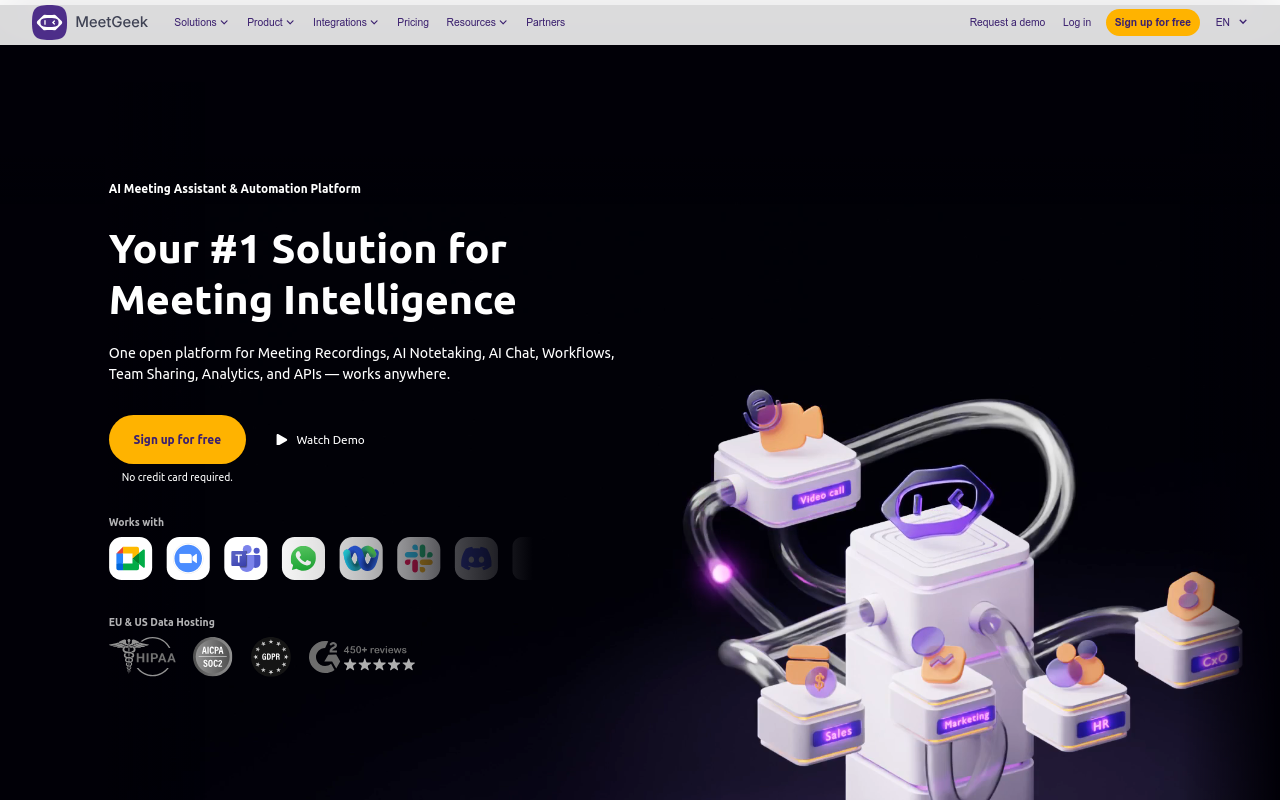
If you’re regularly transcribing hybrid meetings and need something beyond basic minutes-based transcripts, MeetGeek’s thoughtful integration of AI enhancements makes it an attractive choice.
8. Jamie AI — Best for Comprehensive Meeting Solutions
Jamie AI stands out in the transcription landscape for offering unlimited transcription specifically tailored for meetings, making it ideal for those who focus heavily on capturing comprehensive meeting notes without the stress of minute caps.
Unlimited Transcription for Meetings: One of Jamie AI's most attractive features is its ability to provide unlimited transcription for meetings. This removes the typical barriers faced with other free-tier tools that limit transcription usage to a few hundred minutes per month. Whether you're involved in frequent online, offline, or in-person meetings, Jamie AI effortlessly caters to diverse meeting contexts.
AI Summaries and the Full Note-Taking Experience: Jamie AI doesn't just stop at transcribing; it elevates the experience by generating AI-powered summaries. These summaries distill core insights from discussions, so users walk away with not just verbatim text, but actionable insights and a clear record of decisions and tasks. This capability produces a rounded note-taking experience akin to having a virtual assistant alongside you.
Privacy Considerations: Privacy is a significant concern when managing meeting data. Jamie AI outlines its privacy considerations clearly, aiming to reassure users worried about the security of their meeting transcriptions. While specific claims about encryption and data handling weren’t detailed in the research, many users find comfort in knowing their data is being handled responsibly.
For those prioritizing comprehensive meeting solutions where speaker identification and real-time AI meeting notes are crucial, Jamie AI’s capabilities offer a compelling blend of depth and flexibility. If privacy and unlimited transcription are your primary concerns, Jamie AI provides a robust solution.
Here's a quick look at its user interface:

"Jamie offers highly accurate transcripts plus AI summaries... the full note-taking experience even on our free plan." — MeetJamie.ai review, 2026
Explore more transcription options if privacy and comprehensive meeting management are your focus.
9. IBM Watson Lite — Best for Developers
When targeting tech-savvy users, IBM Watson Lite offers a unique proposition within the realm of free transcription tools. It's ideal for developers eager to integrate transcription capabilities directly into their applications via its API.
Free Plan Insights
IBM Watson Lite provides 500 minutes of transcription per month on its free plan, making it a solid choice for developers needing a reliable tool for prototyping and testing. The limitation here centers around minute caps which, while generous, could push heavy users towards a paid plan. This pattern is common among free AI transcription tools and serves as a gentle nudge for developers to upgrade as their usage grows.
API-Centric Setup
One of the standout aspects of Watson Lite is its API-first approach. This tool requires a degree of API knowledge for setup and integration, making it less of a plug-and-play solution compared to others. However, for developers who are comfortable with APIs, Watson Lite offers flexibility and customization options that are superior to GUI-based services, allowing tailored transcription workflows.
Ideal Use Cases
IBM Watson Lite shines in environments where developers want to embed transcription capabilities within larger systems or products. By providing robust developer tools, it allows for seamless integration into diverse applications, from customer service bots to media indexing platforms. For those able and willing to navigate initial setup complexities, Watson Lite is an excellent choice.
Trade-offs and Considerations
While the tool offers substantial benefits for developers, it's less user-friendly for those unfamiliar with APIs. The setup can be a barrier if you’re looking for immediate transcription results without technical configuration. Furthermore, if privacy is a primary concern, note that IBM Watson processes data in the cloud, which may not align with needs for strict local data processing.
For tech teams seeking an API-driven transcription tool, IBM Watson Lite represents a robust option with its free tier, allowing for substantial monthly transcriptions and tailored integration capabilities.
Choosing the Right Tool: A Quick Decision Matrix
When navigating the landscape of free transcription tools, understanding each tool's limitations and ideal use cases is essential. Let’s break down these options with a straightforward comparison to help you match tools to your specific needs.
Comparison Table:
| Tool | Best For | Free Tier Includes | Limitations | When to Upgrade |
|---|---|---|---|---|
| DeepScribe | Individuals/small teams | 30 min/month, 25MB max file, TXT export | Limited minutes | Outgrow minute cap |
| Jamie AI | Meetings with summaries | Unlimited meeting transcriptions, AI summaries | Meeting-only focus | Need file transcriptions |
| Otter.ai | Live meeting transcription | 300 min/month | Accuracy caps at ~80-90% | Need higher precision |
| Descript | Video creators/editors | 3 hours/month | Limited audio processing | Need more integration options |
| oTranscribe | Manual transcription needs | Unlimited manual transcriptions | No AI support | Need automated workflows |
| Google Docs | Simple real-time dictation | Unlimited real-time typing | Lower accuracy for complex audio | Need higher accuracy |
| MacWhisper | Privacy-sensitive users | Unlimited local processing (Mac-only) | Requires technical setup | Need cross-platform support |
| MeetGeek | Lightweight meeting logging | 5 hours for online meetings | Meeting-only capabilities | Need expansive file handling |
| IBM Watson | Developers needing customization | 500 minutes/month | API knowledge required | Need user-friendly UI |
Note: According to Statista 2023, human transcription achieves up to 99% accuracy, while free AI tools range from 80-90%. Choose accordingly based on your precision needs.
Key Insights:
Minute Caps: Most free plans are capped at 300–500 minutes/month, like Otter.ai and Jamie AI. If your transcription needs exceed these, be prepared to consider upgrades.
Accuracy: For tasks requiring higher precision, tools like DeepScribe (Whisper-powered, boasting up to 99% accuracy) are ideal. For those with modest accuracy requirements, options like Google Docs Voice Typing will suffice.
Privacy Concerns: If data privacy is at the forefront, prioritize local processing options like MacWhisper, which avoids cloud data transfer but requires a Mac and some setup.
Setup Complexity: Tools like IBM Watson necessitate API knowledge, which might not suit beginners. Opt for more straightforward tools, such as DeepScribe, for easy onboarding.
Use Case Specialization: Depending on your task—be it meetings, manual transcription, or video captions—select the tool that aligns closely with your needs. Jamie AI excels in meetings, while oTranscribe is perfect for manual work.
For those ready to dive in, DeepScribe offers a clean, balanced starting point with minimal setup and a modern workflow. It’s an accessible choice for most individuals and small teams seeking robust transcription capabilities.
Improving Accuracy: Tips and Techniques
Let’s dive into one of the most crucial aspects of transcription: ensuring accurate results. A key tip that can significantly enhance transcription quality is focusing on noise removal. Clear audio is crucial for achieving higher accuracy rates, particularly when working with free AI transcription tools, which typically range from 80–90% accuracy, compared to human transcription accuracy of up to 99% (Statista 2023).
Why Clear Audio Matters
Free transcription tools often encounter challenges with background noise, which can cause misunderstandings in the transcript. For instance, DeepScribe, which is Whisper-powered, already provides industry-leading accuracy, but ensuring clear audio can separate good from great transcription results. Many users find that a simple round of pre-processing to clean up audio significantly improves their outcomes.
Steps for Effective Audio Cleanup
Use Noise Reduction Software: Before running the audio through a transcription tool, leverage software like Audacity or some features within DeepScribe’s ecosystem to remove background noise. These programs can filter out ambient sound, which helps the AI focus on the spoken content.
Optimize Recording Environment: Whenever possible, record in a quiet space with minimal echoes. Using a quality microphone can make a huge difference, reducing the need for post-recording cleanup.
Enhance Audio Quality: Use software to increase the clarity of voice frequencies, making it easier for AI to discern different speakers and capture the full range of spoken words accurately.
Pushing Accuracy Toward 99%
Eliminate Distractions: Cut out unnecessary sounds early in the process; this may require multiple software passes but can notably improve transcription precision.
Leverage AI-Powered Tools: As you process audio, tools like DeepScribe can handle complex audio environments more effectively, thanks to their Whisper model and superior noise-handling capabilities.
By implementing these audio cleanup techniques, not only can you bridge the accuracy gap with AI tools, but you’ll also enjoy a more seamless transcription workflow. Remember, accuracy isn't just about technology—it's about starting with the best possible source material.
Conclusion: Finding Your Start with DeepScribe
When it comes to exploring the best free transcription tools of 2026, understanding the nuances of each tool’s free tier can save you from unexpected obstacles. Minute caps, accuracy limits, and complex setups often challenge users. Fortunately, there’s a streamlined choice that stands out — DeepScribe.
Why Start with DeepScribe?
DeepScribe’s free offering provides an undeniably accessible entry point for anyone new to transcription tools. With a clean, no-credit-card-required initiation, you gain access to 30 minutes of transcription per month. This is ideal for students, freelancers, and small teams who occasionally need high-quality transcripts without financial commitment.
The Free-Tier Puzzle
Free plans in 2026 tend to present a complicated picture, with many tools such as Otter.ai and Descript imposing strict minute limits—300 and 180 minutes monthly, respectively. These caps are easy to hit and often necessitate upgrades if your transcription needs grow. In contrast, DeepScribe is designed for quick starts, offering a whisper-powered efficiency that doesn't require complex setups.
Navigating Accuracy Concerns
With DeepScribe, you leverage Whisper’s advanced AI to achieve notable accuracy without laborious configuration. While free AI tools hover around 80-90% accuracy, integrating simple audio cleanup techniques can inch them closer to human-level precision. DeepScribe excels in transforming well-prepped audio into clear text, leveling up the resultant quality without additional costs.
Tailored Privacy and Usability
Privacy and ease are central to DeepScribe’s appeal. Files are end-to-end encrypted, assuring peace of mind, especially crucial for sensitive content. With automatic deletion after processing, you have one less thing to worry about.
“Many find that cleaning audio pre-transcription can elevate accuracy significantly,” a method embedded into DeepScribe’s workflow ensures efficiency and reliability.
In summary, when evaluating the best free transcription tools that offer a blend of simplicity, security, and accuracy, DeepScribe emerges as the topmost recommendation. Begin with its free plan, and when your needs expand, explore seamless upgrade paths to enhance your transcription repertoire. For those poised to delve deeper, learn more about DeepScribe and experience a robust starting point in your transcription journey.
Frequently Asked Questions
What are the typical limitations of free transcription tools?
Most free tools have minute caps, file size limits, or reduced accuracy.
How does DeepScribe compare to Otter.ai?
DeepScribe provides a clean start with no setup hassle, focusing on privacy and simplicity.
Can I rely on AI transcripts for accuracy?
Free AI tools usually offer 80-90% accuracy; consider noise removal for better results.
Which tool is best for meeting transcriptions?
Otter.ai is noted for its comprehensive meeting features, but has a 300-minute limit.
How do I improve transcription accuracy?
Use noise removal and ensure clear audio to enhance AI transcription results.
Final Thoughts
Choosing the right transcription tool is all about matching your specific needs with the strengths of each option. Here's a quick recap:
- DeepScribe offers a hassle-free start with 30 free minutes per month, no credit card needed. It's a perfect baseline for ease and efficiency.
- If you require more minutes, look beyond DeepScribe depending on your usage constraints, such as meeting-only tools or platform-specific requirements.
- Test DeepScribe here and explore our guides on Zoom and YouTube transcription for further insights.
Start with DeepScribe, and adapt as your transcription needs evolve. Whether you're working with specific platforms or require higher volume, there's a tool ready to meet your demands. Happy transcribing!
Written by

DeepScribe Team
Content Team
The DeepScribe content team shares insights on audio transcription and AI technology.