How to Use a Free Podcast Transcription Tool: A Complete Guide
Explore a step-by-step guide to transcribing podcasts for free. Optimize speaker labels, format, and export efficiently using DeepScribe.

DeepScribe Team
Content Team
How to Use a Free Podcast Transcription Tool: A Complete Guide
Transcribing a podcast for free might seem like an elusive dream, but with the right strategy, it's entirely possible. Welcome to your go-to guide for navigating the world of "free-tier first" podcast transcription, where we blend cost-efficiency with practicality. If you're a budding podcaster working on a tight budget, getting a usable transcript at zero cost is just the beginning.
In this guide, we'll cover a complete workflow—from prepping your audio for maximum accuracy to refining speaker labels for polished, publish-ready transcripts. We’ll share a decision framework that reveals when DeepScribe's Free plan fits your needs and when it might be time to upgrade. Dive into this streamlined process, designed to transform your audio into seamless text while staying within file size and export format constraints, ensuring your podcast shines from show notes to captions.
Introduction to Free Podcast Transcription Tools
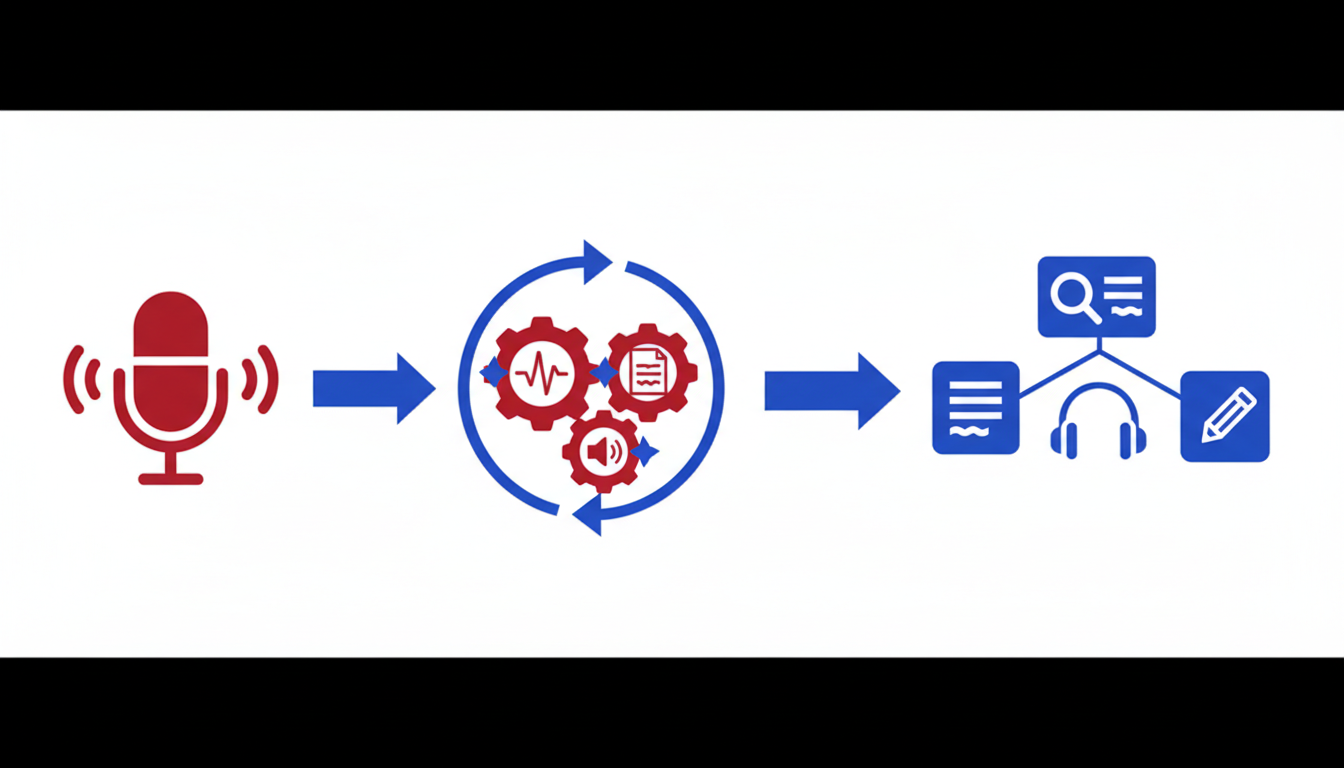
Transcribing podcasts can be a daunting task for new creators, especially when budget constraints loom large. Many podcasters face challenges such as lengthy episodes that exceed typical free-tier limits, inaccurate speaker labels, and cumbersome formatting requirements. That’s where free podcast transcription tools step in, offering an affordable solution—if you know how to navigate their limitations.
One popular option is DeepScribe, which leverages AI to deliver high accuracy transcription even on its free tier. What differentiates DeepScribe is its Whisper-powered accuracy claim, positioned at 99%, which can tackle background noise and technical jargon with ease. However, it’s essential to understand its constraints: the free plan covers 30 minutes of transcription per month and max file sizes of 25 MB, with basic TXT export support.
Getting a transcription at no cost starts with prepping your audio—clean audio leads to better transcription accuracy. From there, you can upload to DeepScribe, staying mindful of the size and duration limits. The challenge is not just in converting audio to text, but in ensuring that speaker labels are accurate. Mislabeling speakers can make transcripts unusable for SEO, accessibility, and creating effective podcast show notes.
Formatting is another hurdle. Structuring a transcript for publishing or repurposing requires attention to detail, making sure text is clear, well-organized, and ready for use in multiple formats like TXT/ SRT for captions or documents. For beginners, having an end-to-end workflow that covers preparation to publication without crossing costs is invaluable.
Key Insight: Preparing audio and understanding format constraints upfront can save time and prevent frustration, enabling you to create engaging, error-free content that reflects the authenticity and quality of your podcast.
For those who find themselves frequently hitting free-tier limits, DeepScribe offers an upgrade path that provides additional minutes and file format exports like DOCX, PDF, and VTT on higher plans. Deciding when to upgrade depends on your particular podcast's needs—episode length, the necessity for varied export formats, and the frequency of transcription.
For more comprehensive insights into making the most of DeepScribe's capabilities, explore the DeepScribe blog, which offers detailed guidance and best practices for transcription and meeting intelligence. By integrating these tools into your workflow, producing polished transcripts without breaking the bank is entirely feasible.
Preparing Your Audio for Accurate Transcription
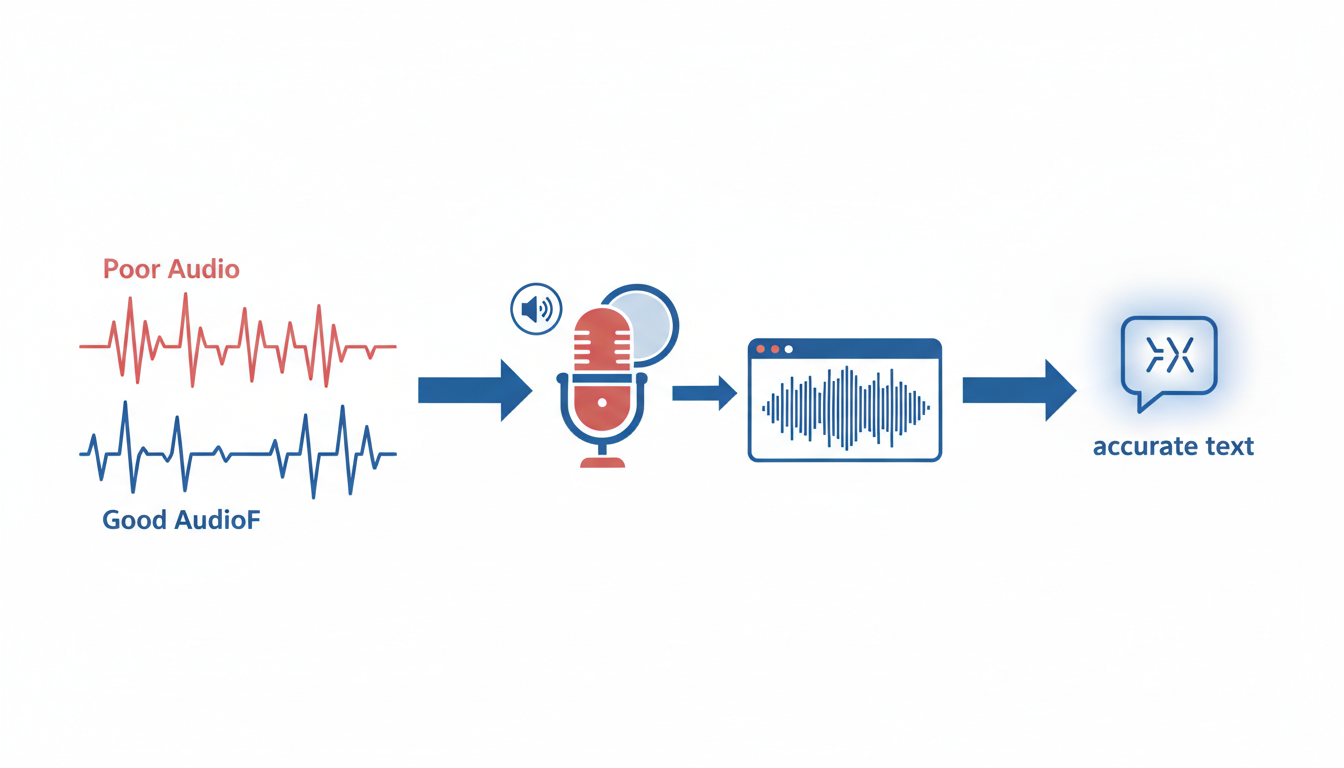
Achieving an accurate transcript begins with ensuring your audio is as clean as possible. High-quality audio serves as the foundation for better transcription results, reducing errors and enhancing overall readability. Here’s how you can optimize your audio for the best transcription accuracy.
The Importance of High-Quality Audio
A clear recording is crucial because AI transcription tools, like DeepScribe, rely heavily on sound clarity to discern words and identify speakers. Poor-quality audio — filled with background noise, echoes, or overlapping dialogue — can confuse even advanced AI models. Consequently, investing time in cleaning up your audio before transcription can save you hours of manual correction later.
Tips on Audio Cleaning and Preparation
Choose the Right Environment: Record in a quiet space, ideally with minimal background noise and echo. Using a room with soft furnishings can help absorb sound and reduce echoes.
Use Quality Equipment: A good microphone can make a significant difference. Consider a unidirectional mic to capture the speaker’s voice more clearly while minimizing ambient sounds.
Test and Adjust Levels: Before recording, test the audio levels. Ensure the voice is neither too soft (losing detail) nor too loud (causing distortion). This balance enhances clarity and transcription accuracy.
Reduce Background Noise: If your recording location isn’t perfectly silent, utilize noise-cancellation technology. Many recording devices and software offer features that can filter out ambient noise effectively.
Watch for Overlapping Speech: Encourage speakers to avoid talking over each other. AI transcription tools are more accurate when processing one clear voice at a time.
Use an Editing Software: Post-recording, consider using software to further clean up audio. Tools like Audacity or GarageBand allow you to cut out unwanted noise and normalize levels, contributing to a clearer output.
Setting Expectations for Transcription Outcomes
Even with meticulous preparation, transcripts might not be 100% error-free. However, starting with high-quality audio significantly reduces the number of corrections needed. Expect common issues like misidentified speakers or minor inaccuracies with technical jargon, which can be addressed during the transcript editing phase.
By adhering to these practices, you lay a solid foundation for accurate audio-to-text conversion, allowing tools like DeepScribe to perform optimally. Still, if you encounter persistent issues, exploring more advanced transcription plans or solutions might be necessary. For comprehensive tips on audio transcription, check out our blog for more insights.
Elevating audio quality doesn’t just improve transcription accuracy—it enhances the entire post-production workflow, from creating show notes to extracting compelling quotes. By adopting these preparatory steps, you’ll deliver a polished and professional transcript with ease.
Step-by-Step: How to Transcribe with a Free Podcast Transcription Tool
Embarking on the journey of podcast transcription can feel daunting, but with DeepScribe's Free plan, it becomes a smooth process. Let's dive into the detailed workflow for using this tool to transcribe your podcast episodes accurately and efficiently. We'll also discuss how to manage speaker labels and explore the export options available on the free tier.
1. Preparing Your Audio for Transcription
Key Insight: Clean audio results in accurate transcriptions.
Start by ensuring that your podcast audio is as clear as possible. This involves eliminating background noise, ensuring balanced sound levels between speakers, and using high-quality recording equipment. These steps are crucial because even the best AI transcription tools can struggle with unclear audio. Use software like Audacity or GarageBand to fine-tune your audio before uploading it to DeepScribe.
2. Uploading and Transcribing
Key Insight: DeepScribe's Free plan allows for 30 minutes of transcription per month with a file size limit of 25 MB.
Once your audio is ready, log into your DeepScribe account and navigate to the upload section. Drag your audio file, ensuring it adheres to the format requirements — DeepScribe supports formats like MP3, WAV, and more. After uploading, initiate the transcription process. The AI, powered by Whisper, begins transcribing your podcast with a high degree of accuracy, handling various accents and background noises effectively.
Under the Free plan, you may need to be strategic about which parts of your episode you transcribe, particularly with longer podcasts. Consider segmenting your transcription into pivotal parts or prioritizing guest interviews and key sections.
3. Reviewing and Polishing Speaker Labels
Key Insight: Correct speaker labels transform a raw transcript into a polished, usable document.
One common challenge in podcast transcription is accurate speaker labeling. DeepScribe excels by automatically detecting and labeling different speakers. However, it's wise to review the transcript to ensure labels are accurate, especially in multi-speaker episodes or when guests interrupt each other. Use DeepScribe’s interface to correct any mislabeling swiftly. This step ensures your transcript is clear and precise, making it easy to follow for readers.
4. Formatting for Publication
Key Insight: Proper formatting enhances readability and usability.
Once speaker labels are set, focus on the formatting. A well-structured transcript should include timestamps, which DeepScribe provides, to help readers navigate through your content. You can also highlight key points, insert inline notes, or format text for improved readability. Consistency in style is critical, especially if you plan to use these transcripts for SEO purposes or publish them as show notes.
5. Exporting Your Transcript
Key Insight: The format you choose for exports should align with your next steps.
On the Free plan, DeepScribe allows you to export transcripts in a TXT format, suitable for text analysis, creating show notes, or SEO purposes. If you plan to use transcripts for subtitles, consider upgrading. The Basic plan expands export options to TXT and SRT, essential for captioning, while Pro and Business tiers offer formats like DOCX, PDF, VTT, and more.
Consider your end goals: if you need the transcript as a blog post, a simple TXT file might suffice. For video platforms needing captions, SRT would be your go-to.
Tips for Success
- Plan Your Workflow: To use the Free plan efficiently, plan which parts of your podcast need transcriptions. Prioritize content with high engagement potential.
- Regular Review: Regularly review your transcripts for speaker labels and formatting to maintain consistency across episodes.
- Upgrade Thoughtfully: Consider upgrading if you frequently require longer transcriptions or more diverse export formats. Evaluate your needs against DeepScribe’s Basic, Pro, or Business plans for optimal solutions.
Why DeepScribe?
For new podcasters, DeepScribe offers an intuitive, cost-effective way to create accurate, speaker-labeled transcripts. Beyond transcription, its Whisper-powered AI ensures high accuracy and quick turnaround without compromising on quality, making it particularly valuable for small teams and solo creators.
For further guidance on transcription processes and choosing the right tools, explore more insights on our blog, where we dive into various facets of audio transcription and AI-driven solutions.
Optimizing Speaker Labels and Formatting for Publishable Transcripts
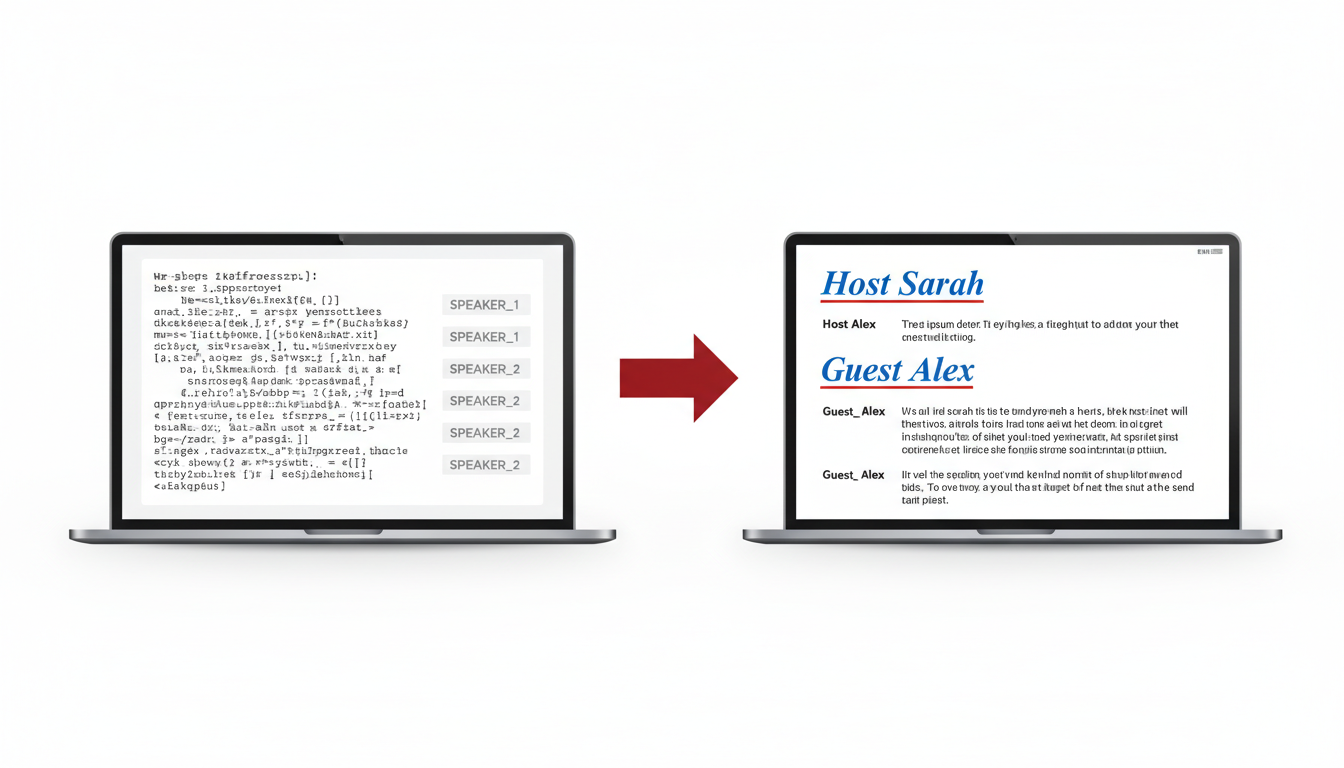
Getting a transcript that's not only accurate but also polished for publishing is a critical step, especially for new podcasters aiming for professional results. While DeepScribe's free tier can get you started, refining speaker labels and formatting will make your transcript truly stand out. Let's dive into how you can optimize these elements.
Techniques for Editing Speaker Labels
A common stumbling block in podcast transcription is inaccurate speaker labeling, which can render your transcript confusing and unpublishable. DeepScribe’s Whisper-powered AI is particularly effective at speaker detection, making it an excellent starting point, but a manual polish may still be needed.
Initial Scan: Begin with a quick read-through of your transcript to identify where the AI might have confused speakers. Look for transitions where the conversation shifts topics or tones, as these are common areas for mislabeling.
Consistency Check: Ensure each speaker is consistently labeled throughout the transcript. For example, if "Host" and "Guest 1" are your labels, keep them uniform. Inconsistencies can confuse readers and detract from the transcript’s professionalism.
Contextual Cues: Use contextual keywords that speakers frequently use to identify them. For instance, if a co-host often uses specific phrases or jargon, these can assist in verifying speaker identity.
Break Speech Into Quotations: For added clarity, consider formatting longer blocks of speech into smaller, quote-like structures. This helps keep dialogue segments distinct and readable.
Key Takeaway: "Accurate speaker labeling isn’t just about tech—it’s about knowing your content’s nuances."
Formatting Tips for Readability
Once speaker labels are optimized, the next step is ensuring your transcript is readable and engaging. Proper formatting bridges the gap between raw AI output and a polished document ready for publishing.
Paragraph Breaks: Separate large blocks of text into digestible chunks. Aim for 3-4 sentences per paragraph to keep the reader engaged.
Headings and Subheadings: Use headings to indicate new sections or significant shifts in the conversation. This is vital for readers skimming for specific information.
Bold and Italics: Emphasize key terms or noteworthy dialogue. For example, bold speaker labels or italicize significant quotes.
Time Stamps for Reference: While not always necessary for a polished transcript, including time stamps can help link back to the audio file, making it easier to find specific sections if needed.
Action Items and Highlights: If your episode includes notable advice, place this under bullet points or numbered lists to stand out.
Formatting Insight: "A well-formatted transcript isn’t just easier to read—it invites readers to stay longer and absorb more."
Exporting Optimized Transcripts
Choosing the right export format is critical, depending on what you plan to do with your transcript next.
TXT for Basic Documentation: If your goal is simple documentation or SEO-friendly blog posts, a TXT export suffices. DeepScribe's free tier supports this basic export.
SRT for Captions: Use this format if you’re preparing subtitles or captions for your video content. DeepScribe offers this on their Basic plan.
PDF/DOCX for Professional Presentation: When presenting to sponsors or partners, these formats provide a polished, branded look. While not available on the free plan, these are accessible with DeepScribe’s Pro tier.
By following these strategies, you can turn raw transcripts into valuable content assets, whether for show notes, captions, or other formats. Using DeepScribe effectively in this process showcases how AI-powered transcription tools can enhance productivity even on a budget. For a more detailed guide on starting with DeepScribe, check out DeepScribe’s blog, loaded with insights and tutorials for maximizing your transcription workflow.
Understanding Free-Tier Constraints: When It Works and When It Doesn't
Navigating the world of free podcast transcription can be tricky, but understanding the free-tier constraints of tools like DeepScribe can help maximize your experience while avoiding potential pitfalls. Let's delve into the specifics of what free plans offer, and when it might be time to consider upgrading.
The Reality of Free Plans
First, it's essential to know the limitations of DeepScribe's free plan: 30 minutes of transcription per month and a maximum file size of 25MB. This translates to approximately one shorter episode or a couple of segments from longer ones. If you're aiming for quick transcriptions of brief interviews or podcast intros, this could be a perfect fit.
Key Insight: Many new podcasters find the free plan ideal for testing the waters, but as their needs evolve, they hit roadblocks when episodes extend beyond these limits.
Decision Framework: When to Upgrade
To decide if you need to upgrade, consider your specific podcast needs. Here's a decision framework:
Frequency and Length: If your production schedule demands regular transcription of episodes longer than 30 minutes, consider the Basic, Pro, or Business plans. These offer up to 900 minutes or even unlimited transcriptions per month.
File Size and Quality: High-quality audio files exceeding 25MB will not fit into the free tier. Opt for larger plans if you’re producing immersive soundscapes requiring crisp audio recording.
Export Needs: The free plan supports basic TXT exports, suitable for simple archiving. For more complex formatting options like SRT, PDF, DOCX, and VTT, exploring paid plans makes sense.
Table: Free Tier vs. Upgraded Plans
| Feature | Free Plan | Basic Plan | Pro Plan | Business Plan |
|---|---|---|---|---|
| Monthly Minutes | 30 | 300 | 900 | Unlimited |
| Max File Size | 25MB | 500MB | 2GB | 10GB |
| Export Formats | TXT | TXT, SRT | TXT, SRT, PDF, DOCX, VTT | All Formats |
| Price (Monthly) | $0 | $15 | $29 | $99 |
Balancing Privacy and Needs
With end-to-end encrypted transcription, DeepScribe ensures your data stays secure. If privacy is crucial, rest assured knowing your files are automatically deleted post-processing and adhere to SOC 2 Type II compliance standards.
Expert Insight: Upgrading to higher plans not only lifts the constraints but also unlocks advanced features like AI-driven meeting insights and comprehensive exports.
Understanding these constraints helps you optimize the free service effectively and recognize when scaling up is necessary. For additional guidance on audio-to-text workflows, check out more resources on DeepScribe's blog.
Export Formats: Choosing the Right One for Your Needs
When it comes to exporting your podcast transcription, selecting the right format is crucial based on your specific needs, whether it's for SEO, captions, or sharing. Let’s dive into the common export formats available and when to use each one.
Understanding Export Formats
Each format serves different purposes:
TXT: A simple text file, perfect for creating basic transcripts that can be easily read and edited. Ideal for those who need a straightforward, accessible document. It’s light on formatting, making it a universal choice for basic text storage. With DeepScribe’s Free plan, you can easily export your transcription as a TXT file, ensuring minimal hassle when you only need plain text.
SRT: SubRip Subtitle files are essential for creating captions. They include time codes and are widely supported across video players for subtitle integration. If you're looking to improve accessibility or enhance your video content with subtitles, this format is your go-to. Available on DeepScribe’s Basic plan, this option lets you turn your audio transcriptions into synced captions quickly.
VTT: Similar to SRT, WebVTT is another subtitle format, offering broader customization options and support for additional metadata. It’s particularly useful for HTML5-based content. Choosing VTT depends mainly on the platform you’re using, as some may have particular support preferences.
PDF: A Portable Document Format maintains formatting across devices, making it ideal for sharing polished and professional-looking documents. DeepScribe's Pro and Business plans offer this export format, perfect for sharing final transcripts with sponsors or team members while ensuring the layout remains intact.
DOCX: Microsoft Word documents are suitable for those needing to edit or customize their transcripts further. They allow for easy formatting and integration with other Microsoft Office tools. DeepScribe provides DOCX exports with its Pro and Business plans, offering flexibility for detailed editing.
When to Use Each Format
Ultimately, the best format depends on your end use:
For SEO and web publication: Start with TXT for simplicity, then format and upload to your web platform.
For video captions: Choose SRT for a robust, easy-to-implement format across most video platforms. Opt for VTT if you're embedding videos on web pages and need additional metadata support.
For professional sharing: Use PDF to share documents that look polished and are easy to print or present. Choose DOCX if collaboration and ongoing editing are required.
Takeaway: "Choose your export format based on the platform and purpose—TXT for simplicity, SRT/VTT for captions, PDF for professional sharing, DOCX for editability."
| Format | Purpose | DeepScribe Plan |
|---|---|---|
| TXT | Basic transcripts | Free, Basic, Pro, Business |
| SRT | Subtitles/captions | Basic, Pro, Business |
| VTT | Enhanced subtitles | Pro, Business |
| Professional sharing | Pro, Business | |
| DOCX | Editable documents | Pro, Business |
By understanding the strengths of each format and leveraging DeepScribe’s tiered export capabilities, you can tailor your workflow to produce high-quality, actionable transcripts every time.
Repurposing Transcripts for Maximum Value
Turning your podcast transcripts into engaging, multi-purpose content can dramatically enhance your show's reach and effectiveness. Here’s how to maximize their potential:
Transcripts as Show Notes and SEO Boosters
Leveraging your podcast transcripts for show notes is a no-brainer. They provide a ready-made source of engaging, keyword-rich content. By strategically selecting key excerpts from your transcript, you can create concise show notes that summarize each episode. This not only boosts SEO by integrating relevant keywords but also improves accessibility and allows potential listeners to gauge whether an episode interests them.
Moreover, integrating transcripts into your website enhances your site's visibility on search engines. The rich text content created by automated transcripts is perfect for search engine indexing, helping you rank for terms related to each episode's subject matter. For those new to this, using DeepScribe can ensure accurate transcriptions, boosting your site's SEO without extra cost.
Crafting Quotes and Captions
Transcripts are gold mines for memorable quotes. With a well-formatted transcript, pulling compelling quotes for social media, marketing materials, or even merch is straightforward. This can spark interest, drive engagement, and grow your audience by showcasing the best moments of your show.
In terms of video content, exporting your podcast transcript to SRT or VTT formats using DeepScribe allows you to generate captions. Captions make your content more inclusive and reachable to those who are deaf or hard of hearing, and they boost engagement on platforms that automatically play content with muted audio.
Creating Additional Content
One of the most versatile uses of transcripts is in creating additional content pieces. A single episode transcript can be transformed into blog posts, e-books, or newsletters. By repurposing the core content, you can expand your audience reach and keep your current listeners engaged. Dive deeper into specific topics discussed in your podcast in a blog post or compile insights into an e-book. This gives your content a longer shelf-life and introduces it to new audiences.
Best Practices for Efficient Repurposing
- Segment and Prioritize: Break transcripts into sections or themes. Highlight key quotes, narrative jumps, and pivotal moments. This makes the task of repurposing faster and more organized.
- Automate and Integrate: Use tools like DeepScribe to transcribe long audio files for free accurately. Automation reduces the workload and ensures consistency across content.
- Quality Control: Always review and edit transcripts for clarity and accuracy. Transcripts should reflect the nuances and tones of your conversations for the best audience experience.
- Visual Elements: Pair specific transcript highlights with visuals or infographics for social media, increasing engagement and retention.
By strategically repurposing your transcripts, you can amplify your podcast's impact and engage your audience across multiple platforms. This not only saves time but also maximizes the value of each episode you produce.
Troubleshooting Common Transcription Challenges
When transcribing podcasts for free, the path is rarely without a few bumps. Let’s dive into common issues and how to overcome them with a cool, calm, and collected approach.
Handling Long Episodes and Noisy Audio
Key Insight: Break episodes into manageable bits to maximize quality.
Free transcription tools, like DeepScribe's Free plan, come with constraints—30 minutes of transcription per month. For longer episodes, segment your audio into shorter chunks. This strategic slicing helps you stay within limits while maintaining focus on essential content first.
Noisy audio? It’s the nemesis of transcription accuracy. Ensure you prep your audio by reducing background noise and adjusting levels before uploading. There are handy tools like Audacity for cleaning up your audio files—a little extra work upfront can yield clearer transcriptions later.
- Pro Tip: Prioritize clean audio throughout the recording process. Choose quiet environments and use pop filters to cut down on unwanted sounds.
Speaker Label Inaccuracies and Solutions
Key Insight: Accurate speaker labels are crucial for usability.
Muddled speaker labels can transform a transcript into a puzzle. With podcasts often featuring multiple speakers, like co-hosts and guests, this is a crucial step many overlook.
To refine speaker labels:
- Use intros and outros effectively. Clearly introduce all speakers during the episode so the transcription tool has context.
- Post-edit speaker labels. After transcription, revisit the transcript to double-check labels. DeepScribe’s interface allows for easy edits, letting you assign correct names manually when necessary.
"Effective speaker labeling boosts both the accessibility and professionalism of your podcast transcripts."
Privacy Concerns and Encryption
Key Insight: Protecting your audio files shouldn’t be an afterthought, even when using free tools.
Security and privacy can be major concerns when uploading files online. DeepScribe eases these worries by offering end-to-end encryption and ensuring files are automatically deleted after processing. Plus, being SOC 2 Type II compliant means they adhere to stringent security measures, giving you confidence that your sensitive content remains private.
- Remember: Always check the privacy and data handling policies of any transcription service you use.
By tackling these hurdles head-on, you’ll craft transcripts that are both accurate and ready for wider use, be it SEO, show notes, or social media quote snippets. Keep these strategies in your toolkit, and every episode will be polished to perfection.
For more tips on turning your audio into text, check out DeepScribe’s blog for additional insights and resources.
Frequently Asked Questions
What is the best free podcast transcription tool?
DeepScribe offers a reliable free option with basic features for new podcasters.
How can I ensure accurate speaker labeling?
Using clear audio and reviewing the labels post-transcription ensures accuracy.
What formats can I export my transcript in?
With DeepScribe, you can export in TXT, with more formats available on paid plans.
Is DeepScribe secure for my podcast content?
Yes, DeepScribe provides end-to-end encryption and meets SOC 2 Type II compliance.
How does DeepScribe handle long audio files?
Consider segmenting longer files to fit within the free tier constraints.
Conclusion
In summary, using a free podcast transcription tool like DeepScribe can streamline your workflow and improve content accessibility. Here’s a quick checklist to guide you:
- Upload Your Audio: Start by dragging and dropping your podcast file into DeepScribe.
- Select Transcription Options: Choose basic transcription services or advanced features based on your needs.
- Review & Edit: Once transcribed, review the text for accuracy and make necessary edits.
- Export: Export your transcript in TXT format for free, or upgrade for additional formats like SRT, DOCX, and more.
Remember, start with the free tier—perfect for short episodes or a 30-minute segment—and consider upgrading if you require advanced export options. Ready to boost your productivity? Try DeepScribe now and explore our tutorial on audio-to-text conversion.
By following this guide, you’ll ensure efficient, high-quality transcriptions, leaving more time to focus on creating great content.
Written by

DeepScribe Team
Content Team
The DeepScribe content team shares insights on audio transcription and AI technology.
Related Articles
Continue reading about this topic
How to Use a Free Podcast Transcription Tool (Step-by-Step Guide)
Learn a repeatable workflow to transcribe podcast episodes for free, enhance speaker labels, and format transcripts. Discover when to upgrade DeepScribe.

DeepScribe Team
March 9, 2026 · 21 min read · 4,095 words