How to Automate Meeting Transcripts from Your Calendar Workflow
Discover a seamless, calendar-first workflow for automating meeting transcripts and recaps using DeepScribe. This guide ensures reliable capture and delivery.

DeepScribe Team
Content Team
How to Automate Meeting Transcripts from Your Calendar Workflow
"If it’s not on the calendar, it doesn’t get captured." In the fast-paced world of team meetings and project deadlines, missing a single detail can derail everything. That's where the concept of a calendar-first, AI meeting transcript automation becomes a game-changer. By treating your calendar as the ultimate source of truth, you can automate meeting transcripts from invite to execution, transforming how teams capture and utilize meeting content.
In this post, we'll delve into a practical, calendar-driven workflow designed for ops leads, sales managers, and anyone else managing packed schedules. You'll learn how to automatically capture meetings, create speaker-labeled transcripts, and generate actionable summaries that seamlessly land exactly where they need to be—without hitting "record." We'll explore how tools like DeepScribe revolutionize this approach, preventing the common pitfalls of missed meetings and misdirected recaps while ensuring accuracy and security. Get ready to streamline your meeting process with a system that transforms chaos into organized execution.
Understanding Calendar-First Meeting Transcript Automation
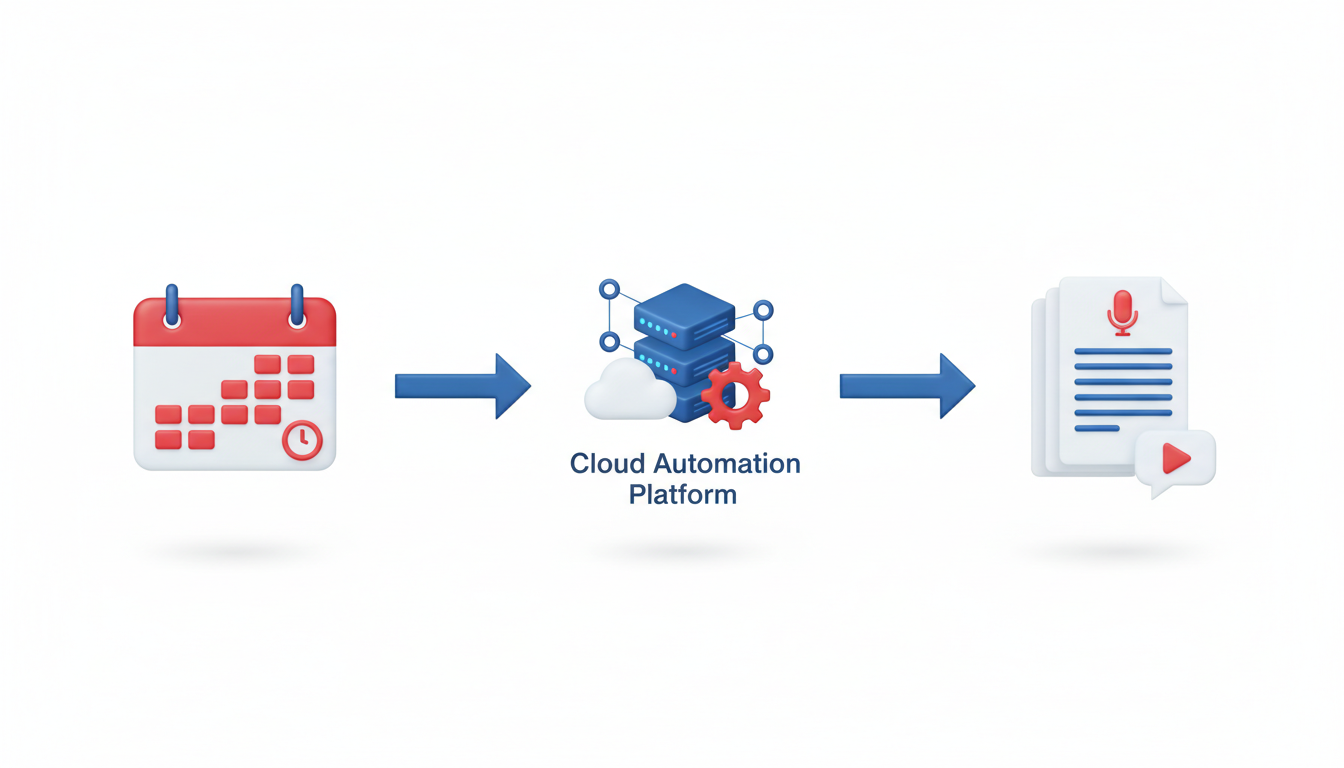
Imagine never missing a beat because every meeting you have is automatically captured with precision. That's the promise of calendar-first meeting transcript automation. But what does "calendar-first" actually mean, and why is it such a game-changer?
At its core, calendar-first automation treats your calendar as the central hub—the source of truth. This method ensures that meetings scheduled on your calendar are automatically earmarked for capture and transcription. By linking automation directly to your calendar events, it eliminates the common pain points of forgetting to hit "record" or missing out on essential meetings altogether.
Why is this approach uniquely scalable for recurring meetings?
Consistency and Reliability: Automating from the calendar means every scheduled meeting is covered without manual intervention. This ensures that all your meetings—from weekly team check-ins to quarterly reviews—are consistently documented.
Integrated Workflows: With tools like DeepScribe, you can set it and forget it. The process begins when a meeting invite is sent and ends when summaries and action items are delivered to predetermined destinations, such as email or project management tools.
Reduction of Human Error: By relying less on human actions (like remembering to press record), the chance of errors decreases. This focuses your energy on the meeting itself, not the tech behind it.
End-to-End Solution: The evolution from raw transcripts to full automation—encompassing summaries and action items—is what's driving industry trends forward. By 2025, platforms like Klu.so will be standard, emphasizing productivity through Phase 3 automation, where actionable outcomes are prioritized.
This shift towards a calendar-first methodology isn't just about transcription; it's about redefining how we capture, process, and utilize meeting information efficiently. As companies like Cirrus Insight predict, automation that extends beyond basic transcripts (by including summaries and follow-ups) is the direction forward—a future where your calendar not only schedules your day but seamlessly activates and completes an entire workflow.
Setting Up Prerequisites: Capture Rules and Recap Destinations
Before diving into the world of AI meeting transcript automation, it's essential to establish foundational capture rules and decide on recap destinations. These elements ensure a seamless workflow where nothing slips through the cracks.
Choosing Which Meetings to Capture
Begin by identifying the types of meetings that are critical for your workflow. Consider recurring team meetings, one-on-ones, and customer calls. A key insight here is that if it's not on the calendar, it often gets missed. Leverage a calendar-first approach to automate inclusion, using tools like DeepScribe’s Meeting Notetaker, which can auto-join meetings straight from your calendar. By setting this up once, you prevent the common pitfalls of forgetting to record or not adding a notetaker. This method not only enhances consistency but saves time—with users like Otter.ai seeing a 30% reduction in meeting prep time.
Deciding Destinations for Transcripts and Summaries
Next, determine where your transcripts and summaries should land post-meeting. The goal is to have these documents where team members naturally look for them. Integration with platforms like Google Drive, Slack, or your CRM ensures that everyone who needs access can find it immediately without sifting through emails or chats. Consider embedding direct export rules in tools like DeepScribe, which already supports multiple formats such as DOCX, PDF, and more.
Setting Up a Simple Ruleset
To streamline operations, create a simple ruleset: Decide who should receive the recap, what format is needed, and where it should go. For instance:
- Who gets what: Team leads receive full transcripts, while team members get summaries and action items.
- Where it goes: Store transcripts in a shared folder, summaries, and actions in a dedicated project management tool.
Establishing these rules minimizes the chance of missed communications and enhances the delivery of insights, embodying the emphasis on Phase 3 automation where the focus shifts towards actionable results (Klu.so, 2025).
Embrace the shift towards a calendar-first workflow to ensure meetings are captured systematically and all stakeholders receive timely updates without manual intervention. This strategy not only enhances accuracy and efficiency but aligns with industry trends toward full automation.
By setting up these prerequisites, you lay a strong foundation for a reliable meeting transcript process that integrates seamlessly into your existing workflow.
Step-by-Step: Setting Up DeepScribe for Calendar-First Capture
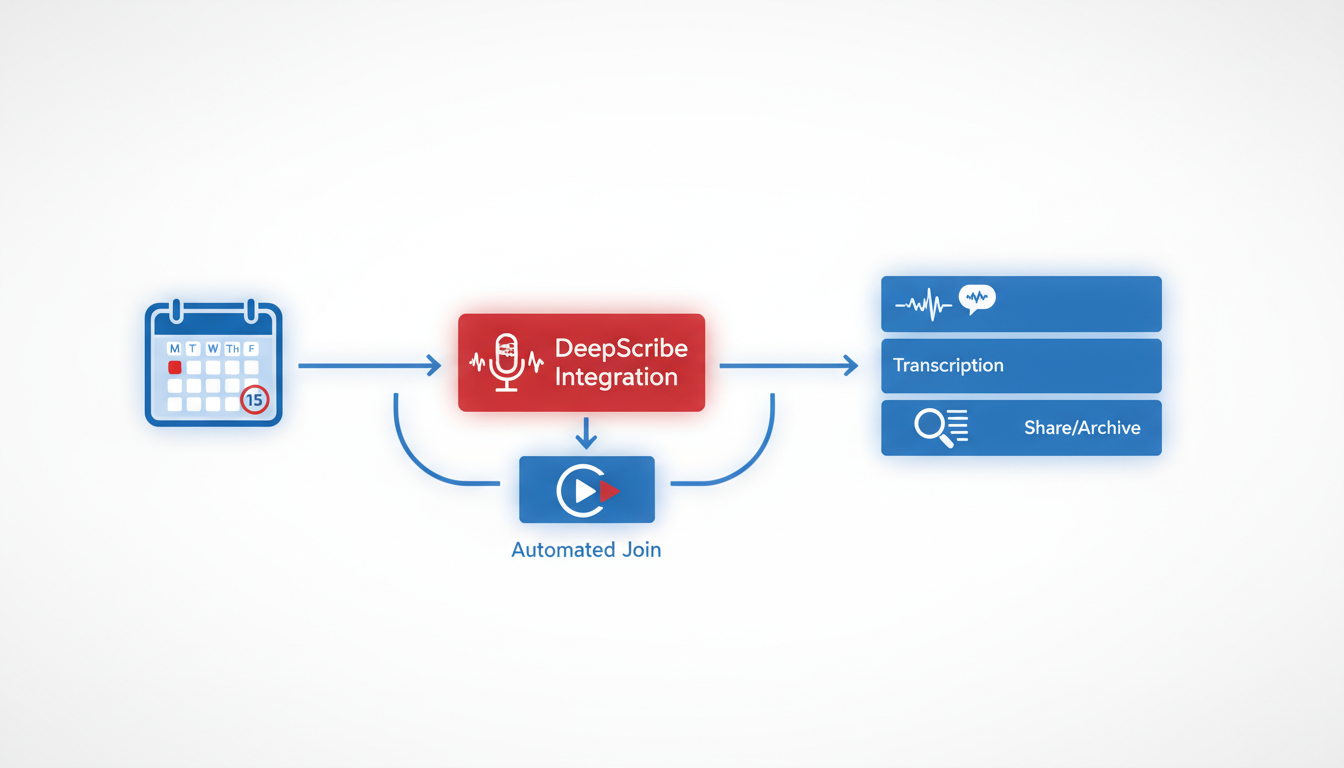
DeepScribe offers a seamless calendar-first capture system that makes it remarkably easy to automate meeting transcripts right from your calendar. Here's how you can set it up for optimal results.
Syncing DeepScribe with Your Calendar
First things first, sync DeepScribe with your calendar. This is the heart of a calendar-first workflow. By integrating DeepScribe with your calendar (Google, Outlook, or others), you ensure no meeting goes uncaptured. This setup lets DeepScribe auto-join your scheduled meetings, reducing the risk of missed recordings.
Access Calendar Settings: In your DeepScribe dashboard, navigate to the settings menu and select the calendar integration option.
Grant Permissions: Allow DeepScribe to access your calendar. This step is crucial for seamless integration, providing DeepScribe with the ability to auto-join meetings.
Select Calendar Events: Choose which events you’d like DeepScribe to capture. You can set rules based on meeting types or participants, ensuring that every critical discussion gets captured.
Key Insight: Integration at this level transforms your calendar into the source of truth, streamlining the capture process and ensuring every meeting is accounted for.
Configuring Auto-Join Features
The beauty of DeepScribe's auto-join capability lies in its simplicity. With your calendar events linked, DeepScribe autonomously joins meetings, providing a hands-off, reliable solution. Here's how to configure this feature:
Enable Auto-Join: Within the settings, toggle the auto-join feature. This ensures that anytime a meeting begins, DeepScribe's meeting notetaker is there to capture every word.
Set Automatic Triggers: Customize auto-join triggers based on keywords (like “team meeting” or “client call”) or meeting host preferences, further enhancing capture precision.
Plan-Aware Setup for Optimal Results
Tailoring your DeepScribe setup according to your subscription plan maximizes efficiency and cost-effectiveness. Here's a guide based on different plans:
Free/Basic Plans: Perfect for smaller teams or individuals, these plans offer essential transcription services, including basic export options (TXT & SRT) and up to five meeting bots.
Pro/Business Plans: For larger teams or businesses, these plans unlock full AI capabilities—think summaries, action items, and follow-up emails. You’ll also enjoy comprehensive export formats such as DOCX and PDF, plus advanced speaker identification.
Data-Driven Tip: According to Cirrus Insight, evolving from mere recording to full automation will not only enhance productivity but also ensure that action items and summaries reach the right people automatically.
By following these steps, you can transform your calendar into a powerhouse of automated efficiency, leaving no stone unturned in your quest for flawless meeting documentation.
For more on setting up integrations and navigating feature options, check out our DeepScribe blog for in-depth guides and tips.
Designing Your Meeting Bot Workflow
Creating a flexible and efficient meeting bot workflow involves tailoring settings to accommodate different types of meetings, such as sales calls, daily standups, or recruitment interviews. Let’s delve into each aspect to ensure your workflow is seamless and reliable.
Establishing Workflows for Different Meeting Types
Key Insight: Tailor your bot settings to the unique needs of each meeting type.
- Sales Meetings: Focus on capturing key points and action items. Use DeepScribe’s speaker detection to accurately attribute client questions and responses, helping sales teams follow up effectively. AI summaries can reduce prep time by 30% as reported by Otter.ai users.
- Standup Meetings: Keep it concise. Automate note capture to highlight completed tasks and blockers, emphasizing quick updates over detailed minutes.
- Hiring Interviews: Prioritize accuracy and speaker identification. With an accuracy rate exceeding 90%, tools like DeepScribe provide detailed accounts of candidate interactions, ensuring no detail is overlooked.
Configuring Recurring and Optional Meeting Settings
Key Insight: Ensure bots are configured to join meetings automatically, minimizing missed transcripts.
- Recurring Meetings: Set your bot to auto-join from your calendar for scheduled meetings. DeepScribe’s calendar integration ensures you never miss a session, even with back-to-back meetings.
- Optional Meetings: Give team members the flexibility to toggle the bot on or off, ensuring privacy when needed. This is particularly useful for sensitive discussions like strategy meetings.
Ensuring Flexibility for External Meetings
Key Insight: Adapt to external participants needing different levels of interaction with the bot.
- External Client Calls: Use custom export formats (DOCX, PDF) to share meeting summaries securely. DeepScribe’s SOC 2 compliance guarantees that client information is protected.
- Cross-Team Collaborations: Utilize multilingual transcription for global teams, enhancing communication and documentation across different languages.
Expert Insight: “Phase 3 automation wins by automating next steps beyond basic transcription.” - Klu.so, 2025. Implementing this in your workflow means not just capturing dialogue but generating actionable outcomes.
By designing a thoughtful meeting bot workflow with DeepScribe, organizations can significantly enhance productivity, ensuring that every meeting is captured, summarized, and securely stored for future reference.
Building a Comprehensive Meeting Recap Process
Creating a reliable meeting recap process is key to turning raw transcripts into actionable insights. Let’s delve into how AI-driven summaries and action items play a crucial role.
AI-Driven Summaries and Action Items
The cornerstone of an effective recap process is generating AI summaries that distill your meetings into digestible formats. Tools like DeepScribe use advanced AI transcription to transform spoken content into concise recaps. These summaries, which surface the most significant points, save hours otherwise spent manually combing through notes.
- Why it matters: According to research, AI transcription tools slash meeting note preparation time by 30% (Ringover blog). This efficiency is vital for teams juggling multiple meetings.
For action items, the AI extracts tasks, assigns them to the right people, and sets deadlines. This ensures nothing slips through the cracks. Sales teams, for instance, report a 25% increase in efficiency using AI transcription tools (Ringover blog), largely due to streamlined follow-ups.
Integrating Follow-Up Emails
Incorporating follow-up emails into your workflow can cement decisions and next steps. By automating this process, you ensure that everyone leaves the meeting with aligned expectations.
- How it works: After a meeting, DeepScribe’s AI generates emails that recap key points and outline action items. This consistent communication fosters accountability and keeps teams on track.
Best Practices for Consistency and Reliability
To maintain reliability, establish clear rules for your meeting recaps:
- Set standards for which meetings receive AI summaries.
- Design templates to ensure consistency in output format.
- Use naming conventions to categorize and retrieve documents easily.
Additionally, privacy and security should be non-negotiable. Look for services with SOC 2 compliance and end-to-end encryption to safeguard your data.
Here’s a clear comparison table to guide your setup:
| Feature | Benefit | DeepScribe Capabilities |
|---|---|---|
| AI Summaries | Saves time, focuses on key points | Smart summaries that highlight essentials |
| Action Items | Ensures accountability | Extracts tasks with deadlines |
| Follow-Up Emails | Keeps everyone aligned | Auto-generated emails detailing next steps |
| Security Standards | Protects sensitive information | SOC 2 compliance, end-to-end encryption |
Takeaway: Implementing a comprehensive recap process will not only create a reliable system for reviewing meetings but also drive productivity and ensure nothing is overlooked.
For a deeper dive into utilizing AI for meeting intelligence, explore our Meeting Intelligence Software Guide.
Routing Transcripts and Summaries Effectively
When it comes to transcript exports, it’s crucial to establish a system that ensures consistency and accessibility. Start by setting up distinct naming conventions. A smart approach is to embed key details into the file name — for example, use a format like YYYY-MM-DD_MeetingName_SpeakerInitials.pdf. This practice not only provides clarity at a glance but also streamlines the retrieval process.
Next, choose the right formats for exporting. DeepScribe offers a range of options: DOCX, PDF, SRT, and VTT. Each serves different purposes:
- DOCX: Ideal for editing and integration into written reports.
- PDF: Best for sharing finalized, uneditable summaries.
- SRT/VTT: Perfect for video captioning and ensuring accessibility in media content.
It's also important to have clear rules for delivery and storage. Define your destinations and automate the process where possible. Use cloud storage solutions like Google Drive or Dropbox to centralize files, ensuring everyone has access to the latest versions. For security and compliance, ensure that these platforms support end-to-end encryption and SOC 2 compliance.
Key Takeaway: Consistent naming conventions and format choices not only simplify access but also enhance collaboration and productivity across teams.
Finally, here’s a markdown comparison table that outlines the strengths of each export format:
| Format | Best Use | Advantages |
|---|---|---|
| DOCX | Editable documents | Easy to customize and integrate |
| Finalized outputs | Secure and broadly accessible | |
| SRT | Subtitling and accessibility | Industry standard for captions |
| VTT | Web video subtitling | Rich, time-coded formatting |
By planning your routing process carefully, you’ll consistently deliver accurate, accessible transcripts and summaries that enhance team communication and productivity. For more detailed guidance on managing transcripts, explore our How to Auto Summarize Meetings With AI: A Complete Guide.
Ensuring Accuracy and Quality Assurance
Achieving top-notch accuracy in your meeting transcripts is crucial, especially when aiming for seamless automation in your workflow. DeepScribe's AI transcription capabilities, powered by OpenAI’s Whisper model, deliver 99% accuracy by expertly handling accents, background noise, and technical jargon. The goal is to start at 90%+ accuracy and refine to nearly flawless results with quality assurance measures.
How do you achieve 90%+ accuracy? It begins with leveraging advanced speech-to-text technology that can turn audio content into highly precise text within minutes. DeepScribe excels here, as it effectively distinguishes between speakers and maintains high accuracy across various languages, accommodating international teams seamlessly.
Improving to 100% requires a human touch. While AI transcription tools can exceed a 90% threshold, employing editors to review and refine these transcripts ensures every word and speaker attribution is correct. This is particularly vital for sensitive meetings, where misunderstandings could lead to costly mistakes. Many organizations, as noted by Ringover, save substantial time by initially relying on AI transcription but achieve 100% precision with editorial oversight.
Moreover, AI advancements continuously enhance quality assurance processes. Real-time transcription and immediate summaries have revolutionized workflows, as mentioned by Sally AI in 2025. By automating these processes, teams can focus on critical tasks rather than administrative follow-ups.
Key takeaway: Combining AI’s rapid transcription capabilities with human expertise can ensure you maintain the highest transcription standards, effectively marrying technology with meticulous attention to detail.
By integrating these strategies, DeepScribe not only provides reliable transcription but sets the stage for actionable insights, turning raw transcripts into valuable business assets. For more insights on achieving flawless transcripts, check out DeepScribe’s latest features and start optimizing your meeting workflows today.
Security and Privacy Checklist
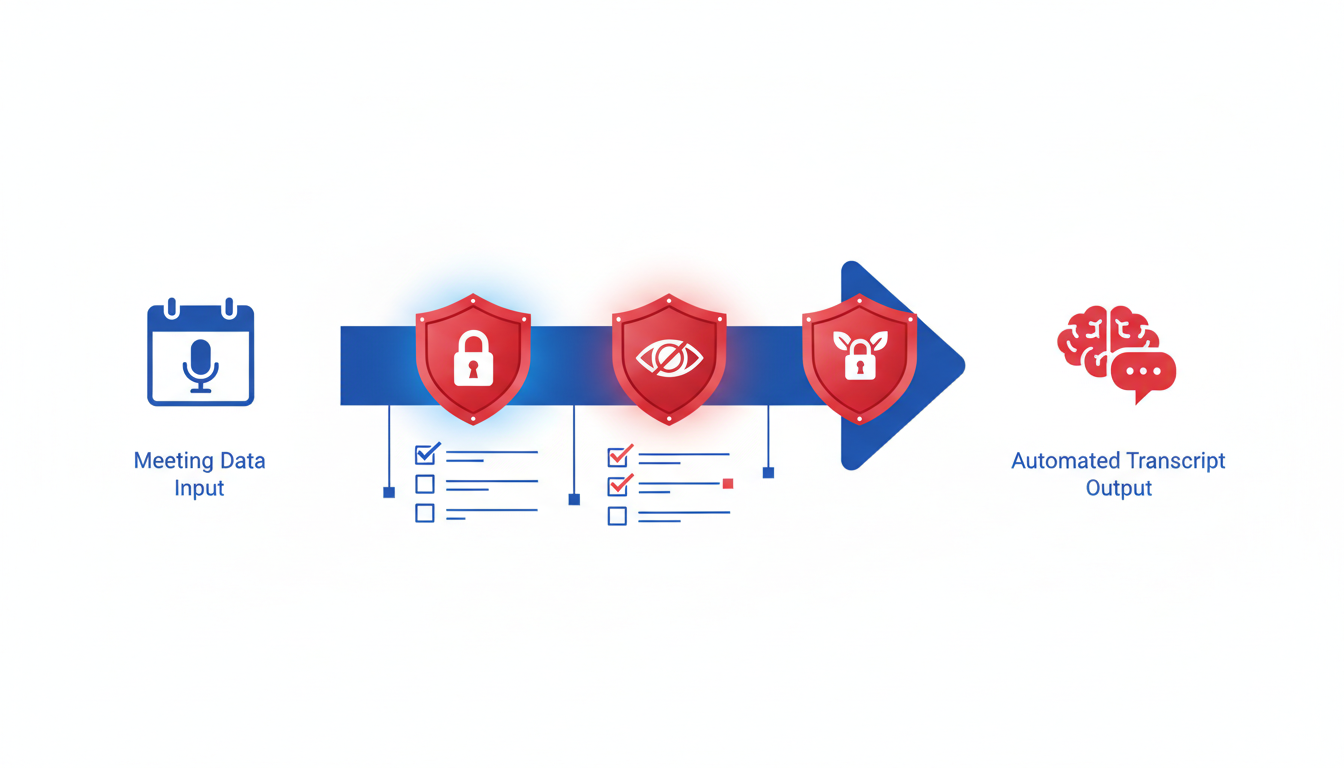
Security and privacy are paramount when automating meeting transcripts. Here's a comprehensive checklist to ensure your processes align with industry standards:
Understanding SOC 2 Compliance
If you're handling sensitive meeting data, SOC 2 compliance is essential. It ensures that your service provider follows strict information security standards. As outlined by Cirrus Insight's 2026 preview, the trend towards comprehensive data privacy features highlights the growing importance of SOC 2. This compliance affirms that controls—like data encryption and secure access—are in place to protect client data in cloud-based operations.
Implementing End-to-End Encryption
To safeguard your meeting transcripts, implementing end-to-end encryption is crucial. This process encrypts data at each stage—from capture to storage—preventing unauthorized access. Tools like DeepScribe prioritize this, ensuring your meeting information remains confidential at all times. Remember, encryption isn't solely about protection: it enhances trust by reassuring clients and stakeholders that their information is secure.
Best Practices for Data Privacy and Deletion Policies
Effective data privacy practices go beyond compliance. It involves implementing policies that detail how data is handled, shared, and stored. For instance, meeting transcripts should be automatically deleted after processing to minimize exposure risk—a feature explicitly supported by DeepScribe. Establish clear data retention timelines and educate your team about non-disclosure agreements (NDAs) to reinforce confidentiality.
"AI evolves from recording to full automation, transcribing, summarizing, and extracting actions for productivity." — Cirrus Insight, 2026 preview
By ensuring SOC 2 compliance, robust encryption, and stringent privacy policies, you're setting a standard for security that not only protects your organization but also strengthens client trust.
## Scaling Meeting Recap Automation Across Teams

Implementing **Phase 3 automation** with meeting recaps transforms transcripts into actionable results across the team ecosystem. The goal here is not just transcription, but creating a seamless flow from capturing meetings to executing tasks, enhancing productivity significantly. With tools like DeepScribe, teams can now move beyond simple speech-to-text conversion to full-scale automation, including action item extraction and follow-up email generation.

To successfully scale this process, leveraging **governance** is key. Governance involves establishing clear rules for meeting capture and distribution, ensuring that the right people receive the right information at the right time. This means defining capture rules based on your calendar setup—deciding which meetings need transcription, who gets access to the report, and where the final outputs are stored. DeepScribe's Meeting Notetaker empowers this governance by allowing you to set specific rules about participant inclusion, data delivery formats, and storage locations with SOC 2 compliance and end-to-end encryption.

Adapting to **team-specific needs** involves customizing workflows to accommodate different meeting types. For instance, sales meetings might prioritize leads and follow-ups, while project stand-ups might focus on task allocations and deadlines. Each team within an organization can tailor the AI summarization and action item generation to fit their unique workflow requirements, ensuring that recaps are not just informative but directly influence task execution.

Data shows that organizations utilizing AI meeting tools, like Otter.ai, saw a 30% reduction in note preparation time, highlighting the efficiency gains possible with automation. By implementing these strategies, not only do teams avoid the pitfalls of missed meetings and scattered notes, but they also enhance accuracy and trust in the data, leveraging AI not just for transcription but for driving meaningful action post-meeting.

> "Phase 3 automation wins by automating next steps beyond basic transcription."—Klu.so, 2025

This approach elevates your meeting management from manual upkeep to intelligent governance, providing a reliable system for executing meetings efficiently across the entire organization.

## Troubleshooting and FAQs

If you're navigating the world of meeting transcript automation, you're bound to encounter a few bumps along the way. Don’t worry; we've got you covered with solutions to common issues and answers to frequently asked questions.

### Common Issues and Solutions with Meeting Bots

**Late Joins or Missed Captures**
The most frequent complaint revolves around bots not joining meetings on time or missing them altogether. The key insight here is that **accurate calendar integration is crucial**. Ensure your calendar settings allow bots to access and auto-join meetings. Double-check that your meeting links are correctly formatted and in a supported service like Zoom, Teams, or Google Meet. In DeepScribe, you can verify the bot’s connection under meeting settings to avoid any mishaps.

**Audio Quality Problems**
Audio clarity is essential for accurate transcription. **Position your microphone in an optimal location**, and ensure background noise is minimized. Tools like DeepScribe are powered by OpenAI’s Whisper model, designed to handle accents and background noise, but quality input helps achieve the best results.

### FAQ on Optimizing Delivery and Capture

**How Can I Ensure Summaries Reach the Right People?**
To guarantee summaries and action items land where they need to, establish a distribution list within your transcription tool. With DeepScribe, utilize the platform’s plan-based governance to set recipient rules, ensuring stakeholders receive the info promptly and securely.

**How Do I Handle Confidential Meetings?**
Security is a top priority, especially for sensitive topics. **Ensure your transcription tool is SOC 2 compliant** and offers end-to-end encryption. In DeepScribe, files are automatically deleted post-processing to maintain privacy.

### Quick Checklist for Onboarding New Users

1. **Set Up Calendar Integration:** Ensure the meeting platform permissions allow the transcription bot to join automatically.
2. **Verify Audio Equipment:** Conduct a quick microphone check before meetings for optimal audio input.
3. **Customize Capture Rules:** Use the platform’s settings to adjust capture and delivery preferences, ensuring that only the necessary meetings are recorded.
4. **Educate on Tools and Security:** Provide a brief training session on how to use the transcription tool, highlighting key features and security protocols.

By addressing these common pitfalls and following best practices, you can enhance the reliability and efficiency of your meeting transcript workflows. For more info, make sure to explore our guide on [meeting intelligence software and its impact](https://deepscribe.io/blog/what-is-meeting-intelligence-software).


## Frequently Asked Questions

### How does calendar-first transcript automation improve meeting capture?

Calendar-first automation ensures meetings are consistently captured by treating the calendar as the source of truth.

### What are the security features of DeepScribe for sensitive meetings?

DeepScribe offers SOC 2 compliance and end-to-end encryption to protect sensitive information.

### Can DeepScribe integrate with my current calendar system?

Yes, DeepScribe can sync with popular calendar systems for automatic meeting capture.

### How accurate is DeepScribe's transcription service?

DeepScribe provides 90%+ accuracy with the potential for 100% using editors for enhanced precision.

### What formats can I export my transcripts and summaries into?

Transcripts can be exported in DOCX, PDF, SRT, and VTT formats, depending on your plan.

## Final Thoughts

Streamlining your meeting transcription process is within reach with this simple workflow:

- Sync your calendar with your transcription tool.
- Automate meeting recordings using a platform like DeepScribe.
- Utilize AI for speaker-labeled transcripts and smart summaries.
- Automatically identify action items and follow-ups.
- Export outputs in your preferred formats for easy sharing.

To take the next step, implement your calendar rules and give the DeepScribe Meeting Notetaker a try for seamless auto-joins and comprehensive recaps. Start with a free plan to validate the workflow, and then choose a subscription that fits your needs for minutes, bots, and export capabilities. Visit [DeepScribe](https://deepscribe.io) to explore further.Written by

DeepScribe Team
Content Team
The DeepScribe content team shares insights on audio transcription and AI technology.
Related Articles
Continue reading about this topic
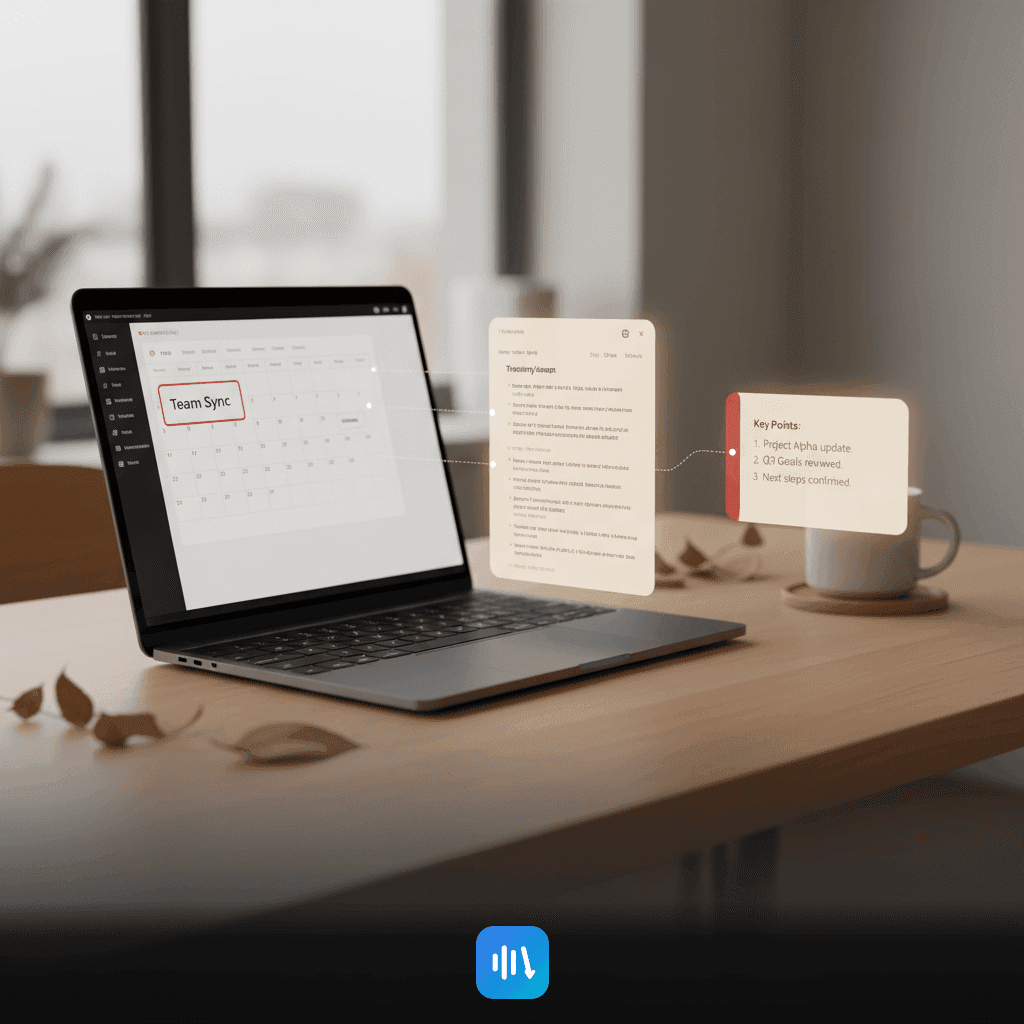
How to Automate Meeting Transcriptions from Your Calendar Workflow
Learn how to implement a seamless calendar-first system for automating meeting transcriptions. Effortlessly capture, summarize, and distribute recaps with DeepScribe.

DeepScribe Team
March 13, 2026 · 18 min read · 3,509 words