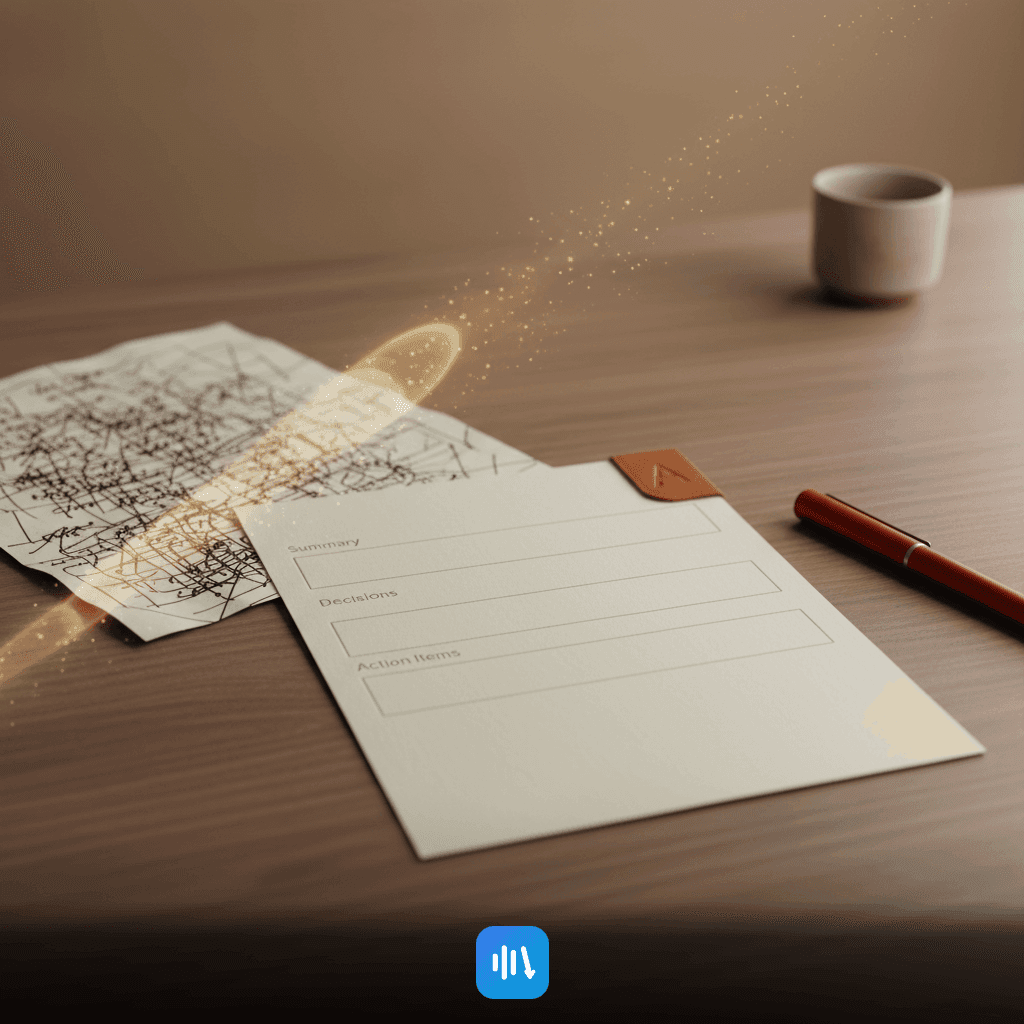
How to Create Meeting Notes With AI: Guide + Template
Learn how to efficiently create meeting notes using AI, ensuring accuracy, clarity, and actionable insights with DeepScribe's powerful features.

DeepScribe Team
Content Team
How to Create Meeting Notes With AI: Guide + Template
If your notes aren’t driving action, they’re just a transcript with punctuation. In the fast-paced world of project management, creating meeting notes that are accurate, concise, and actionable is crucial. But keeping up with the conversation while jotting down every decision and task can feel impossible. That’s why DeepScribe's AI-powered tools are a game changer, transforming chaotic transcripts into scannable, actionable notes with ease.
In this post, we'll walk you through a straightforward 4-stage system to elevate your meeting documentation process using AI: Capture, Generate, Validate, and Publish. You’ll get access to a reusable template, step-by-step AI prompting structure, and a quality assurance checklist to ensure every note is relevant and actionable. Plus, learn how DeepScribe provides the perfect backbone for this workflow, supporting everything from transcription to secure sharing. Get ready to revolutionize how you take notes and ensure that your meetings lead to real action.
What Great AI Meeting Notes Look Like
Creating effective AI meeting notes is about transforming a torrent of spoken words into a concise, clear, and actionable document. It’s not just about having a transcript; it’s about crafting a summary that drives action. Here’s how great notes stand out:
First, a powerful meeting note is concise. It should distill lengthy conversations into a snapshot—capturing the essence without overwhelming detail. This starts with a solid meeting summary that gives an overview of the discussion, helping team members quickly grasp the meeting's primary goals and outcomes. Importantly, the summary should be just a few sentences, highlighting key points without unnecessary verbosity.
Next, great notes are clear, emphasizing readability. This means using a standardized meeting notes template with clearly labeled sections: Summary, Decisions, Actions, and Owners. DeepScribe makes this easy by leveraging AI to structure notes automatically, ensuring consistency every time. You can visualize clean headings that signal to readers exactly where to find the info they need.
Action items are at the heart of effective notes. After all, meetings are useless if nothing is executed. Clearly defined tasks with assigned owners and due dates turn vague ideas into actionable steps. This clarity not only facilitates accountability but also accelerates progress by delineating who’s responsible for each task. For project managers and team leads, this feature is essential for keeping projects on track.
Distribution is another critical factor. Your notes aren’t effective if they sit unread. Choose export formats that suit your team’s workflows—DeepScribe supports TXT, DOCX, and PDF, which can be easily shared and accessed. Integrating your notes with follow-up emails further ensures they’re read and acted upon.
Ultimately, great AI meeting notes are about moving from words to action. By using tools like DeepScribe, professionals can ensure their notes not only capture the meeting but also propel the team towards its goals.
Step 1: Capture a Clean Transcript
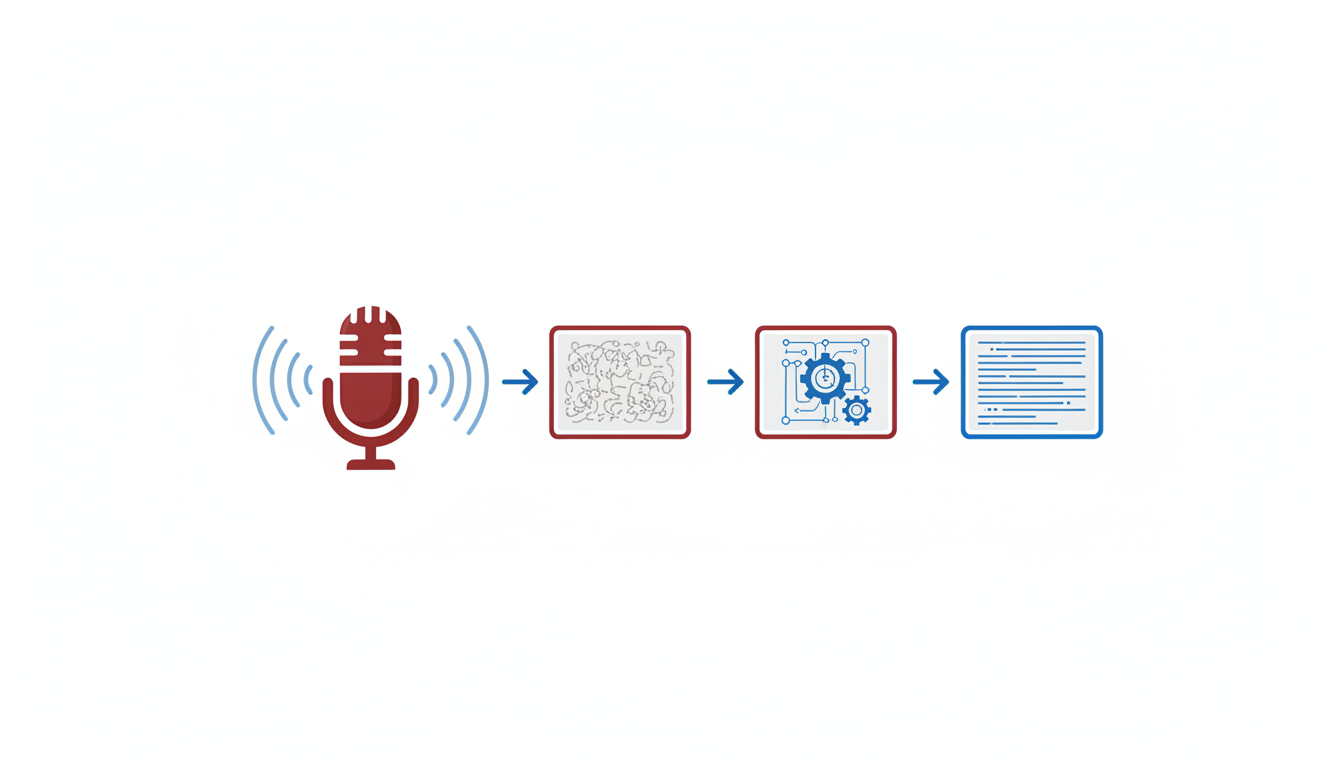
The foundation of creating meeting notes that drive action lies in capturing an accurate and comprehensive meeting transcript. Without a reliable transcript, AI can miss critical details, leading to incomplete or inaccurate notes. Let's explore the options for capturing transcripts and why accuracy is crucial.
Options for Capturing Transcripts
Live Transcription: This occurs in real-time during the meeting. Tools like DeepScribe offer live transcription features that integrate with platforms such as Zoom, Microsoft Teams, and Google Meet. This ensures you capture every moment as it happens, reducing the chances of missing crucial exchanges.
Recording Uploads: For offline transcription, you can upload recorded meetings. DeepScribe supports various file formats like MP3, MP4, and WAV, catering to different recording methods. This option is perfect when you want to revisit and transcribe past meetings.
Meeting Bots: These bots can join your virtual meetings automatically, providing live transcription and capturing every detail. They are ideal for recurring meetings where consistency and reliability are essential. DeepScribe's meeting bots can auto-join from your calendar, ensuring you never miss a session.
Why Accuracy Matters
Capturing an accurate transcript is the backbone of effective AI processing. Here's why:
Precision in AI Outputs: Transcription errors can lead to misunderstandings in summaries and action items. Using DeepScribe ensures a 99% accuracy, powered by OpenAI’s Whisper, to handle various accents and background noise.
Speaker Attribution: Correctly labeling speakers is critical for attributing action items and decisions. DeepScribe excels in speaker detection and labeling, crucial for multi-participant meetings where accountability is key.
Reliable Action Items: Accurate transcripts mean that the action items generated are grounded in what was actually discussed, making follow-through more manageable and less prone to error.
DeepScribe: Reliable Accuracy
DeepScribe stands out with its Whisper-powered transcription, offering 99% accuracy. This high level of accuracy is essential for creating reliable meeting notes, complete with speaker labels and detailed summaries. Whether you choose live transcription with bots or upload recordings post-meeting, knowing that your foundation is solid gives you confidence that your notes will be actionable and precise.
Incorporating these comprehensive transcription options not only saves time but ensures high fidelity in the captured data, enabling your team to focus on what truly matters: decision-making and execution.
Step 2: Apply a Consistent Notes Template
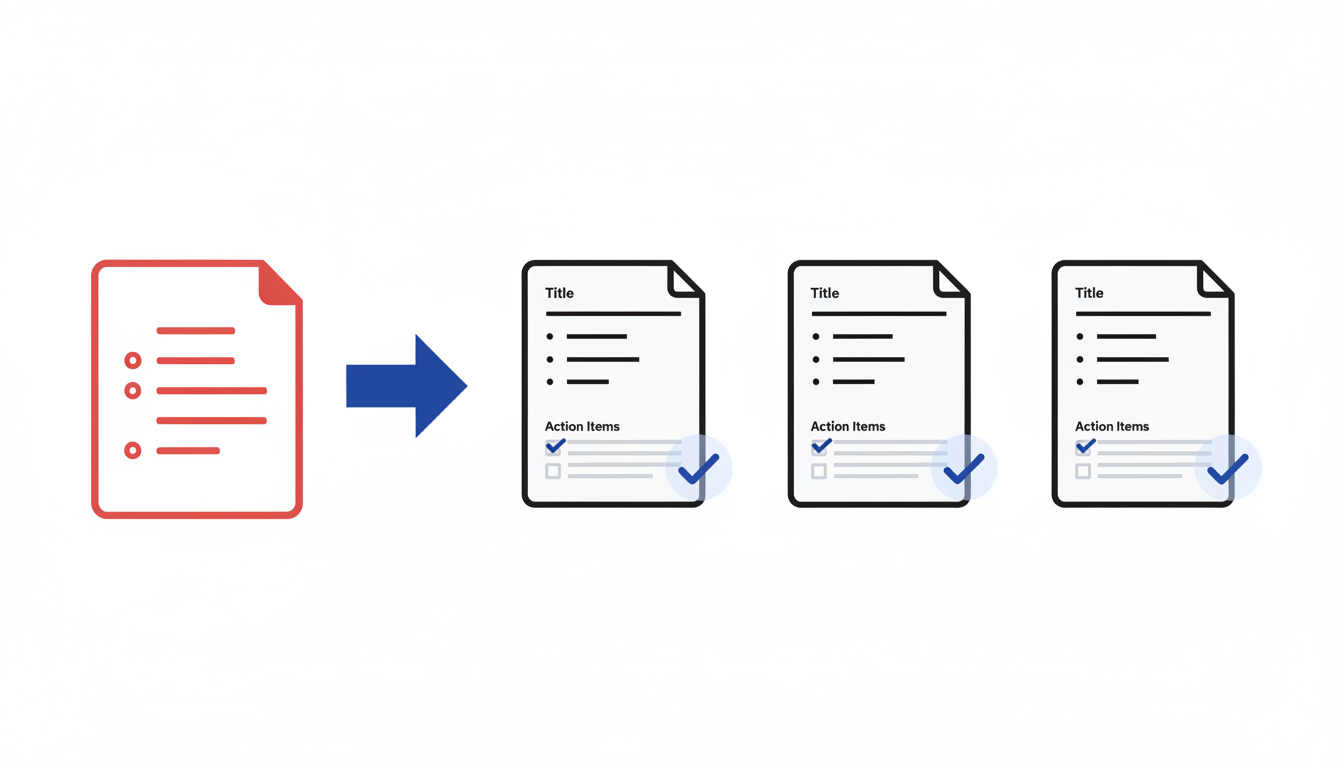
Creating meeting notes that are efficient, consistent, and actionable is a challenge many project managers face. By standardizing your notes with a reusable template, you ensure that each meeting document is easy to read and packed with the necessary information. Enter the meeting notes template — your blueprint for success.
Why Use a Template?
Using a consistent notes template transforms chaos into clarity. It allows team members to quickly scan for the information they need without wading through lengthy transcripts. A structured approach promotes uniformity, making your meeting notes not just a record but an essential tool that drives action.
Elements of the Template
A well-crafted meeting notes template typically includes the following headings:
Summary: Start with a concise overview of the meeting. This should capture the main objective and key points discussed. Think of this section as an elevator pitch—quick and to the point.
Decisions: Clearly outline any decisions made during the meeting. Be sure to include who made each decision and why, as this context can be crucial for follow-up discussions.
Action Items: List all tasks that need to be accomplished, complete with owners and due dates. Use bold text to highlight these responsibilities, ensuring nothing falls through the cracks.
Risks and Issues: Identify any potential obstacles or problems noted during the discussion. Addressing these proactively can save considerable time and effort down the line.
Parking Lot: This section is for ideas or topics that arose but were not discussed in depth. It provides a space for follow-up in future meetings, ensuring no significant thoughts are lost.
Here's a quick visual to keep in mind:
Adapting the Template
While consistency is key, it's also crucial to adapt your template to fit the specific needs of different meeting types. For instance:
- Weekly Status Meetings: Focus more on progress and updates. Emphasize action items and risks.
- Planning Sessions: More detailed agendas and decisions, minimizing the action item list to what's absolutely critical for the next steps.
- Retrospectives: Highlight perceptions and lessons learned, with a stronger emphasis on the parking lot section for future improvements.
By adjusting headings or expanding sections relevant to the meeting type, your notes become even more actionable and purposeful.
Implementing with AI
Now, let's talk about how AI, particularly with tools like DeepScribe, can streamline this process. DeepScribe excels in transforming audio content into clear, structured transcripts, which can be directly plugged into your notes template. With features like Whisper-powered transcription and speaker labeling, the platform ensures high accuracy, allowing you to pull relevant content directly into your template.
Moreover, with DeepScribe’s ability to summarize and extract action items, manually sifting through content becomes a breeze. Export these notes in formats like DOCX or PDF, which align with your team’s workflows, and voila—you have a professional, comprehensive, and reusable notes template ready for every meeting.
Incorporating a consistent notes template not only enhances clarity but also strengthens accountability and execution. As project managers, having a streamlined process provided by tools like DeepScribe can vastly improve meeting productivity and ensure everyone is aligned and ready to tackle their tasks.
For more insights into AI-powered transcription and note-taking, check out our detailed guides on DeepScribe's blog.
Step 3: Generate the First Draft with AI
Creating effective meeting notes requires more than just capturing what was said; it involves converting raw data into actionable insights. Here’s how AI can assist you in generating structured, readable notes.
Step-by-Step AI Prompt Guide for Generating Meeting Notes
Start by structuring your AI prompts to ensure the output is clear and actionable. DeepScribe’s system is designed for this level of precision, transforming comprehensive transcripts into concise summaries and actionable items using well-crafted prompts. Begin by asking the AI to:
Summarize Key Points: At the core of any good meeting summary is a clear overview. Use prompts like: “Summarize the key discussions focusing on outcomes and decisions made during the meeting.”
Identify Action Items: Direct the AI to extract tasks with specific deadlines and assigned responsibilities. Use prompts such as: “List all action items, specifying responsible individuals and deadlines.”
Highlight Decisions and Risks: Efficient meetings center around decision-making. Ask the AI to: “Highlight any decisions made and note associated risks or dependencies.”
These prompts ensure the AI generates a structured starting point, emphasizing clarity and relevance.
How AI Processes Input to Create Structured Outputs
Utilizing Whisper’s high accuracy makes tools like DeepScribe incredibly reliable at processing inputs with different accents and background noise. The AI follows your directions to distill vast amounts of spoken information into actionable results, maintaining a 99% accuracy rate.
DeepScribe effectively uses speaker labeling and contextual understanding to attach the right names and departments to tasks and decisions. This avoids common pitfalls like misattributing action items, ensuring that responsibilities are clear and rightful owners are accountable.
Moreover, with DeepScribe’s advanced processing capabilities, you can handle up to 10 hours of audio simultaneously, which is pivotal for organizations handling extensive meeting data.
DeepScribe’s Suite for Summaries and Action Items on Pro/Business Plans
On the Pro and Business plans, DeepScribe elevates this process with its full AI suite. This includes detailed summaries, extracted action items, and even automated follow-up emails, all part of the system’s offering.
Pro Plan: Offers 900 minutes of transcription monthly, alongside full AI features allowing summaries and detailed action item generation. You can export in formats like DOCX and PDF, facilitating easy dissemination of notes.
Business Plan: Provides unlimited transcription minutes and maximum file handling, tailored for larger teams needing extensive support and faster processing.
By integrating these AI capabilities into your workflow, you ensure not just efficiency but coherence and productivity post-meeting.
Key Takeaway: Utilizing AI for your meeting notes not only captures information but transforms it into a clear, actionable document. DeepScribe’s Whisper-powered transcription and AI-driven insights ensure every meeting ends with clarity and direction.
These steps aim to make your meeting notes not just a document to be filed away, but a strategic tool driving your projects forward. For more on optimizing these processes, explore DeepScribe's offerings for a comprehensive solution.
Step 4: Validate Action Items/Decisions
If your AI-generated meeting notes aren't turning into action, they're just words on paper. The key is implementing a quality control loop to ensure clarity and accountability.
Implementing a Quality Control Loop
Start by using a simple but effective tool: a checklist. This might sound basic, but it's one of the most powerful ways to verify the accuracy of your meeting notes. A checklist helps ensure every decision and action item is correctly captured and assigned, reducing the chance of something slipping through the cracks.
Action Item Clarity: Confirm that each action item is well-defined. Avoid vague tasks like "discuss later" or "review soon." Instead, use precise language that leaves no room for interpretation. For example, "Send draft report to team by Friday."
Owner Verification: Ensure each task has a clear owner. AI tools like DeepScribe, with its speaker detection and labeling capabilities, can help, but a manual check ensures that the right people are accountable.
Deadline Assignment: Every action item should have a definite timeline. Without a deadline, tasks risk being forgotten.
Common AI Pitfalls and How to Avoid Them
AI is sophisticated, but it's not perfect. Here are some typical pitfalls and how to avoid them:
Misassignments: AI might incorrectly attribute an action item to the wrong person. Ensure you cross-reference the action items with the meeting transcript for accuracy.
Ambiguity: AI outputs might sometimes be too generic. Be ready to amend vague descriptions into clear, actionable steps.
Key Insight: “If an action item lacks clarity, the likelihood of it being completed decreases significantly.”
Quick Action Item Validation Table
After the meeting, use the following table to perform your validation checks efficiently:
| Task | Owner | Deadline | Status |
|---|---|---|---|
| Send report draft | Jessica | March 15, 2023 | Assigned |
| Review budget | Michael | March 18, 2023 | In Progress |
| Update website | Team C | March 20, 2023 | Not Started |
This table acts as a decision log and helps track the status of each task, ensuring follow-ups are consistent.
Integrating DeepScribe for Effective Workflow
With DeepScribe's robust AI transcription capabilities, you gain 99% accuracy in transcription and advanced speaker identification on the Business plan. This precision supports the capture of clear action items and decisions, reducing manual verification time significantly. For more on how DeepScribe utilizes AI-powered speech-to-text technology, visit the DeepScribe Blog.
By maintaining a clear validation loop, you ensure every meeting drives action, enhances accountability, and ensures productive follow-through.
Step 5: Publish, Export, and Share
Once you've validated your AI-generated meeting notes, it's crucial to publish them in formats that align with your team’s workflow. Here’s how to ensure your notes remain accessible and actionable.
Choosing the Right Formats
The format you choose for exporting meeting notes can significantly impact their readability and utility. Consider the following options:
- TXT: A simple, lightweight format ideal for quick edits and sharing over text-based channels. Particularly useful for teams on the DeepScribe Free plan, which supports TXT export.
- DOCX: Commonly used in business environments for its compatibility with Microsoft Word and other document editors, making it perfect for detailed formatting and collaboration.
- PDF: Provides a polished, professional look suitable for sharing finalized notes that should not be altered, ensuring consistency in appearance across devices.
- SRT/VTT: These are subtitle formats that can be useful if your meeting recordings are to be paired with video content, facilitating accessibility.
Each format meets different needs, so it’s advantageous to understand which aligns best with your project management workflows. Notably, DeepScribe offers a range of export formats tailored to its different plans, ensuring your team can access the formats they need.
Aligning With Project Management Workflows
Effective meeting notes are action-driving, so they must integrate seamlessly with how your team operates. Using DeepScribe, you can map your exports directly into the PM tools your team uses. For example, exporting a summary and action items to DOCX can enable easy importing into task management software like Asana or Trello.
Consider the following when aligning exports with workflows:
- Ensure the chosen format complements the tools your team already uses for project tracking and communication.
- Decide if the action items should be directly imported into a task manager, which might necessitate a format like DOCX for easy copy-pasting.
- Use PDF for high-level summaries shared with stakeholders who require a no-edit distribution.
DeepScribe’s Export Options
DeepScribe caters to various needs with its tiered plans:
| Plan | Export Options |
|---|---|
| Free | TXT |
| Basic | TXT, SRT |
| Pro | TXT, DOCX, PDF, SRT, VTT |
| Business | TXT, DOCX, PDF, SRT, VTT, Custom Integrations |
This comprehensive coverage ensures your notes fit perfectly within your organizational processes, whether you’re distributing internally or reporting externally.
Expert Insight
“If your notes aren’t driving action, they’re just a transcript with punctuation.”
A well-structured export process is the bridge from meeting discussion to actionable insights. With DeepScribe's robust exporting options and alignment with modern workflows, your meeting documentation becomes a reliable tool for decision-making and project advancement.
For more on how AI-powered transcription tech facilitates effective note-taking, check out DeepScribe’s blog.
Troubleshooting Common Failures
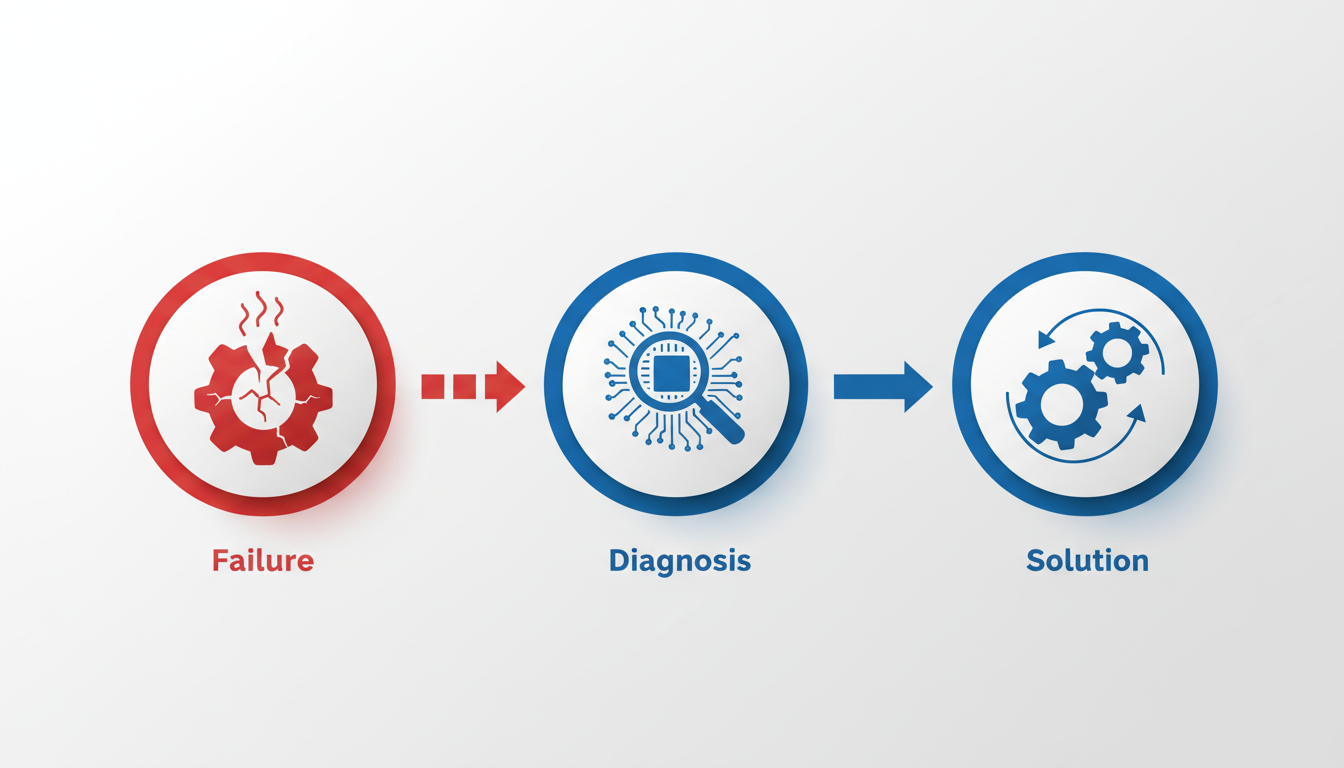
Navigating the world of AI meeting notes can be tricky, especially when errors pop up. Let's tackle some common pitfalls and how to address them effectively.
Addressing Errors: Wrong Owners, Vague Tasks, Missing Decisions
The bane of AI-generated notes can often be misattributions like incorrect owners of action items, vague tasks, or missing decisions. Luckily, a structured approach can mitigate these issues. Start by using DeepScribe, with its Whisper-powered accuracy and speaker detection features. Its advanced speaker labeling, especially on the Business plan, can immensely improve the precision of your notes.
- Action Steps:
- Review speaker labels post-transcription to ensure accuracy.
- Clarify tasks by cross-referencing with the meeting’s agenda or minutes.
- Highlight missing decisions and validate with attendees post-meeting.
Implement a quick validation loop to catch these errors early. Comparing AI-generated notes with either the meeting recording or a human summary can save time and confusion.
Tips for Improving Transcript Quality
Ensuring high-quality transcripts from the get-go is critical. Poor audio quality or background noise can lead to transcription errors, even with advanced tools like DeepScribe.
- Best Practices:
- Invest in good microphones to reduce background noise.
- Keep participants close to the mic to enhance clarity.
- Encourage participants to speak clearly and distinctly.
Use DeepScribe’s live transcription capabilities during meetings, which allows immediate adjustments. Consistent application of these practices leads to better outputs and less post-process editing.
Handling Security Concerns
AI meeting notes often house sensitive information, which can lead to privacy concerns. DeepScribe addresses these by prioritizing security with end-to-end encryption and automatic deletion after processing. This means your data is secure during transcription and not stored longer than necessary.
- Security Tips:
- Inform participants about recording and consent.
- Use DeepScribe’s SOC 2 Type II compliance for peace of mind.
- Regularly update your privacy settings and review any changes in security protocols.
Adopting DeepScribe’s robust security features provides a safe environment, ensuring meeting notes remain confidential.
Expert Insight: "Accurate notes drive decisions. Ensure your AI tool is configured for precision and security," advises industry professionals.
By implementing these strategies, you can create AI-enhanced meeting notes that are reliable, actionable, and secure.
DeepScribe Walkthrough
DeepScribe provides a streamlined approach to crafting effective meeting notes using AI, ensuring that notes aren't just taken, but turned into actionable insights. Here's how DeepScribe supports each step of the meeting notes process:
From Transcription to Action Items
DeepScribe excels in capturing detailed transcripts with its Whisper-powered accuracy, boasting a 99% success rate. This high accuracy is crucial for making sure that nothing gets lost, even when dealing with accents or background noise. The platform’s speaker detection and labeling feature ensures that each speaker's contributions are accurately attributed, which is particularly beneficial for assigning and tracking action items.
Features Overview
After generating a transcript, DeepScribe moves seamlessly into producing concise summaries and extracting action items. These summaries distill key points from the meeting, while identified action items come complete with owners and deadlines, ready to slot into project workflows. Additionally, the tool can generate follow-up emails using its full AI suite available in higher tier plans, such as Pro or Business.
DeepScribe also supports a range of export formats. Depending on your plan, you can export meeting notes as TXT, DOCX, PDF, SRT, or VTT. This flexibility ensures that your notes can easily integrate with other parts of your workflow, whether you're sharing a meeting recap or creating subtitles.
Plan Comparison
Choosing the right plan will depend on your needs:
- Free: Offers 30 minutes of transcription per month, basic TXT export.
- Basic ($15/month): Includes 300 minutes, TXT & SRT exports, and five meeting bots.
- Pro ($29/month): Provides 900 minutes, full suite of AI outputs (summaries, action items, follow-ups), and DOCX/PDF/SRT/VTT exports.
- Business ($99/month): Perfect for high-volume needs with unlimited minutes, priority features, and custom integrations.
A Practical Solution for Busy Teams
DeepScribe integrates smoothly with tools like Zoom, Teams, and Google Meet, allowing meeting bots to join and transcribe sessions live. This capability means that you can focus on the conversation, knowing that the important details are being captured accurately.
For project managers and team leads, using DeepScribe ensures that every meeting is automatically documented and actionable steps are clear. This leads to better accountability and follow-through, transforming how teams interact and drive results.
By weaving DeepScribe into your workflow, you gain a powerful ally in meeting efficiency, allowing you to focus on what truly matters—leading your projects and teams to success.
Frequently Asked Questions
How accurate are AI transcriptions?
DeepScribe offers transcriptions with 99% accuracy thanks to its Whisper-powered system.
What export formats does DeepScribe support?
DeepScribe offers TXT, DOCX, PDF, SRT, and VTT exports, depending on the plan.
How does DeepScribe ensure data security?
DeepScribe uses end-to-end encryption, automatic deletion, and is SOC 2 Type II compliant.
Can AI identify different speakers?
Yes, DeepScribe supports speaker detection and offers advanced speaker identification on Business plans.
How customizable are DeepScribe's AI outputs?
Pro and Business plans offer custom prompts and a full AI suite for tailored outputs.
Final Thoughts
Creating effective meeting notes with AI is a game-changer for productivity. By following this 4-stage workflow—accurate transcription, structured templates, verified action items, and accessible exports—you can streamline your meetings effortlessly. DeepScribe shines as a reliable backbone for this process, offering precise transcription, smart summaries, and seamless exports that cater to diverse needs.
Key takeaways:
- Capture accurate transcripts
- Apply structured templates
- Ensure action items are verified
- Export in accessible formats
To get started, consider using DeepScribe for one of your recurring meetings. Run the process once, then standardize the template for your team. Embrace this approach to transform how you document meetings and boost team efficiency.
Explore more about DeepScribe's capabilities here.
Written by

DeepScribe Team
Content Team
The DeepScribe content team shares insights on audio transcription and AI technology.