
How to Do Speaker Identification Transcription (Guide)
Learn why speaker identification fails and how to improve accuracy with the right tools and workflow. Discover DeepScribe's transcription features.

DeepScribe Team
Content Team
How to Do Speaker Identification Transcription (Guide)
Ever find yourself at the end of a meeting, only to realize your transcript has mistakenly attributed your CEO’s promises to an intern? It’s a common frustration that can throw off project timelines and team dynamics. But what if I told you most of these speaker identification errors are entirely predictable and preventable? In this comprehensive guide, we'll explore why traditional speaker identification transcription fails and, more importantly, how you can fix it. From setting up your recording environment for optimal accuracy to using DeepScribe to produce speaker-labeled transcripts, you'll learn a step-by-step system to ensure reliable, efficient results. Whether you’re handling interviews, remote calls, or panel discussions, we’ve got the essential playbook to streamline your workflow and enhance transparency across your projects. Let's dive in and transform the way you handle multi-speaker audio.
What Speaker Identification Transcription Is (And What It Isn’t)
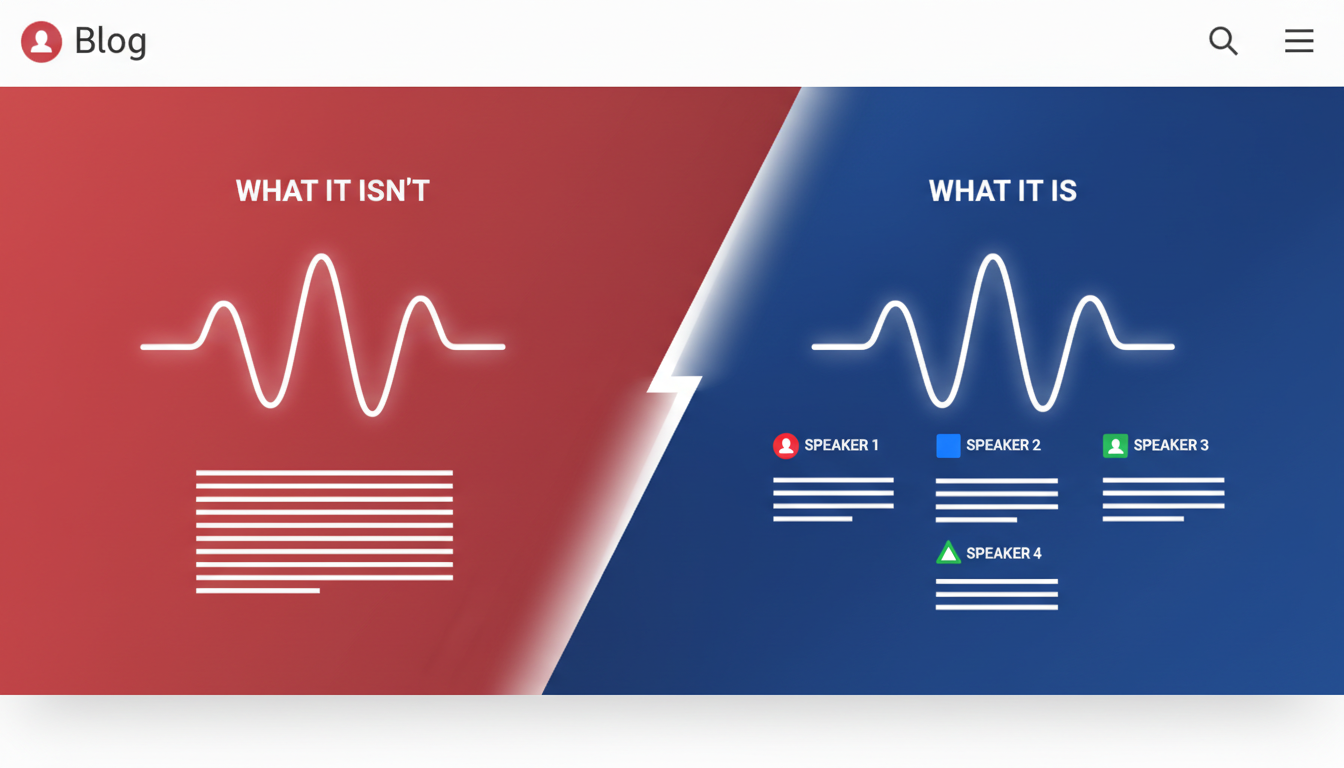
Let’s dive into the world of speaker identification transcription, which involves distinguishing and labeling different speakers within an audio recording. This feature is incredibly useful for generating accurate transcripts of meetings, interviews, and discussions where knowing who said what is crucial.
Think of speaker identification as the process of assigning distinct labels (like 'Speaker 1', 'Speaker 2') to different voices within a recording. It clarifies who is speaking at any given time, offering better speaker attribution for meeting notes and compliance documents.
On the other hand, speaker diarization refers to the task of segmenting an audio stream into discrete sections, each attributed to a single speaker. It answers the "who spoke when" question, without necessarily linking those segments to specific names unless further manual labeling is done. Speaker recognition, though similar in some respects, goes a step further by associating voices with known individuals. It's often used in security contexts.
You’ve probably encountered transcripts that label parts of the conversation as 'Speaker 1' or 'Speaker 2'. These labels stem from diarization. While handy, they may sometimes be inaccurate due to overlapping speech or similar voice pitches.
To enhance accuracy, you can leverage settings and features like those in DeepScribe. DeepScribe is powered by Whisper technology and boasts 99% accuracy in speaker identification tasks. It automatically segments and labels speakers, simplifying the transcription process. Whether you're dealing with audio from a crowded conference room or a remote call, using such advanced tools can help mitigate confusion and ensure that you know exactly 'who said what'.
By recognizing these distinctions and employing the right tools, you can significantly improve the reliability of your transcriptions—making managing audio data less of a chore.
Why Speaker Identification Accuracy Breaks in the Real World
When attempting speaker identification transcription, many face frustrations like mislabeled speakers and garbled overlaps. Understanding why this happens can help you avoid common pitfalls and improve accuracy.
Overlapping Speech and Interruptions
Key Insight: Overlapping conversations create chaos in speaker identification. Transcription tools often struggle to separate simultaneous voices, leading to incorrect labels or missed words entirely.
- Example: In meetings, people naturally interrupt or talk over each other. This crosstalk is a major cause of speaker misattribution.
- Fixes: Set ground rules for clear communication. Encourage pauses between speakers to minimize overlap and use transcription tools that offer advanced diarization capabilities, like DeepScribe, which can handle overlapping speech more effectively.
Effects of Room Echo, Reverb, and Mic Distance
Key Insight: Poor acoustics distort voices, making it hard for AI to distinguish between speakers.
- Example: Large conference rooms with reflective surfaces cause echoes. Combined with distant mic placement, it alters voice clarity and identification accuracy.
- Fixes: Use rooms with soft furnishings that absorb sound and position microphones close to speakers. DeepScribe’s Whisper-powered transcription performs well with clean inputs, making setup critical.
Remote-Call Compression Issues
Key Insight: Compression on remote calls affects audio quality, leading to misinterpretation.
- Example: On platforms like Zoom, audio is often compressed to save bandwidth. This can result in loss of high-frequency details crucial for distinguishing voices.
- Fixes: Record calls locally where possible. If using online tools, optimize call settings for maximum audio quality. DeepScribe excels with clearer audio, enhancing speaker attribution.
Challenges with Similar Voices and Short Utterances
Key Insight: Voices with similar tones or brief comments can confuse speaker identification.
- Example: Team members with similar accents or tones might be mis attributed. Short interjections, like "Yes" or "Okay," compound the problem.
- Fixes: Introduce speakers at the beginning and maintain context throughout. Use DeepScribe’s advanced identification features on the Business plan for distinguishing similar voice patterns.
Markdown Table: Common Issues and Fixes
| Challenge | Symptoms | Solution |
|---|---|---|
| Overlapping Speech | Misattributed or skipped segments during crosstalk | Encourage turn-taking; use tools with advanced crosstalk handling like DeepScribe |
| Echo/Reverb from Room Setup | Distorted audio, unclear speaker distinction | Use absorbent materials and proper mic placement |
| Remote Call Compression | Low-quality audio, missing high-frequency details | Optimize settings, prefer local recordings |
| Similar Voices | Incorrect speaker labeling, especially in similar-accent groups | Start with speaker introductions; employ DeepScribe’s advanced identification features |
| Mixed Sources | Unsynchronized audio, drift between multiple microphones | Use consistent equipment and settings; synchronize sources pre-upload |
Key takeaway: Most speaker identification errors are preventable with the right setup and review process. DeepScribe provides robust solutions to tackle these common issues, so you spend less time correcting errors.
Step 1 — Plan for Diarization Before You Hit Record (The 5-Minute Setup)
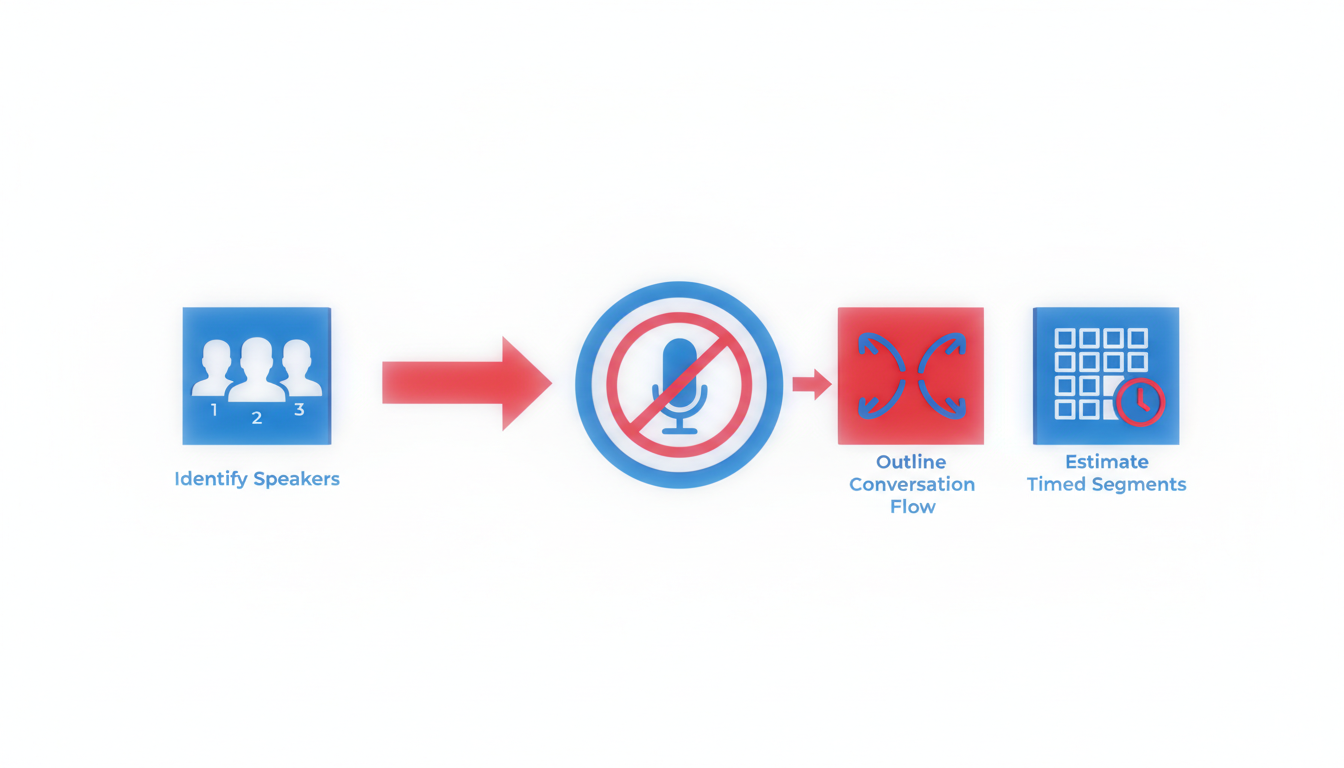
Effective speaker identification transcription hinges on solid preparation. Before pressing record, spend a few minutes ensuring your setup is optimized for clear, distinguishable speaker inputs. Here’s how you can do it quickly and efficiently:
Choose the Right Mic Setup
Key insight: The hardware you choose fundamentally influences your transcription's accuracy. For the best results, aim for a separate mic per speaker. This setup ensures each voice is captured clearly, minimizing crosstalk and improving individual speaker separation. If separate mics aren’t feasible, a high-quality room mic can work, provided it captures audio from all participants equally and is positioned centrally.
Importance of Mic Placement and Levels
Key insight: Proper mic placement can drastically reduce background noise and enhance clarity. For room mics, position them centrally and at an appropriate distance from speakers, ensuring they can equally capture all voices. Maintain consistent sound levels across all mics used. Remember, uneven sound levels can lead to errors in speaker labeling, so make adjustments as necessary during sound checks.
Room Setup: Soft Furnishings and No Reflective Surfaces
Key insight: Your surroundings play a significant role in recording quality. Opt for rooms with soft furnishings like carpets, curtains, and upholstered furniture. These elements absorb sound, reducing echo and reverb which can muddle audio clarity. Avoid spaces with reflective surfaces such as glass or bare walls that can bounce sound around, complicating the transcription process.
Set Ground Rules to Improve Speaker Attribution
Key insight: Establishing simple rules can prevent overlap and ensure cleaner audio recordings. Encourage participants to avoid speaking over one another and allow brief pauses between speakers. This practice reduces instances of overlapping speech, making it easier for transcription tools to identify who’s speaking.
By implementing these straightforward setup strategies, you enhance the quality of your multi-speaker transcription recordings, leading to more accurate speaker labeling. Ready to dive deeper? Let’s explore how different scenarios like interviews, remote meetings, or podcasts can each benefit from these foundational practices.
Step 2 — Record in a Way That Makes Speaker Labels Easier (By Scenario)
Recording audio for multi-speaker transcription requires a thoughtful approach to ensure speaker labeling works seamlessly. Here’s how to navigate various recording scenarios so your transcripts are accurate from the start.
In-Person Interviews (2 People)
For one-on-one interviews, the key is proximity and clarity. Use separate mics for each participant to eliminate any overlap in audio capture. This not only enhances speaker separation, but also reduces background noise. Position the mics close to each speaker—ideally at a 45-degree angle to minimize plosives and maximize capture of their voice.
Checklist:
- Individual mics for each speaker.
- Close mic placement (6-12 inches).
- Quiet environment to minimize noise.
- Conduct a brief test recording to assess levels.
Conference Rooms (3–10 People)
In larger settings, like conference rooms, it's crucial to think about mic placement and room acoustics. A central, high-quality omnidirectional mic is usually the best choice. However, ensure it's placed away from the edges to reduce room echo. Encourage participants to speak one at a time, as this aids in preventing crosstalk.
"The more organized your setup, the easier it is for tools like DeepScribe to attribute dialogue accurately."
Checklist:
- Central omnidirectional mic.
- Room acoustics enhanced (e.g., carpets, curtains).
- Set ground rules: one speaker at a time.
- Conduct an audio check at varying distances.
Remote Meetings: Live Diarization Tips
Remote meetings introduce challenges like inconsistent audio levels and compression. Use a stable platform and ensure all speakers have access to good-quality headsets. Test the internet connection to maintain audio quality and encourage participants to mute when not speaking to avoid background noise interference.
Checklist:
- High-quality headsets for all participants.
- Stable internet connection.
- Use platform tools for level checks.
- Mute when not speaking to reduce noise.
Podcasts and Panels
For podcasts or panel discussions, multiple mics and audio interfaces are ideal. Assign a dedicated channel for each speaker to simplify downstream processing and speaker labeling. Manage sound levels actively during the recording to ensure consistency and minimize post-processing work.
Checklist:
- Separate channels for each mic.
- Active management of sound levels.
- Encourage concise turns to enhance speaker separation.
- Check for echo and adjust mic positions if needed.
By understanding and implementing these practices, you can significantly improve the accuracy of speaker identification transcription. Tailor your setup based on the context, and remember that a great recording setup is the foundation of error-free transcription. For more on optimizing transcription workflows, check out DeepScribe's insights on how to transcribe meetings.
Step 3 — Run Speaker Identification Transcription in DeepScribe (Walkthrough)
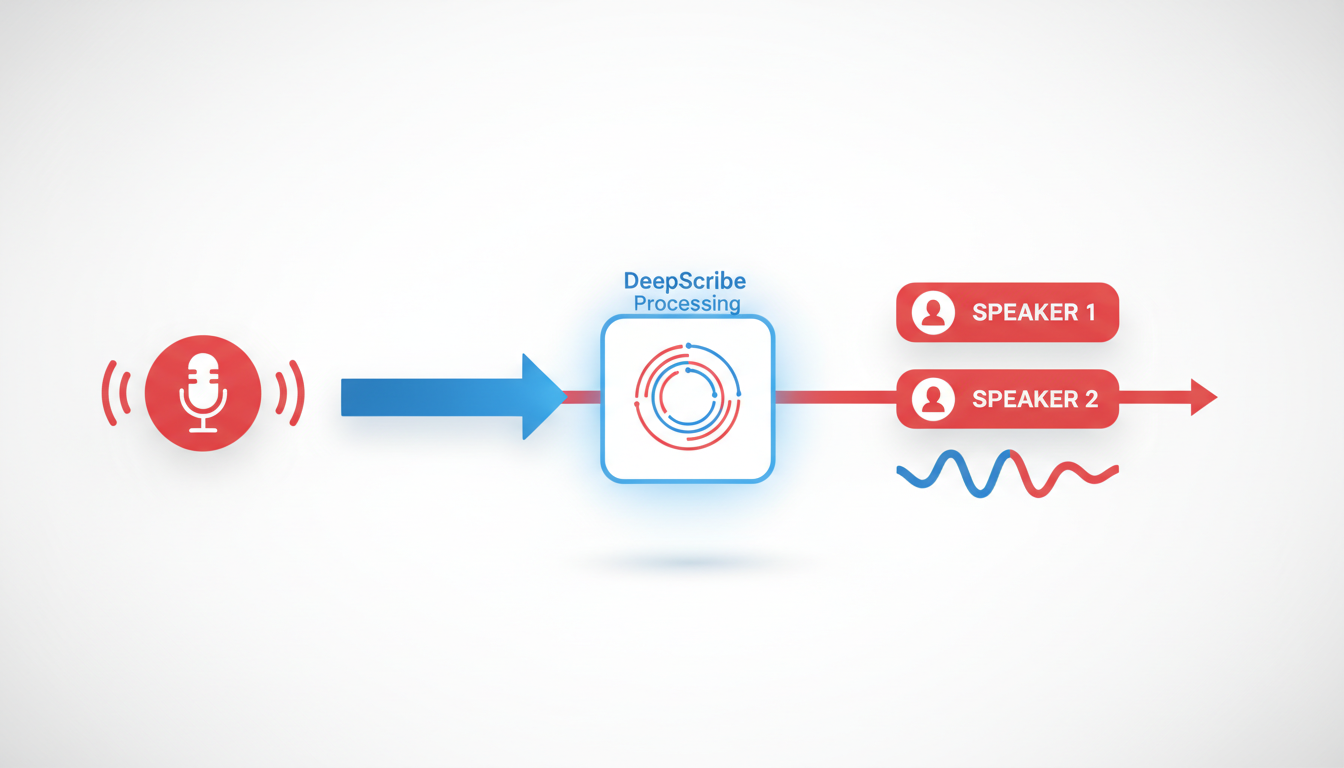
Beginning your speaker identification transcription journey with DeepScribe is an intuitive process designed to maximize accuracy and efficiency. Here's a step-by-step guide through DeepScribe's interface and features to ensure you get precise, speaker-labeled transcripts that meet your needs.
Using the DeepScribe Interface: Uploading and Workflow
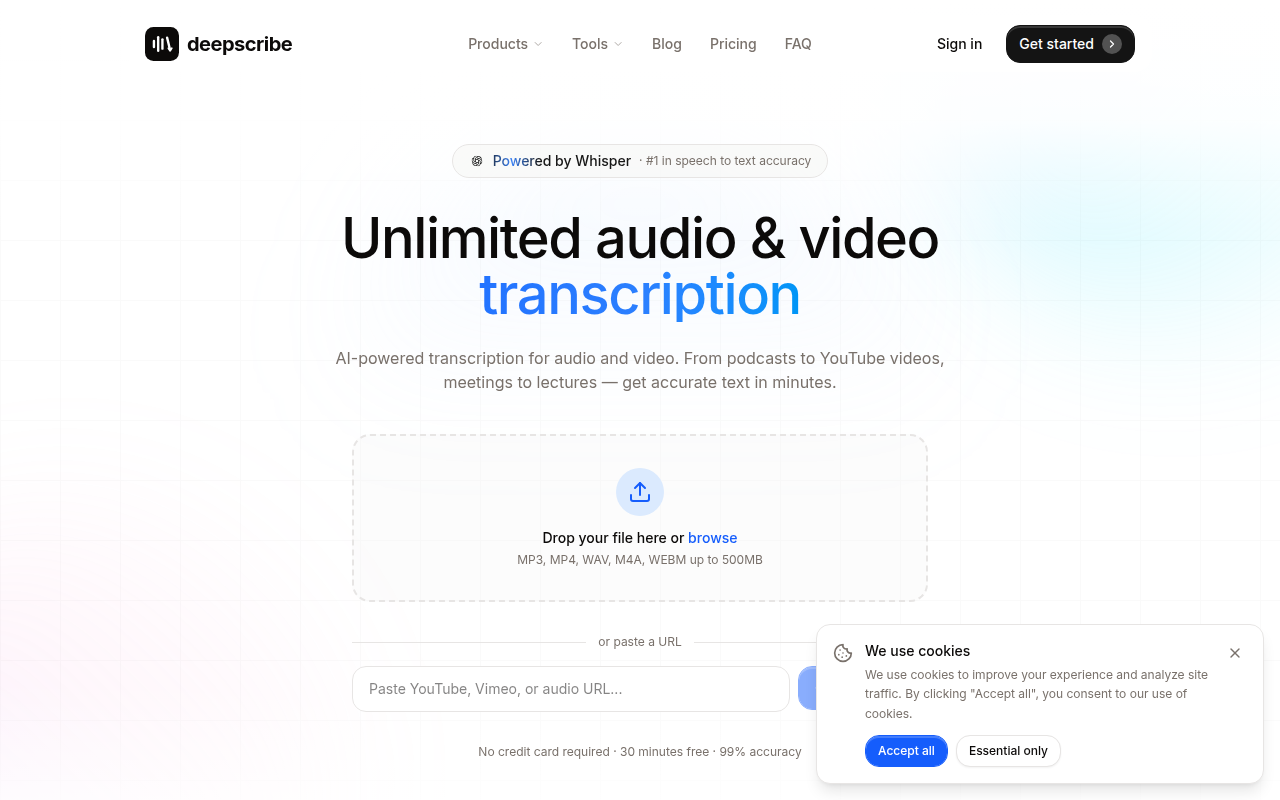
Getting Started: DeepScribe makes it easy to begin. Simply drag and drop your audio or video file into the platform or paste a URL for online media. Supported formats include MP3, MP4, WAV, M4A, and WEBM, among others—ensuring flexibility regardless of your recording source.
Upload Flow: The upload process is seamless, thanks to DeepScribe's Whisper-powered engine, renowned for its 99% accuracy. Once your file is uploaded, the transcription begins with automatic language detection, accommodating over 100 languages on Pro and Business plans.
"DeepScribe's streamlined upload process keeps your workflow smooth and efficient, handling up to 10 hours of audio simultaneously."
Speaker Labeling and Multilingual Notes
Speaker Labeling Output: DeepScribe excels in separating speakers, automatically identifying who says what during the transcription process. This is crucial for interviews, podcasts, and meetings where accurate attribution is necessary.
Multilingual Capabilities: If you're dealing with recordings in multiple languages, rest assured that DeepScribe's advanced language detection will accurately transcribe and label speakers, providing clear understanding across diverse linguistic backgrounds.
Employ Highlights/Comments During Review
Review Process: DeepScribe offers tools to refine and confirm your transcription's accuracy. Utilize the highlighting and commenting features to mark important sections or note discrepancies. These tools facilitate collaboration, allowing teams to focus on key moments in the transcript swiftly and effectively.
Collaborative Highlighting: By emphasizing parts of a conversation or presentation, you streamline the process of extracting actionable items and summaries, a significant boon for content teams and managers alike.
Meeting Notetaker and Live Transcription Features
Meeting Notetaker: DeepScribe's Meeting Notetaker integrates perfectly with platforms like Zoom, Google Meet, and Microsoft Teams, capturing every detail with live transcription. This feature is indispensable for real-time documentation and decision-making.
Live Transcription: While in a meeting, DeepScribe can provide on-the-fly transcription, ensuring nothing is missed. It's particularly beneficial for fast-paced discussions where immediate documentation is crucial.
Here's a quick glance at DeepScribe's interface:
By following these steps, you'll leverage DeepScribe's full suite of transcription tools, from initial upload through to the final speaker-labeled export. Whether you need plain text notes, SRT subtitles, or comprehensive multilingual transcriptions, DeepScribe offers an adaptable solution for all your audio transcription needs.
As you prepare to transcribe your meetings, interviews, or podcasts, trust DeepScribe to deliver impeccable accuracy and operational efficiency, saving you time and reducing manual editing needs.
Discover more about DeepScribe's capabilities by visiting DeepScribe and explore a suite of features designed for professional transcription excellence.
Step 4 — Review and Correct Speaker Labels Fast (QA Workflow)
When it comes to transcription speaker identification, a robust QA workflow is your best ally. Let's break it down into actionable steps to ensure you achieve accuracy without spending hours on edits.
Conduct a First-Pass Scan
Key Insight: Begin with a quick scan to catch glaring errors early. Before diving into specifics, skim through the transcript to spot any obvious speaker mislabeling. Pay attention to the opening and closing sections, as they often contain critical information, like greetings or summaries, where misattribution can stand out.
Takeaway: Initial scanning helps align the context, making detailed corrections easier later on.
Fix Patterns of 'Speaker Swap'
Key Insight: Identify and correct repeating errors, like the ‘speaker swap’ pattern, where speakers are frequently mislabeled. Utilize DeepScribe's highlights and comments feature to mark sections where swaps frequently occur. Make a corrective note and apply it uniformly across similar instances to maintain consistency.
Takeaway: Pattern recognition saves time and boosts consistency, reducing the chance of repeated errors.
Manage Unknown Speakers Pragmatically
Key Insight: Handle unidentified speakers with a pragmatic approach, especially when defaulting to ‘Speaker 3’ or similar placeholders. You can assign temporary names or descriptors (like ‘Interviewer’), then replace them with actual names during subsequent reviews, if applicable. DeepScribe's speaker labeling, particularly in Business tier, aids in this.
Takeaway: Implementing consistent placeholder tags ensures easier bulk updates later.
Triage Accuracy: What to Fix vs. Ignore
Key Insight: Not all errors demand correction—prioritize based on your use case. For internal notes, focus on key decision-makers’ contributions. For public-facing content, like captions, strive for higher precision. This triage allows you to invest time where it truly adds value.
Takeaway: Tailoring corrections based on the audience and purpose can substantially reduce unnecessary edits.
QA Workflow Checklist
| Step | Action | DeepScribe Feature |
|---|---|---|
| First-Pass Scan | Quick initial scan for major errors | Skim through transcript sections |
| Fix Speaker Swaps | Correct recurring mislabel patterns | Use highlights/comments |
| Manage Unknowns | Use temporary placeholders, update as needed | Advanced speaker identification (Business) |
| Triage Accuracy | Prioritize fixes based on use case | Customized based on your transcription needs |
By adopting this structured approach, you streamline the process of producing accurate, speaker-labeled transcripts. For an in-depth look at using DeepScribe's transcription capabilities, check out DeepScribe to see how it can enhance your workflow.
Step 5 — Export Clean, Speaker-Labeled Outputs for Your Use Case
Exporting your transcripts with accurate speaker labels is crucial for effective sharing and utilization across various formats and media. DeepScribe facilitates this by offering multiple export options tailored to fit a variety of needs. Let’s delve into how these outputs can optimize your workflow.
Formats for Internal Notes: TXT/DOCX/PDF
BLUF: Choose the right format for the task at hand.
- TXT files are minimalistic, making them perfect for quick edits or uploads into software that requires plain text. DeepScribe’s Free plan supports TXT exports.
- DOCX is ideal for structured documents that may need further editing in word processors like Microsoft Word. This format is available on DeepScribe’s Pro and Business plans.
- PDF ensures that your content maintains its formatting across different platforms, making it a secure choice for official documentation or sharing with stakeholders. PDF exports are also supported from Pro level upwards.
Key Insight: Select the format that preserves the utility and aesthetics you need for the specific purpose—TXT for raw data, DOCX for flexibility, and PDF for presentation.
Exporting Captions/Subtitles: SRT/VTT Formats
BLUF: Enhance multimedia accessibility with subtitle exports.
- SRT files are the most widely used format for subtitles, supported across platforms like YouTube and Vimeo. They offer simplicity and efficacy, allowing easy synchronization with video content.
- VTT provides more advanced features like styling and positioning, making it the preferred choice for web-based media players. DeepScribe supports both SRT and VTT exports from the Pro and Business levels.
Expert Tip: Utilize VTT for interactive media that requires stylized captions and choose SRT for straightforward subtitling needs.
Sharing with Stakeholders and Integration Tips
BLUF: Seamlessly integrate transcripts into your workflow for collaborative success.
- Internal Sharing: Use PDF or DOCX to circulate finalized texts within your team, ensuring all members work from the same page.
- External Distribution: Leverage the portability of PDFs for client-facing documents where format consistency is key.
- Integration: Explore DeepScribe’s API on the Business tier for embedding transcription outputs directly into your proprietary software, enhancing your organization’s existing workflows.
Consideration: For large teams or frequent collaborators, consider creating shared drives where uniform access to updated documents is assured.
Export Format Comparison
| Format | Best For | Supported Plans |
|---|---|---|
| TXT | Simple, editable text | Free, Basic, Pro, Business |
| DOCX | Document editing and styling | Pro, Business |
| Consistent formatting | Pro, Business | |
| SRT | Basic subtitles | Basic, Pro, Business |
| VTT | Advanced subtitles | Pro, Business |
By understanding and utilizing these export options, you can ensure that every spoken word is accurately attributed and appropriately shared, boosting clarity and collaboration across your projects.
Troubleshooting: Common Diarization Problems + Exact Fixes
Speaker identification transcription can face several hurdles, but don't worry—most issues have straightforward solutions. Let's explore some common problems and how to fix them.
Crosstalk Issues
Crosstalk occurs when multiple people talk over each other, causing the transcription to muddle speaker identities. To mitigate this, establish clear recording rules before the session: encourage speakers to take turns and pause between thoughts. In post-production, tools like DeepScribe can help identify overlapping speech and assign the correct labels. Set the speaker sensitivity settings to ‘High,’ which improves accuracy in detecting distinct voices.
Uneven Volume and Echo
Problems like uneven volume and echo stem from poor mic placement or room acoustics. It's crucial to position microphones equidistantly from all speakers and use high-quality mics designed to capture sound clearly. Rooms with soft furnishings—like carpets and curtains—can significantly dampen echoes. If you've already recorded, DeepScribe offers noise reduction features that can minimize echo and balance volume differences.
Noisy Environments
Background noise can wreak havoc on diarization accuracy. In live scenarios, consider using directional microphones that focus only on the immediate speaker. Post-production tools in DeepScribe allow for noise filtering, enhancing voice clarity without losing important details. Regularly update your transcription software to benefit from the latest noise-cancellation algorithms.
Handling Too Many Speakers in Short Clips
Short clips with numerous speakers can cause label confusion. To manage this, ensure each speaker is introduced at the beginning, especially in panel discussions or group meetings. Tools like DeepScribe's advanced speaker identification, available on Business plans, significantly improve accuracy by using machine learning to separate voices. For clips where this happens often, break them into segments for cleaner processing.
Expert Insight: Most speaker identification errors can be predicted and avoided with proper recording setups and thorough reviews, enhancing overall diarization accuracy.
By proactively addressing these issues, your speaker identification transcription can transform into a well-organized and accurate resource. For an in-depth tool like DeepScribe, these issues become manageable and set the stage for reliable outputs tailored to any professional need.
How to Choose the Best Tool for Multi Speaker Transcription
Choosing the right tool for multi speaker transcription can make or break your transcription workflow. Here's how to ensure you select a tool that meets your needs effectively.
Evaluate Speaker Labeling Quality
First and foremost, assess the tool's ability to recognize and label different speakers accurately. This is crucial for maintaining the integrity of conversations, especially when dealing with interviews or meetings. DeepScribe, for instance, excels in this aspect with its advanced speaker identification capabilities powered by Whisper, ensuring you accurately track who said what, even in complex scenarios.
Live vs. Post-Processing Tradeoffs
Consider whether your workflow benefits more from live transcription or post-processing. Live transcription provides immediate results, great for on-the-spot decision-making in meetings. However, post-processing often yields higher accuracy, as it's less susceptible to real-time errors. DeepScribe offers both options, allowing flexibility depending on your workflow needs—like using live transcription for meetings but post-processing for detailed interviews.
Consider Supported Export Formats
Evaluate the export options available, as these will determine how you can share and utilize your transcriptions. DeepScribe supports a wide range of formats tailored to specific needs—TXT for internal notes, DOCX and PDF for document sharing, and SRT/VTT for captioning, ensuring you have the right format ready for any use case.
Assess Security Features
Security is non-negotiable, especially when dealing with sensitive data. Look for features like end-to-end encryption and compliance with standards such as SOC 2 Type II. DeepScribe underscores its commitment to security with automatic deletion after processing, ensuring your data remains private and secure.
Explore Workflow Extras
Lastly, the value-added features like summaries and action items can significantly streamline your transcription process. Tools that offer these extras, such as DeepScribe's AI-generated summaries and structured action items, provide more than just transcription—they convert conversations into actionable insights, saving time and enhancing productivity.
In summary, when selecting the best tool for multi speaker transcription, prioritize accurate speaker labeling, consider your balance between live and post-processing, ensure broad export format support, emphasize security, and appreciate workflow-enhancing extras. Tools like DeepScribe adeptly meet all these needs, making it a strong contender in this space.
FAQ: Speaker Identification Transcription
When diving into speaker identification transcription, a few key questions often arise. Let’s tackle them head-on to give you the clarity you need.
Can AI identify names automatically?
AI can indeed distinguish speakers by labeling them as distinct entities, like "Speaker 1" or "Speaker 2." However, identifying specific names accurately is more complex. While tools like DeepScribe excel at separating speakers and maintaining this across transcripts, naming those entities requires additional input or integration with speaker databases.
How accurate is speaker diarization?
Speaker diarization—allocating segments of audio to individual speakers—depends significantly on audio quality and tool capability. DeepScribe, powered by Whisper, touts up to 99% accuracy in transcription overall, offering reliable diarization even in complex audio environments. Yet, perfection isn’t guaranteed, particularly in noisy settings.
Is real-time diarization worse?
Real-time diarization may be slightly less accurate than post-processing. This is due to the immediacy required, which can hinder the AI's context-gathering ability. Nonetheless, DeepScribe’s meeting notetaker provides effective real-time transcription, balancing immediacy with accuracy for business needs.
What if two people sound similar?
When voices are similar, errors in speaker attribution can occur. It's crucial to improve initial audio quality by using good recording practices, such as placing mics strategically. Tools like DeepScribe offer advanced speaker identification on Business plans, aiming to handle such nuances more effectively.
How many speakers can it handle?
Most transcription tools can handle several speakers, but effectiveness varies. DeepScribe efficiently processes multi-speaker environments, accommodating complex conversations typical in meetings or panel discussions. By focusing on speaker detection and labeling, it ensures that attribution remains consistent and clear.
Speaker identification transcription, while occasionally challenging, is manageable with the right tools and practices. DeepScribe stands out as a robust solution capable of addressing common pitfalls, making it a prime choice for professionals needing reliable speaker labeling.
Frequently Asked Questions
Can AI identify names automatically?
AI can suggest names based on past identifiers but usually requires manual confirmation.
How accurate is speaker diarization?
It varies by tool but can be highly accurate with quality recordings and proper setup.
Is real-time diarization worse?
Real-time can be less accurate due to processing constraints but offers immediate results.
What if two people sound similar?
Tools may have difficulty differentiating similar voices; manual correction might be needed.
How many speakers can it handle?
The number depends on the tool; DeepScribe handles multiple speakers effectively.
Conclusion
Speaker identification transcription involves a series of crucial steps: setting up your environment, recording, transcribing, quality assurance, and exporting the final product. Remember, much of the diarization quality is determined even before the transcription process begins, emphasizing the importance of careful planning and tool selection.
Here are the key takeaways:
- Setup Matters: Ensuring a clear audio setup can significantly improve transcription accuracy.
- Tool Choice: Selecting robust tools like DeepScribe can streamline the workflow with features like speaker-labeled transcripts.
- Process Workflow: Follow each step diligently, from recording to exporting, to ensure quality results.
- Pre-Transcription Best Practices: Quality often hinges on the preparations made before transcription begins.
For those ready to take the next step, we recommend giving DeepScribe a try for efficient speaker-labeled transcription and convenient export options. To explore adjacent workflows, check out our guides on Zoom and meeting transcription here. Start enhancing your transcription process today!
Written by

DeepScribe Team
Content Team
The DeepScribe content team shares insights on audio transcription and AI technology.