How to Transcribe Interviews with AI: Best Practices + Tools
Master the art of AI-driven interview transcription with accurate quotes and speaker attribution. This guide covers best practices, QA checklists, and DeepScribe integrations.

DeepScribe Team
Content Team
How to Transcribe Interviews with AI: Best Practices + Tools
If you've ever used a transcript only to find misattributed quotes or incorrect data, you know the frustration it can cause. In today's fast-paced world, creating publish-ready interview transcripts goes beyond simply converting audio to text. It requires a structured, end-to-end workflow that ensures precision and clarity. This guide will introduce a step-by-step method for capturing clean audio, labeling speakers correctly, and verifying every detail, offering a reliable system that emphasizes quote accuracy and speaker attribution. Along the way, you’ll discover how DeepScribe’s leading AI transcription service fits seamlessly into this process, providing you with speaker-labeled transcripts, robust summaries, and secure exports. Prepare to streamline your interviews into polished, citation-ready documents effortlessly.
Introduction: The Need for Accurate Interview Transcription
If you’ve ever copied a quote from a transcript only to find it was wrong—or attributed to the wrong person—this guide is for you. Accurate quotes and correct speaker attribution are essential to producing publish-ready transcripts. Whether you’re a journalist, podcast producer, or researcher, seamlessly converting spoken words into text ensures your content remains credible and reliable.
Professionals often face challenges like misattributed quotes and missing context, which can distort the intended message. Imagine confidently quoting a subject matter expert only to discover later that the quote was tweaked or attributed to someone else. Such errors can diminish your content's credibility and, in some industries, have significant repercussions.
The solution lies in a practical workflow using AI tools. AI transcription tools, like those powered by DeepScribe, offer speaker-labeled transcripts, ensuring each quote is attributed to the correct individual. This accuracy is crucial in environments where multiple speakers interact rapidly, such as in panel discussions or fast-paced interviews.
DeepScribe leverages OpenAI's Whisper technology, boasting high levels of accuracy even under challenging conditions like accents or background noise. Its ability to process up to 10 hours of audio simultaneously and support numerous formats ensures you can focus on content quality rather than technical constraints.
By adopting AI-driven transcription, you're not just getting text; you're investing in a workflow that produces publish-ready deliverables. This includes comprehensive summaries, actionable insights, and robust security measures—including end-to-end encryption and automatic deletion—to protect sensitive information. For those in roles where accuracy and speed are paramount, integrating AI transcription tools can transform your workflow from chaotic to seamless, making misquotes and attribution errors a thing of the past.
Invest in tools like DeepScribe to elevate your transcription process, ensuring every quote is precise and every speaker is accurately represented.
Pre-Interview Setup: Your Foundation for Success
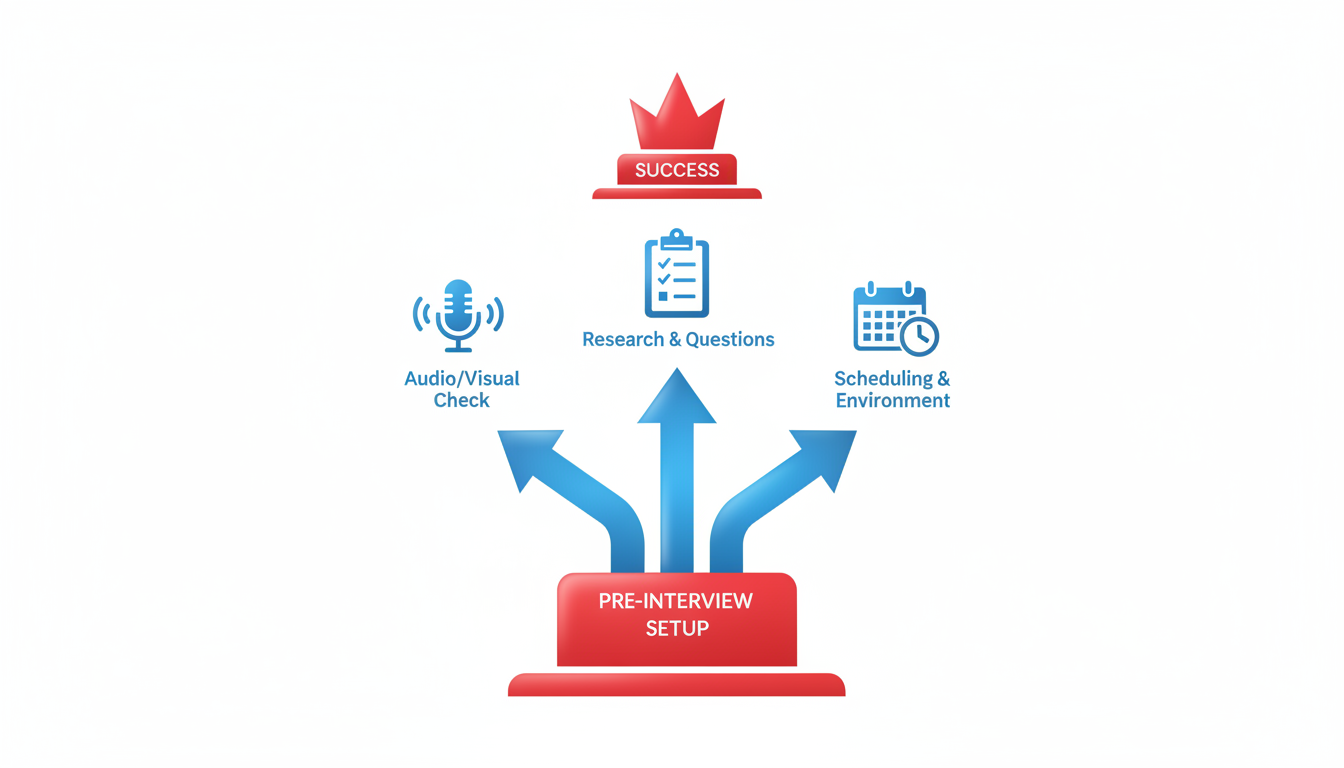
Getting an interview transcription-ready starts long before anyone hits "record." The key? Proper preparation. The difference between a solid transcript and a jumble of words often lies in how you set up the pre-interview environment.
Select the Right Gear
Your journey begins with choosing the right equipment. A high-quality microphone is essential to capture clear audio. Whether it’s a USB mic for podcast producers or a portable digital recorder for journalists, the goal is the same: clarity. Avoid built-in laptop mics—they tend to pick up too much ambient noise. Instead, opt for a mic that suits your needs and budget.
If your interviews often take place remotely, ensure your video conferencing tool is compatible with your recording setup. Programs like DeepScribe integrate well with platforms like Zoom and Google Meet, seamlessly recording the call and providing potential live transcription options. For more details, check out our guide on how to transcribe Zoom meetings with AI.
Ensure Audio Clarity
Once you have the right gear, the next step is to ensure your environment supports audio clarity. Choose a quiet space away from bustling events, street noise, or echoey rooms. Position your microphone to minimize disturbances—closer to the speaker but not so close that it picks up every breath. Test your setup by recording a short clip and listening for clarity and noise interference.
An often-overlooked step is gaining consent from participants. Inform them that the conversation will be recorded and transcribed. This isn’t just good practice; it’s often a legal requirement. Once everyone is on board, inform them to speak clearly and avoid overlapping dialogues, enhancing transcript quality.
Why These Steps Matter
Why bother with all this setup? Because the payoff is a publish-ready transcript. When audio is clean and clear, AI transcription tools like DeepScribe can deliver highly accurate results, complete with precise speaker labels. This not only speeds up your workflow but dramatically reduces the time and effort spent on post-interview corrections and verifications.
Pro Tip: “If you prep right, your AI tool becomes a transcription ally, not an editor's nightmare.”
By investing a little time before the interview, you can streamline the entire transcription process, resulting in accurate and reliable transcripts. So before your next big interview, remember: thoughtful preparation is your best friend.
## Recording and Uploading: Capturing Quality Audio
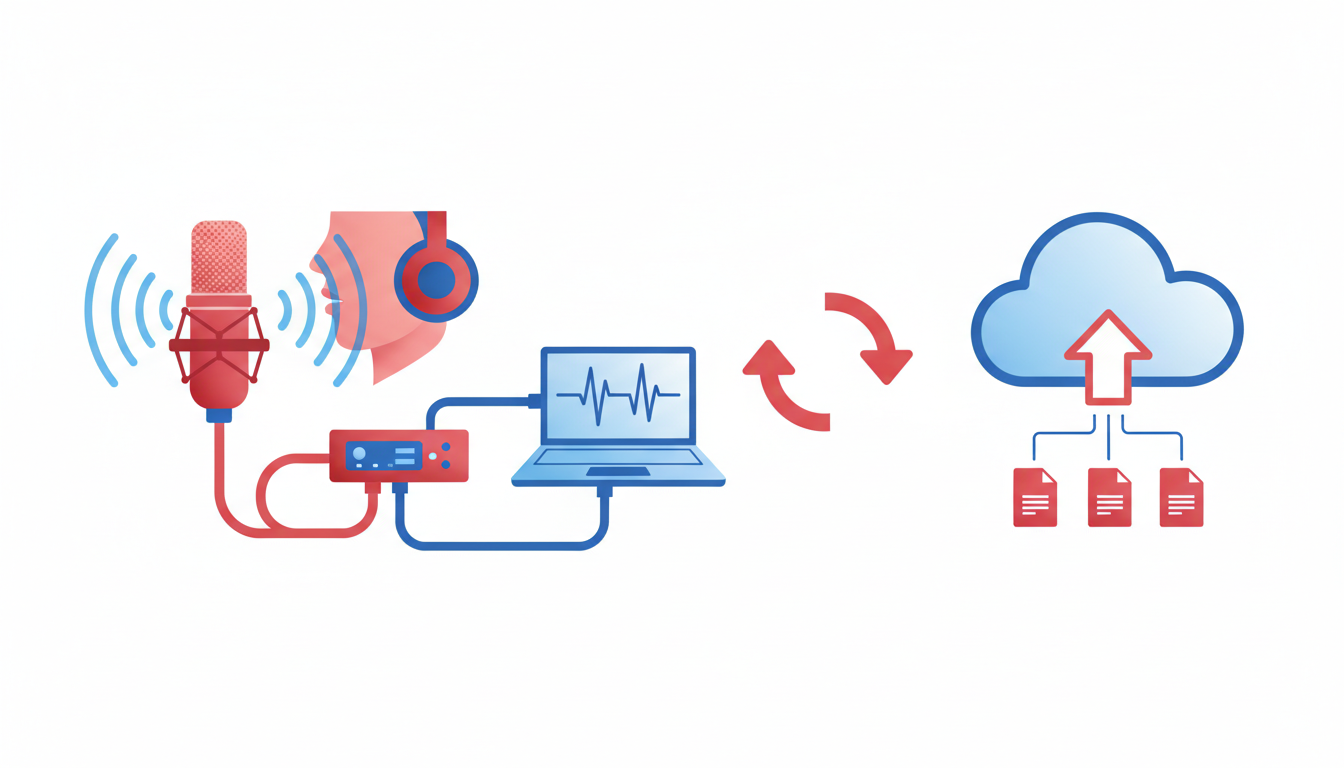
Capturing high-quality audio is the cornerstone of generating accurate transcriptions. Whether you're conducting interviews, meetings, or podcasts, crystal-clear audio ensures that your transcription process is smooth and the final output is publish-ready. Here’s how you can optimize your audio capture and seamlessly upload it to DeepScribe for precise transcription.
### The Importance of High-Quality Audio
The first step in **improving transcription accuracy** is capturing pristine audio. Crisp, noise-free recordings allow the AI to differentiate between speakers and understand every word clearly. Background noise, poor mic quality, or overlapping conversations can lead to misinterpretations and misattributions—something we strive to avoid in professional settings.
### Supported Formats and Uploading Process
DeepScribe supports a variety of audio formats, making it versatile for different recording setups. You can upload files in formats like **MP3, MP4, WAV, M4A, and WEBM**, among 20+ others. This flexibility ensures that you can easily process files from different recording devices or platforms.
To **upload your audio to DeepScribe**, follow these simple steps:
1. **Log into your DeepScribe account** and navigate to the transcription dashboard.
2. Click on the **upload button** or drag and drop your file directly into the platform. This user-friendly interface supports straightforward batch uploads, saving you time when processing multiple interviews or meetings.
3. Select the desired **language and speaker labeling options**. DeepScribe’s **automatic language detection** ensures the right linguistic context, while speaker labeling keeps attributions accurate.
> **Expert Tip:** Always preview your files after recording to catch any immediate issues. Use headphones to listen for background noise or low audio levels, and adjust your setup accordingly.
### Ensuring Privacy and Security
Once uploaded, DeepScribe treats your files with the highest security. With **end-to-end encryption** and automatic deletion after processing, your data stays confidential and secure, meeting rigorous **SOC 2 Type II compliance** standards. This instills confidence, particularly when dealing with sensitive interviews or proprietary meetings.
Using a systematic approach to capture and upload high-quality audio not only enhances accuracy but also streamlines the entire transcription process. By investing in good equipment and leveraging DeepScribe's robust capabilities, you’ll transform your audio to text effortlessly—ensuring every word is ready for publication.
## Transcription and Speaker Labeling: The DeepScribe Advantage
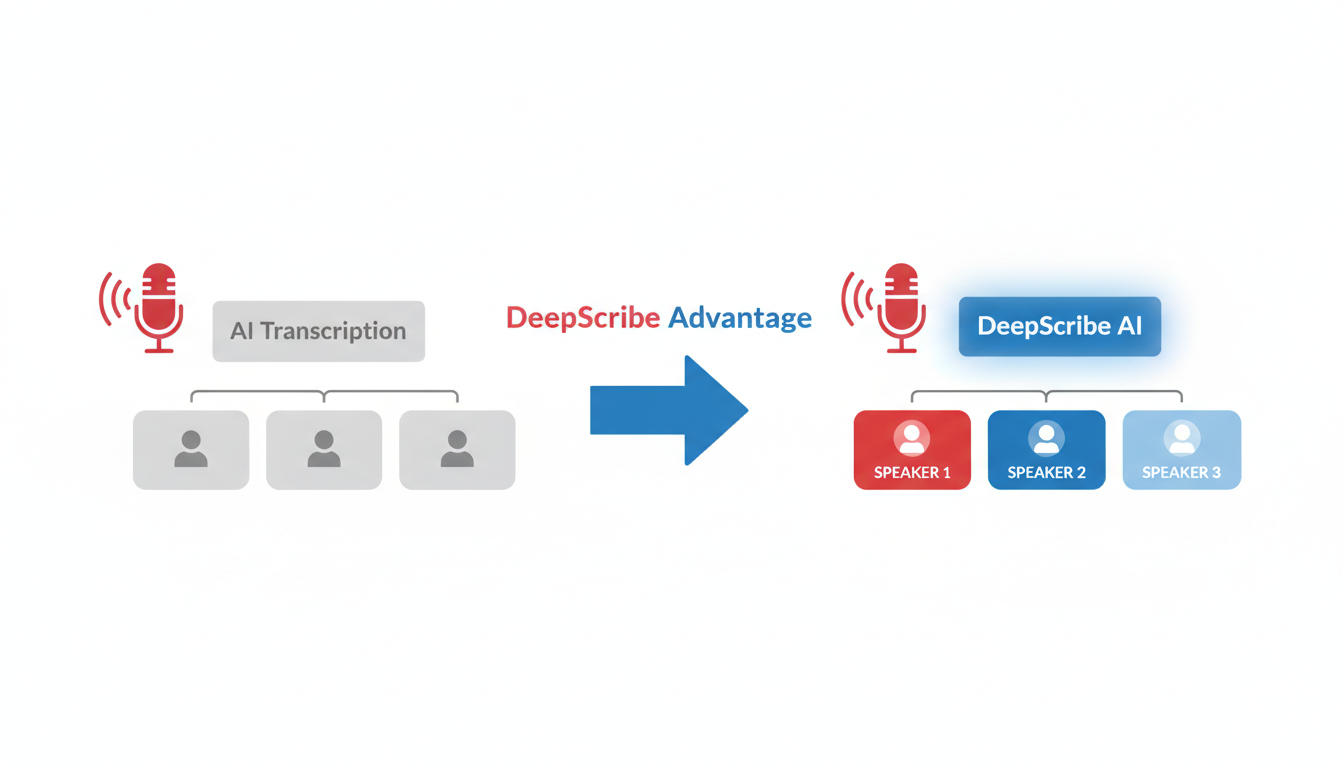
If accurately attributing quotes in a transcript has ever been a headache for you, DeepScribe's transcription capabilities promise to alleviate that pain, delivering precision and clarity with every transcription. At the heart of DeepScribe’s robust system is **Whisper**, renowned for its 99% accuracy rate. This AI model excels at handling a variety of accents, technical jargon, and crosstalk, ensuring transcripts are reliable and publish-ready, particularly for roles in journalism, UX research, and content marketing where accuracy is paramount.
### Automated Speaker Labeling
In the realm of transcription, **automated speaker labeling** stands as a game changer. DeepScribe not only transcribes your audio but also smartly identifies and labels each speaker. This feature is indispensable in settings with multiple speakers, such as panel discussions or focus group interviews. Speaker labeling enhances readability and ensures that quotes and insights are accurately attributed, preserving the integrity of your content.
For those on the Basic plan, which offers up to 300 minutes of transcription per month, automated speaker labeling is integrated and ready to use. This is particularly beneficial for smaller teams or independent practitioners managing lighter workloads.
### Plan Features and Comparisons
DeepScribe’s Pro plan, designed for those handling larger volumes of transcription, expands on these capabilities significantly. With 900 minutes per month, priority processing, and access to over 100 languages, users can enjoy faster turnaround times and broader linguistic reach. The Pro plan further amplifies productivity with comprehensive export options including TXT, DOCX, PDF, SRT, and VTT, making it ideal for producing documentation, subtitles, and multilingual content.
Moreover, DeepScribe’s Business plan showcases advanced speaker identification features alongside custom integrations, making it suitable for larger enterprises or high-volume transcription needs. This plan ensures that even the most nuanced conversations are captured with unparalleled accuracy.
> **Key Takeaway:** Harnessing DeepScribe's speaker diarization and labeling is critical for maintaining accuracy and clarity in multi-speaker transcripts, offering a seamless solution to common transcription challenges.
DeepScribe’s focus on accuracy, efficiency, and functionality makes it the optimal choice for professionals needing reliable transcription and speaker labeling, aligned with enhanced privacy and security measures such as end-to-end encryption and SOC 2 Type II compliance.
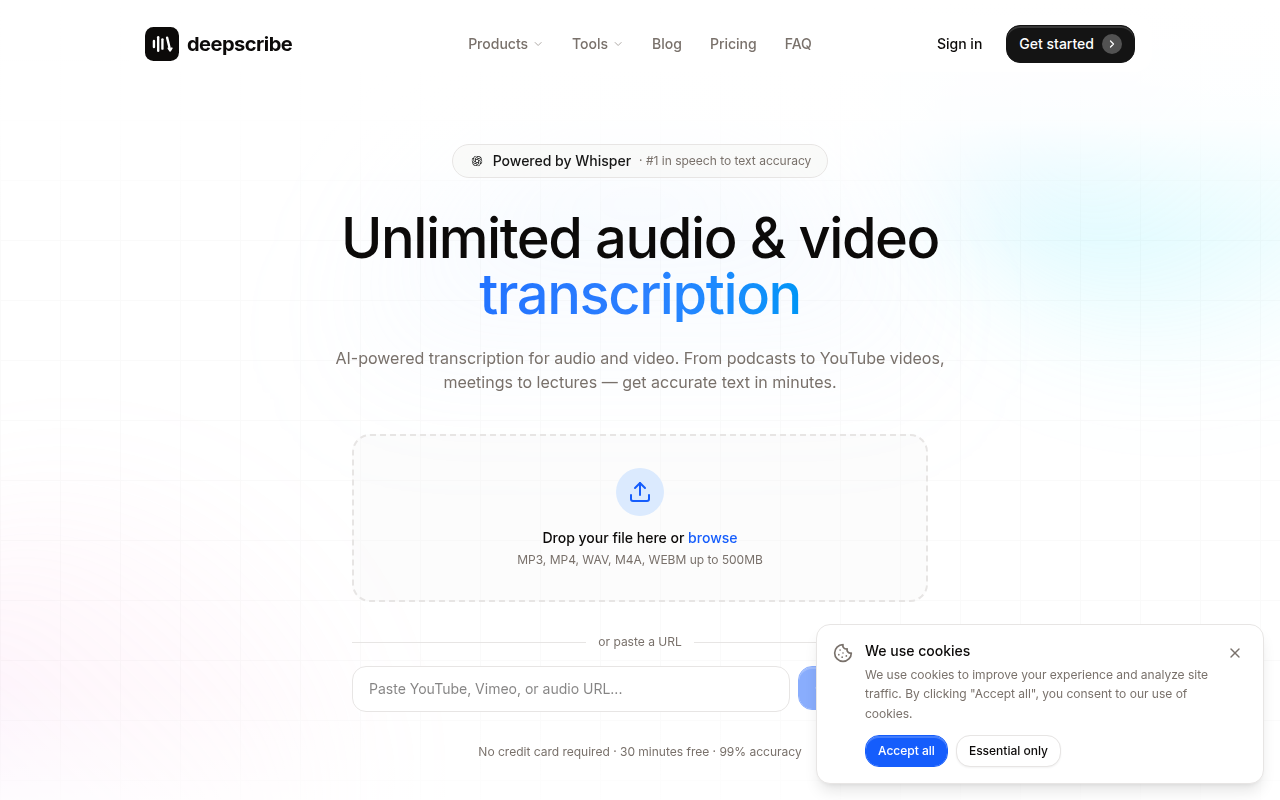
As you navigate the world of transcription, explore more on the [DeepScribe blog](https://deepscribe.io/blog) for tips and insights on maximizing the potential of AI-powered tools.
## Verification System: Ensuring Quote and Attribution Accuracy
If you’ve ever found yourself questioning the accuracy of a transcript or attributing quotes to the wrong speakers, this section is for you. A reliable verification system is essential for creating **publish-ready interview transcripts**, and we're here to introduce a thorough Quality Assurance (QA) checklist to help ensure quote accuracy and speaker verification.
**QA Checklist for Accuracy:**
A well-structured QA checklist is your first line of defense against misattribution. Here’s a streamlined process that you can follow:
1. **Initial Proofing**: Begin by listening to the entire audio recording once to familiarize yourself with the nuances and voices.
2. **Speaker Verification**: Ensure the correct speaker labels are applied throughout the transcript. This is crucial for maintaining context and credibility.
3. **Name and Quote Double-Check**: Verify all names and quotes by cross-referencing with the recording. Misquoting can lead to major issues, especially in interviews meant for publication.
4. **Contextual Understanding**: Check that technological terms, jargon, or slang have been transcribed accurately. This is vital for maintaining the integrity of the content.
Using DeepScribe can simplify many of these steps, thanks to its accurate **speaker detection and labeling** features.
**Quote Verification Steps:**
Ensuring quote accuracy is more than just matching words. Here’s a structured approach:
- **Re-listen to Key Sections**: Focus on the most quoted sections, playing back the recording to ensure every word matches the transcript.
- **Verify Attribution**: Check that each quote is correctly attributed by listening to the speakers' tones and inflections, which DeepScribe’s advanced speaker identification can assist with.
- **Transcription Overlaps**: Identify any overlaps in speech and ensure both participants' words are captured accurately.
> “A reliable quote verification system is the backbone of any transcription workflow aiming for publication-ready accuracy.”
**Running Accuracy Tests:**
You don’t have to take accuracy claims at face value. Here’s a simple test you can perform:
- **Name and Number Test**: Choose a few names and numbers from the transcript. Rewind and listen specifically for these to see if they are accurately captured.
- **Technical Jargon Test**: Focus on industry-specific terms. See if these are captured correctly—DeepScribe’s ability to handle jargon shines in these scenarios.
- **Overlap Test**: Examine sections where multiple speakers talk over each other. If the transcript handles these well, you’re likely using a top-tier tool.
| **Verification Step** | **Action** | **Tool/Feature** |
|----------------------------------|-----------------------------------------------|-------------------------|
| Initial Proofing | Listen to entire audio for nuances | Repeat playback |
| Speaker Verification | Match speakers with labels | DeepScribe's labeling |
| Name and Quote Double-Check | Cross-reference with recording | Manual check |
| Contextual Understanding | Verify jargon and slang | DeepScribe's accuracy |
| Name and Number Test | Listen for specific details | Focused playback |
| Technical Jargon Test | Check specific industry terms | DeepScribe’s AI model |
| Overlap Test | Identify and verify speaker overlaps | DeepScribe's detection |
This workflow ensures your transcripts meet professional standards. Using DeepScribe’s capabilities, from **Whisper-powered accuracy** to **multi-format exports**, securing publish-ready transcripts with verified quotes and correct speaker attribution becomes a consistent, repeatable process.
## Exporting and Publishing: Delivering Data-Driven Results
When it comes to transcribing interviews with AI, having versatile export options is crucial to ensure your transcripts are publish-ready. **DeepScribe** offers a robust suite of export formats designed to meet various needs: **TXT**, **DOCX**, **PDF**, **SRT**, and **VTT**. Each format serves a different purpose, whether you're preparing a detailed report, sharing a transcript, or generating subtitles.
### Export Format Overview
- **TXT**: Ideal for simple text sharing and integration into documents where complex formatting is unnecessary.
- **DOCX/PDF**: Perfect for polished, professional documents. These formats preserve the structure and style of your transcripts, making them suitable for reports and presentations.
- **SRT/VTT**: These subtitle formats are essential for video content creators who need accurate, synchronized captions to enhance accessibility and viewer engagement.
DeepScribe supports these formats across its plans, tailored to various professional requirements:
| **Plan** | **Export Options** | **Use Case** |
|---|---|---|
| **Free** | TXT only | Basic text export for internal use or sharing |
| **Basic** | TXT, SRT | Text and subtitle export for straightforward content needs |
| **Pro** | TXT, DOCX, PDF, SRT, VTT | Comprehensive export suite for polished documents and multi-format video captions |
| **Business** | All available formats, including advanced features | Unlimited export capability suitable for high-volume, diverse output needs |
### Meeting Diverse Export Needs
Whether you're a journalist needing citation-ready transcripts, a content marketer looking to enhance video accessibility, or an analyst preparing detailed reports, DeepScribe's export options cater to your workflow. The **Pro** and **Business** tiers, in particular, provide flexibility with **DOCX** and **PDF** exports, ensuring your documents are both professional and easily shareable. Subtitles exported as **SRT** or **VTT** formats are indispensable for video producers looking to improve their content's reach and inclusivity.
> "Delivering transcripts that are both accurate and in the right format transforms raw data into actionable insights."
By choosing the appropriate export format, users can ensure that their content is not only accurate but also tailored to its intended audience. The extensive export capabilities and seamless processing offered by DeepScribe make it a preferred choice for professionals seeking reliable AI transcription solutions. For more on how DeepScribe fits into various transcription workflows, explore related resources on [DeepScribe's blog](https://deepscribe.io/blog).
## Choosing the Best AI for Interview Transcription: Key Considerations
When selecting an AI tool for interview transcription, it’s important to evaluate beyond the flashy marketing promises and focus on real-world effectiveness and security. Here’s what to look for:
### Features that Matter
To achieve **publish-ready interview transcripts**, prioritize tools offering **speaker labeling and accurate quote attribution**. These features ensure that your transcripts not only capture the conversation but also maintain the integrity of the dialogue—which is crucial for roles like journalism or UX research. Look for capabilities such as **multilingual support**, **export options** (like DOCX, PDF, SRT), and **integration possibilities** with platforms like Zoom or Teams.
DeepScribe, for instance, excels in speaker labeling and provides automatic detection of over 100 languages, available on its Pro/Business plans. Its transcription service is powered by OpenAI’s Whisper, which claims a **99% accuracy rate** for handling various accents and technical jargon—essential for professional environments.
### Security and Privacy Considerations
Given the sensitivity of many interviews, security is paramount. Ensure that the AI transcription tool uses **end-to-end encryption** to safeguard data during transfer and processing. You’ll also want to ensure that files are **automatically deleted after processing** to minimize risk.
DeepScribe takes security seriously with features like automatic file deletion post-processing and SOC 2 Type II compliance, reassuring users that their data management practices adhere to high industry standards. This is particularly valuable for sectors like legal and medical, where confidentiality is key.
> **Expert Insight**: "In industries where privacy isn’t just important but legally binding, choosing a tool like DeepScribe that prioritizes security and compliance is crucial for peace of mind."
### Evaluating DeepScribe
DeepScribe impresses with its combination of robust security measures and practical features tailored to the needs of busy professionals. Its product offerings—from free-tier options providing basic transcription to business plans granting unlimited minutes—provide flexibility based on your workload and needs. Additionally, its commitment to real-time transcription and **AI-driven summaries** positions it as an effective solution for generating actionable insights quickly.
Before making a decision, consider running your own **accuracy tests** to assess its performance in your specific context, focusing on quote accuracy and speaker attribution. With DeepScribe, you're equipped with a reliable partner for turning your interviews into accurate, insightful content.
## DeepScribe Walkthrough: The Exact Workflow
When it comes to transcribing interviews swiftly and accurately, **DeepScribe** offers a streamlined process tailored for professionals who demand publish-ready outputs. Here’s a step-by-step walkthrough of using DeepScribe to achieve precise, speaker-labeled transcripts.
### Step 1: Upload Your Audio or Video
Begin by uploading your audio or video file directly to DeepScribe. The platform supports a wide array of formats including **MP3, MP4, WAV, M4A, and WEBM**, ensuring flexibility for various recording methods. With DeepScribe’s **parallel processing capability**, you can even manage up to 10 hours of audio simultaneously, which is a boon for content-heavy workflows.
### Step 2: Automatic Transcription with Whisper-Powered Accuracy
Once your file is uploaded, DeepScribe leverages its Whisper-powered engine, offering industry-leading **99% accuracy**. This accuracy is pivotal for handling complex accents and jargon, making it ideal for journalistic interviews or technical discussions.
### Step 3: Speaker Detection and Labeling
One of DeepScribe's standout features is its sophisticated **speaker detection and labeling**. This ensures that each speaker's contributions are accurately attributed, freeing you from the hassle of manual corrections and improving the clarity of quotes in your final transcript.
### Step 4: Review and Validate the Transcript
After transcription, take advantage of DeepScribe’s interface to review and validate the text. The platform allows for highlighting and annotation, letting you verify quotes efficiently. This step is crucial for ensuring the transcript's publishability.
### Step 5: Export in Your Preferred Format
DeepScribe offers versatile export options, including **TXT, SRT** on the Basic plan, and **DOCX, PDF, SRT, VTT** on Pro and Business tiers. This flexibility means you can easily adapt the transcript for articles, podcasts, or video captions.
### Plan Benefits Overview
DeepScribe's tiered plans are designed to cater to various needs:
- **Free Plan:** 30 minutes of transcription per month, with basic TXT export.
- **Basic Plan ($15/mo):** 300 minutes monthly, speaker detection, and TXT/SRT exports.
- **Pro Plan ($29/mo):** Offers 900 minutes, priority processing, and full AI suite features, including summaries and action items.
- **Business Plan ($99/mo):** Provides unlimited transcription, advanced speaker identification, and custom integrations.
### Security and Language Support
DeepScribe features end-to-end encryption and automatic deletion after processing, ensuring your data remains secure and compliant with **SOC 2 Type II standards**. It also supports over **100 languages** on higher-tier plans, with automatic language detection, providing seamless transcription for multilingual meetings.
By following this workflow, professionals across industries, from journalism to legal, can achieve precise and efficient interview transcriptions with DeepScribe. For tips on maximizing your transcription process, visit the [DeepScribe blog](https://deepscribe.io/blog).
## Troubleshooting Common Issues: Accents, Jargon, Noisy Rooms
If you've ever wrestled with transcription errors due to thick accents, complex jargon, or bustling backgrounds, you're not alone. Let's tackle these common challenges with practical solutions and see how DeepScribe shines in handling them.
### Enhancing Transcription Accuracy
**Accents and Regional Dialects:** Accents can often trip up transcription tools, but choosing an AI with robust language models can make a world of difference. DeepScribe, powered by Whisper, is designed to handle diverse accents with its advanced speech recognition technology. While recording, try to capture high-quality audio using a directional microphone to minimize background noise and focus on the speaker's voice.
**Handling Technical Jargon:** Industry-specific terminology and jargon are notorious for muddling transcriptions. To improve accuracy, provide a glossary of terms that your transcription tool can reference during processing. DeepScribe excels in recognizing and learning from user corrections, adapting to specific vocabularies over time. This feature is particularly helpful for fields like medicine or law, where precision is crucial.
**Managing Noisy Environments:** Noisy settings can drown out critical dialogues. When possible, use noise-cancelling microphones and conduct interviews in quieter spaces. DeepScribe's noise reduction capabilities help isolate speech from background sounds, ensuring cleaner transcripts. For consistently challenging environments, consider manual review to spot any discrepancies missed by the AI.
### Common Mistakes & Solutions
- **Overlooking Speaker Attribution:** Proper speaker labeling is essential. Ensure that your tool supports speaker diarization—DeepScribe automatically labels different speakers, reducing the chance of misattribution.
- **Ignoring Audio Quality:** Poor audio quality often leads to inaccuracies. As mentioned, use high-quality recording equipment to produce clear audio, which is easier for any transcription tool to process accurately.
- **Skipping Post-Processing Checks:** Always review transcriptions for errors in complex names or numbers, which can be easily misheard. DeepScribe allows you to highlight and comment on transcripts for clarity and consistency.
> **Pro Tip:** Run a small test recording through your transcription tool to check how well it copes with your specific challenges. Evaluate its performance on accents, jargon, and noisy environments before committing to larger projects.
DeepScribe's Whisper-powered technology makes it a standout choice for tackling these common issues, offering features like speaker labeling and noise reduction to ensure your transcripts are both accurate and publish-ready. For more insights on using AI in transcription, visit [DeepScribe's blog](https://deepscribe.io/blog).QA Checklist and Transcript Template: Tools for Consistency
Creating a publish-ready interview transcript requires diligence beyond mere transcription. A robust QA checklist ensures quote accuracy and correct speaker attribution, vital for those in journalism, research, and other interview-dependent fields. Here’s how to maintain consistency:
Downloadable QA Checklist
Your QA checklist should cover:
- Quote Verification: Double-check key quotes for accuracy. Misattributions can lead to misunderstandings or factual errors.
- Speaker Attribution: Ensure each speaker is correctly labeled. This is crucial for maintaining the integrity of the transcript.
- Technical Jargon and Names: Verify the spelling of technical terms and names. Utilize tools like DeepScribe, which offers advanced features for handling complex language and speaker recognition.
- Audio Clarity: Review parts of the audio where clarity was reduced by noise or crosstalk.
By using this checklist, you streamline the proofreading process, allowing for quick adjustments and enhancing transcript proofreading workflows.
Simple Transcript Template
A clear and structured template can save time and reduce confusion. Here’s a basic outline:
[Date]
[Interviewer Name]
[Interviewee Name(s)]

*Speaker 1:* "Welcome, today we are speaking with..."
*Speaker 2:* "Thank you for having me..."

[Time Stamp] *Speaker 2:* "Key point..."
This format highlights essential components and keeps speaker labels accessible and errors easy to spot. The consistency this template offers is indispensable for producing citation-ready transcripts.
Benefits of Consistent Tools
Implementing a structured template and QA checklist aids consistency and reliability. For teams facing diverse transcription scenarios, tools like DeepScribe provide an edge with features that enhance accuracy and speed. The platform supports exports across multiple formats such as DOCX, PDF, SRT, and VTT, allowing flexibility in usage, whether for articles or caption generation.
By integrating these tools, you not only increase efficiency but also elevate the quality of your output, meeting professional standards expected in fields that rely on precise communication and documentation.
"If you've ever questioned the reliability of a transcript, this checklist transforms uncertainty into confidence."
Conclusion: Implementing Your Transcription Workflow
If you've ever faced the frustration of a misquoted interview or inaccurate speaker attribution, then this guide outlines exactly what you need. By leveraging AI-powered tools like DeepScribe, you can elevate your transcription process from basic text capture to producing publish-ready interview transcripts.
Let's recap the key steps to success. Start by ensuring your audio quality is top-notch; this means adequate setup and environmental controls during the interview. Next, upload your recording to DeepScribe. Here, the Whisper-powered engine excels at distinguishing speakers and handling accents, ensuring high accuracy—even in noisy environments.
The beauty of DeepScribe lies in its ability to automatically label speakers and generate smart summaries and AI meeting notes. This is vital for journalists, podcasters, and UX researchers who rely on precise data for publication.
To verify accuracy, run a simple test: check that specific quotes, names, and technical jargon are correctly captured and attributed. Use our QA checklist to streamline this process and ensure nothing slips through the cracks.
"For many in media and research, misattributed quotes can be career-limiting. A robust QA framework isn't optional—it's essential."
Once confident in the transcript’s accuracy, use DeepScribe's flexible export options—from TXT and SRT on Basic plans to DOCX and PDF on Premium plans. This allows seamless integration into articles, podcasts, or video captions.
Finally, take a few minutes to test this workflow: record a brief 3–5 minute clip, upload to DeepScribe, and apply the QA process. This action plan not only illustrates the tool’s capabilities but also helps you gauge its alignment with your needs.
For those seeking a dependable transcription solution, DeepScribe offers the means to transform raw audio into cited, shareable content. Ready to streamline your workflow? Explore more tips and tutorials on the DeepScribe Blog for enhancing your transcription processes.
Frequently Asked Questions
What makes DeepScribe different from other transcription tools?
DeepScribe offers Whisper-powered accuracy, speaker labeling, and security features like end-to-end encryption.
Can DeepScribe handle multiple languages in a single transcription?
Yes, DeepScribe supports automatic language detection and can transcribe in over 100 languages.
How does speaker labeling work in AI transcription?
AI models like DeepScribe use algorithms to detect and label different speakers in the audio.
What export formats does DeepScribe support?
DeepScribe supports exporting files in TXT, DOCX, PDF, SRT, and VTT, depending on the plan.
How can I improve the accuracy of my interview transcriptions?
Ensure high-quality audio by using good microphones in quiet settings and verify transcripts with a QA checklist.
Conclusion
To effectively transcribe interviews using AI, here’s a quick action plan to get started:
Choose Your Recording Setup: Select a quiet, controlled environment to ensure clear audio quality.
Run a Quick Accuracy Test: Use a 3–5 minute clip to test DeepScribe's transcription accuracy and speaker labeling capabilities.
Transcribe with DeepScribe: Upload your audio file to DeepScribe for fast, precise transcription with automatic speaker attribution.
Run a QA Checklist: Review the transcript for any needed adjustments, ensuring quotes and attributions are accurate.
Export in Desired Format: Once satisfied, export the transcript in the format you need, whether TXT, SRT, or others.
For a seamless experience, try out DeepScribe here and see the difference in your transcription process.
Looking to enhance your skills? Check out our other articles on [transcribing podcasts] and [tackling multilingual transcription] for more insights.
Written by

DeepScribe Team
Content Team
The DeepScribe content team shares insights on audio transcription and AI technology.