What Is Meeting Intelligence Software and Why It Matters
Meeting intelligence software turns conversations into actionable insights. Learn its core benefits and how to choose the right tool for your needs.

DeepScribe Team
Content Team
What Is Meeting Intelligence Software and Why It Matters
In today’s hybrid work environment, where meetings have surged threefold since 2020, the need for effective meeting solutions is more crucial than ever. Organizations grapple with extracting actionable insights from discussions. This is where meeting intelligence software emerges as a vital tool—it transforms raw transcripts into structured, searchable intelligence, paving the way for streamlined execution. Unlike simple transcription services, meeting intelligence offers a robust system that captures decisions, action items, and follow-ups in a privacy-safe manner. By the end of this guide, you’ll understand the features that truly matter and how to identify the best tools without falling into the trap of overly complex enterprise suites.
Intro: The Need for Meeting Intelligence
In the fast-evolving hybrid work environment, meetings have become both a necessity and a challenge. Since 2020, meetings have significantly increased, with remote workers attending 50% more meetings than their in-office counterparts. In today’s landscape, many workers join meetings with at least one remote participant, illustrating a shift toward distributed teams and diverse communication setups.
So, what is meeting intelligence software and why is it crucial right now? Quite simply, it’s the transformative layer between raw meeting transcripts and meaningful execution. More than just recording or transcribing conversations, meeting intelligence software converts unstructured dialogue into actionable insights. This means organizing conversations into structured, searchable formats that capture key decisions, action items, and follow-ups—all while ensuring privacy and governance.
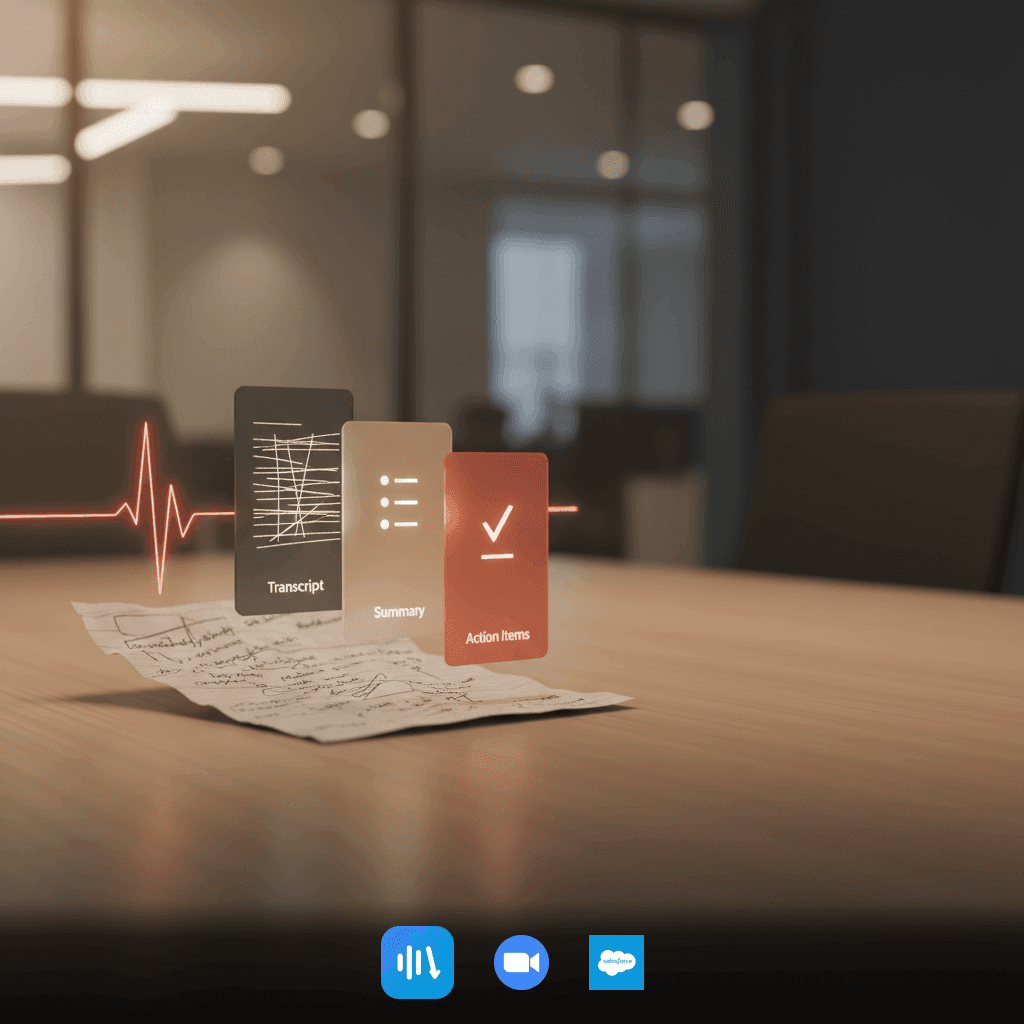
Think of it like turning a messy desk into a meticulously organized workspace. The raw data—the “desk clutter”—is transcribed into clear elements like summaries and action items, effectively streamlining how teams process and act on information. The need for such a solution is compounded by the complexity of hybrid meetings, where clear communication is paramount.
Consider the everyday challenges teams face: notes get lost, actions are forgotten, and async teammates lack critical context. These hurdles not only slow productivity but also frustrate employees. Meeting intelligence software steps in, offering structured intelligence that boosts communication efficiency. By transforming conversations into execution-ready outlines, these tools are becoming invaluable in enhancing team performance amid the hybrid work reality.
In essence, meeting intelligence turns the chaos of conversation into clarity and action, all while fitting seamlessly into modern workflows.
What is Meeting Intelligence Software?
Meeting intelligence software is a transformative tool that converts unstructured meeting data into structured, actionable insights. It goes beyond basic transcription or captions by adding layers of intelligence that organize and prioritize information from your meetings.
Imagine this: a meeting ends, and instead of sifting through raw transcripts, you receive a concise summary of decisions made, action items, and follow-ups—all labeled and attributed to speakers. This is the power of meeting intelligence software. It's like turning raw footage into a polished highlight reel, complete with a detailed task list.
In today's hybrid work environment, where meetings have tripled since 2020, the need for this type of software has never been greater. Traditional note-taking methods simply can't keep up with the pace and volume of information exchanged across distributed teams.
Meeting intelligence software acts as a digital team member, automatically capturing and processing conversation data. The magic lies in its ability to extract critical elements such as action items and decisions, making them easily searchable and sharable across teams. This capability ensures that nothing slips through the cracks and everyone stays aligned on objectives.
When evaluating these tools, it’s essential to focus on features like speaker-labeled transcripts, accurate summaries, and seamless integration with platforms like Zoom or Microsoft Teams. Additionally, given that 60% of companies prioritize data privacy, robust privacy measures such as end-to-end encryption and compliance with standards like SOC 2 are non-negotiables.
In essence, meeting intelligence software transforms how teams operate, turning conversations into clear, actionable outputs that drive real execution and productivity.
Why Meeting Intelligence Matters in Hybrid Work
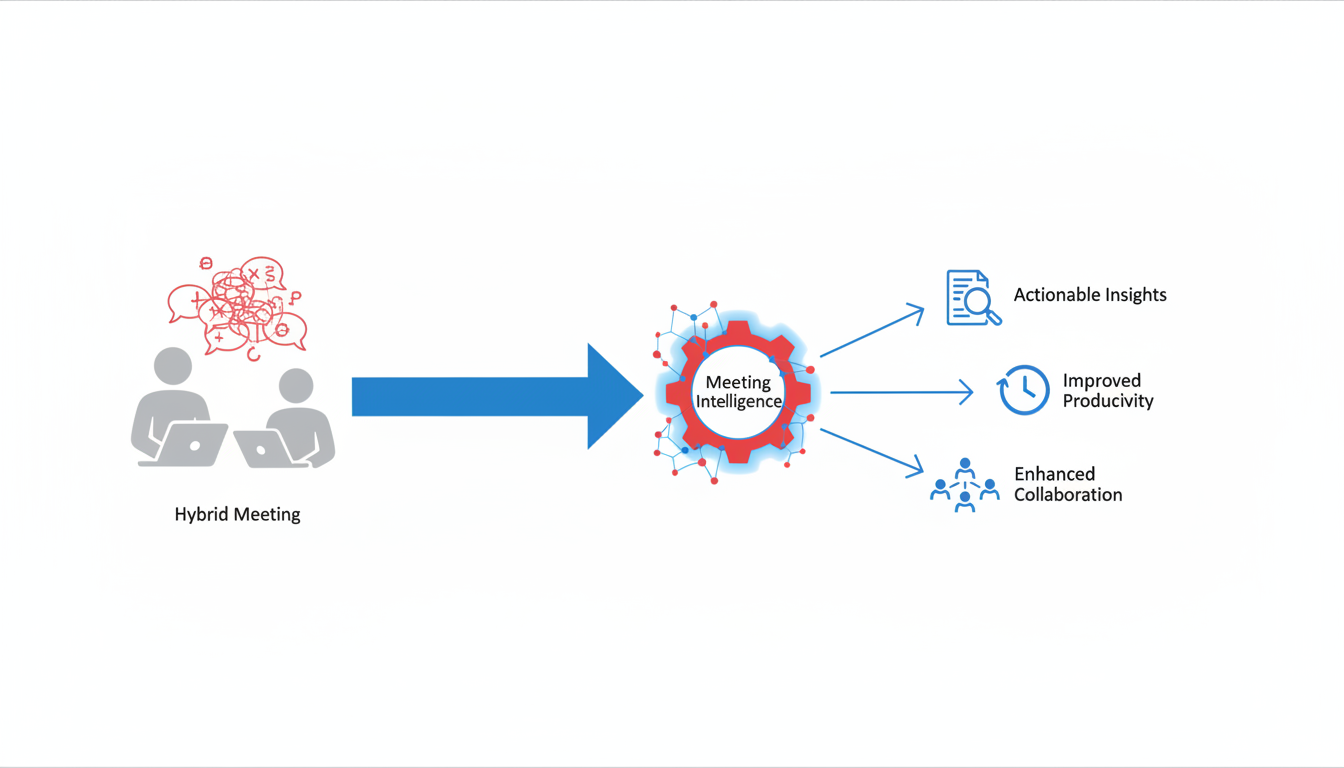
In the rapidly evolving landscape of hybrid work, efficient communication is more crucial than ever. With meetings having tripled since 2020, the demand for tools that streamline distributed team interactions has skyrocketed. This is where meeting intelligence software steps in, acting as a crucial tool that enhances workplace communication by transforming unstructured meeting data into actionable insights.
Imagine having a tool that not only captures the dialogue but turns it into structured, searchable, and privacy-safe outputs like decisions, action items, and follow-ups. Expertly handling the complexities of hybrid meetings, these platforms ensure that nothing gets lost in translation between in-office and remote team members. This kind of efficiency is invaluable for distributed teams who need to maintain consistent communication across borders and time zones.
The burgeoning demand for such software is evident in the increasing need for meeting intelligence tools. This trajectory highlights how integral these tools have become in navigating the hybrid work environment. They are not just about transcribing what was said; they provide a framework for capturing, organizing, and acting on information delivered during meetings, driving productivity and reducing meeting fatigue.
Key takeaway: As meetings evolve in the hybrid era, meeting intelligence software becomes essential, acting as a vital tool that transforms conversations into structured, actionable intelligence, ensuring remote and in-office teams remain aligned and productive.
To harness the full potential of these tools, it's important to choose a solution like DeepScribe that offers advanced features such as speaker-labeled transcripts, accurate summaries, and seamless integration with platforms like Zoom, Microsoft Teams, and Google Meet—while prioritizing data privacy and security. By focusing on these capabilities, teams can ensure that their hybrid meetings lead to effective execution and meaningful results.
Meeting Intelligence vs. Other Tools
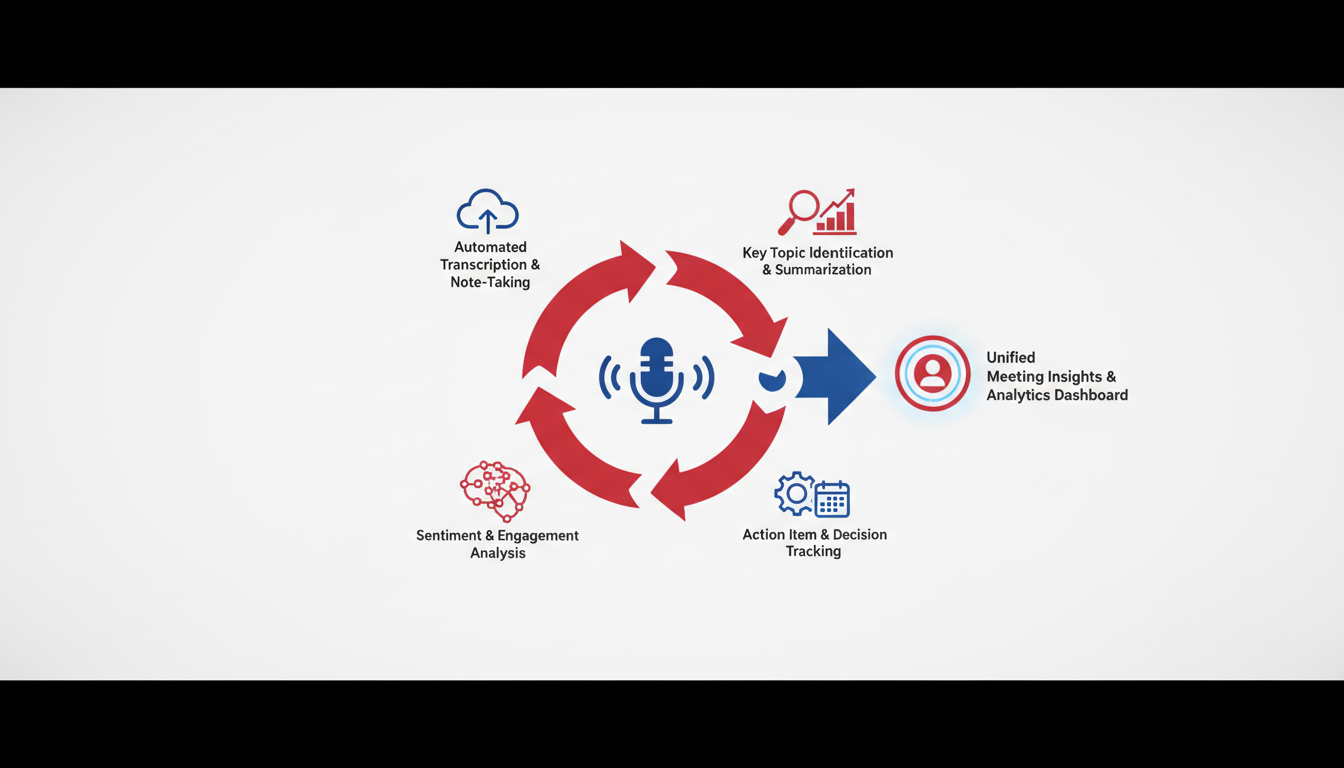
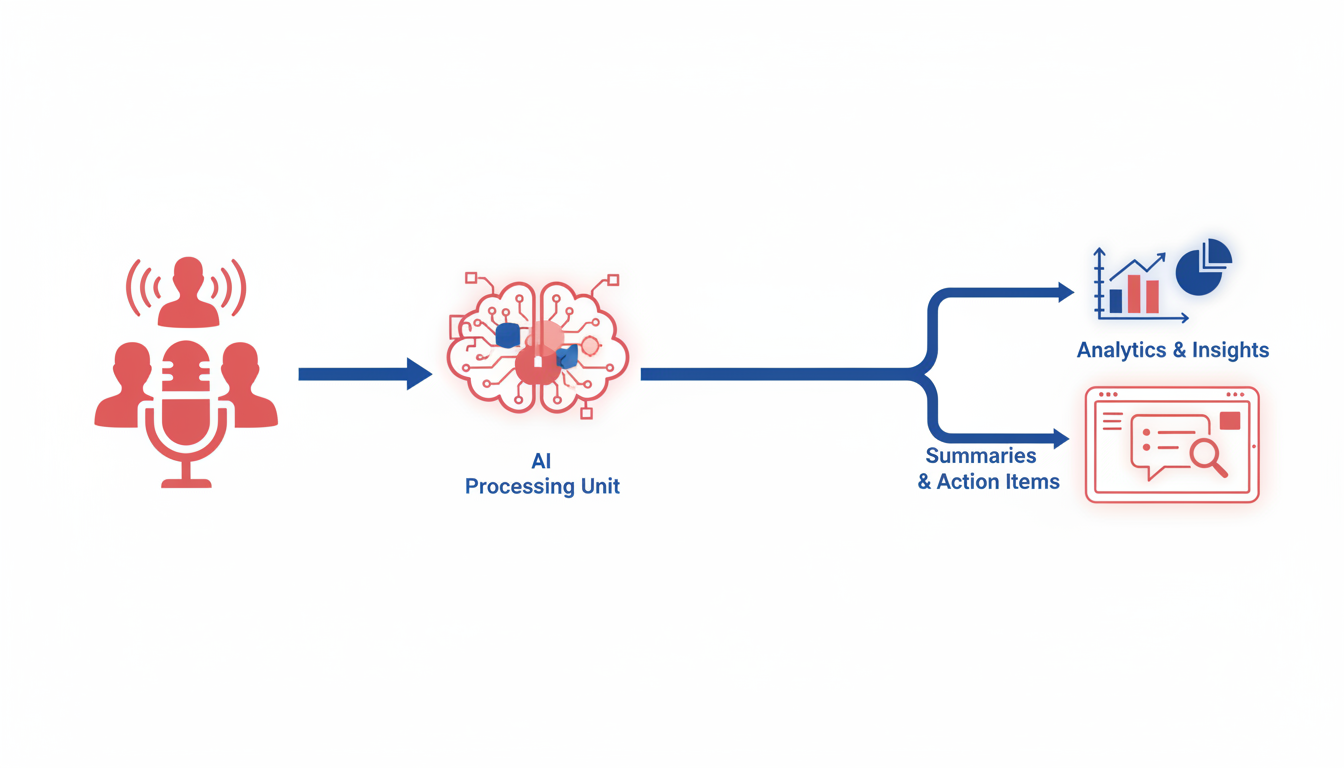
When evaluating tools for managing your meeting data, it's crucial to understand the distinctions between meeting intelligence, conversation intelligence, and decision intelligence. Each serves unique purposes, tailored to different contexts like sales, operations, or strategic planning.
Meeting Intelligence
Meeting intelligence is the process of converting unstructured meeting conversations into actionable outputs like summaries, action items, and decisions. Think of it as turning raw dialogue into a structured narrative that’s accessible and impactful. This is particularly relevant in today’s hybrid work environment, where meetings have tripled since 2020. DeepScribe excels here by capturing the essence of meetings and translating it into actionable insights, supported by AI-powered summaries and speaker-labeled transcripts, without the complexity of enterprise suites.
Conversation Intelligence
On the other hand, conversation intelligence primarily analyzes communications, often in sales contexts, to improve engagement strategies. It may break down phone calls or chat interactions to identify language patterns that lead to successful sales conversions or customer satisfaction improvements. For instance, customer care productivity could boost by 30–45% with these insights. While invaluable in analyzing customer interactions, this doesn't focus on structuring meetings for actionable follow-ups.
Decision Intelligence
Lastly, decision intelligence emphasizes enhancing decision-making processes by using data analytics and AI to foresee outcomes and optimize decisions. It's more about guiding strategic choices rather than dissecting day-to-day communications.
In the realm of hybrid and remote work, selecting a tool like DeepScribe focuses on transforming meeting chaos into clarity, ensuring that essential details aren't lost in translation. Prioritize features such as accuracy, actionable summaries, and data privacy—key factors given that 60% of companies highlight privacy as a top priority. Integrating seamlessly with platforms like Zoom and Microsoft Teams, DeepScribe provides an efficient, privacy-centered solution built for teams that need straightforward, effective meeting insights.
How AI Meeting Intelligence Platforms Work
Meeting intelligence platforms have rapidly evolved, transforming how we perceive traditional meeting transcription by offering a sophisticated system that can capture, transcribe, structure, share, and integrate meeting data seamlessly.
Step 1: Capture
The first step in the process is capture. Platforms like DeepScribe leverage meeting bots, file uploads, or URL links to record audio and video. This ensures that every word, nuance, and decision is preserved accurately from your sessions. Whether using a bot to join live meetings or uploading recordings post-meeting, capturing is the foundation for creating detailed, accurate transcripts and actionable insights.
Step 2: Transcribe
Once captured, the next phase is transcription. This step involves converting raw audio into text, and it’s here where speaker labels and accuracy play crucial roles. DeepScribe utilizes AI to ensure the transcription is not only accurate but also adequately identifies speakers, even in complex, multi-participant meetings. The platform’s Whisper-powered technology brings industry-leading precision, handling diverse accents and ambient noise with ease.
Step 3: Structure
Following transcription, the platform moves to structure the data. This involves summarizing key topics, capturing decisions, and extracting action items. DeepScribe uses intelligent algorithms to sift through the conversation, highlighting the essential elements and organizing them into coherent summaries. These summaries help teams identify who is responsible for which tasks and ensure that no critical point goes unnoticed.
Step 4: Share
The fourth step is to share the information. Meeting intelligence platforms offer various export options, providing outputs in formats like TXT, DOCX, PDF, SRT, and VTT. With DeepScribe, once the meeting data is structured, it can be easily archived in a searchable format or exported for widespread distribution, ensuring that all stakeholders have quick access to the meeting outcomes.
Step 5: Integrate
Finally, the integration phase allows the platform to weave seamlessly into existing workflows. Meeting intelligence software often integrates with tools like Zoom, Microsoft Teams, and Salesforce, facilitating a streamlined operation that enhances collaboration across distributed teams. DeepScribe’s ability to integrate with these platforms ensures that meeting intelligence fits into your current ecosystem, boosting productivity and efficiency.
| Feature | Description | Example Tool |
|---|---|---|
| Capture | Meeting bot, upload, or URL | DeepScribe |
| Transcribe | Speaker labels, high accuracy | DeepScribe |
| Structure | Summarize topics, extract action items | DeepScribe |
| Share | Exportable, searchable archives | DeepScribe |
| Integrate | Connect with productivity tools like Zoom and Teams | DeepScribe |
By following these steps, platforms like DeepScribe provide a comprehensive solution that not only records meetings but actively transforms them into actionable, searchable insights, essential for the hybrid-work reality many face today.
Core Features of Meeting Intelligence Software
Navigating the modern landscape of meeting intelligence software requires a keen understanding of its essential features—accurate transcripts, reliable summaries, and actionable items. These core capabilities transform meetings from a whirlwind of words into structured, searchable, and privacy-conscious outputs.
Transcripts You Can Trust
At the foundation, accurate transcripts are non-negotiable. These documents transform spoken words into written text, preserving context and speaker attribution. DeepScribe, for instance, excels by using Whisper-powered AI to ensure 99% accuracy, effectively handling accents and background noise. This is crucial for meetings across different languages and accents, supporting vast linguistic diversity.
Summaries That Reflect Decisions
Moving beyond transcripts, coherent summaries are vital. They distill lengthy discussions into concise narratives focusing on key decisions and insights. High-quality meeting intelligence tools should generate summaries that capture decisions, not just general vibes. DeepScribe’s AI-generated summaries go a step further, providing smart summaries that highlight the most critical discussion points, ensuring no vital decision slips through the cracks.
Action Items That Lead to Execution
Perhaps the most transformative feature is the ability to extract actionable items directly from meetings. This includes tasks, deadlines, and ownership, seamlessly transitioning from conversation to execution. DeepScribe is adept at identifying action points, linking them to specific transcript lines and assigning ownership. This automatic extraction is pivotal in reducing follow-up times and enhancing accountability.
Evaluation Criteria
When evaluating software, consider accuracy, summary quality, and action item extraction. Here’s a simplified checklist:
| Feature | Importance | Evaluation Tip |
|---|---|---|
| Transcription | Crucial for context | Check speaker labeling and multilingual support |
| Summaries | Reflects key decisions | Ensure summaries capture decisions, not just themes |
| Action Items | Drives execution | Look for clear ownership and deadlines |
These features turn meetings from mere conversations into catalysts for action, enhancing productivity and collaboration in hybrid work environments. As meetings continue to rise—tripling since 2020—investing in the right meeting intelligence software becomes fundamental to maintaining efficiency and clarity in communication.
Supporting Features Often Overlooked
When choosing meeting intelligence software, it’s crucial not to overlook features that enhance usability and efficiency. Here’s a look at those often-missed elements:
Search and Retrieval
A robust search function transforms how teams access past meeting data. It allows users to locate specific information in seconds, making meetings more actionable. Imagine sifting through endless transcripts versus searching keywords to find a crucial decision point. Many organizations find that effective search capabilities significantly enhance productivity.
Export Formats
Flexibility in export formats is another critical feature. DeepScribe, for instance, supports a variety of formats like TXT, DOCX, PDF, SRT, and VTT. This diversity ensures that transcripts and outcomes can easily integrate into any workflow, whether you’re sharing notes with a team or embedding subtitles in a video.
AI Chat with Transcripts
AI-driven chat prompts offer a dynamic way to interact with your meeting data. By querying transcripts, users can extract insights or clarify points quickly. For example, DeepScribe's AI chat feature lets you ask specific questions about your meetings, providing on-the-spot intelligence that goes beyond static transcripts.
Live Transcription
Real-time live transcription keeps remote participants engaged and informed. As meetings have tripled since 2020, integrating live transcription into platforms like Zoom or Teams is essential. This feature ensures that all participants, regardless of their location, can contribute meaningfully, reducing misunderstandings and enhancing clarity.
Privacy and Security
With 60% of companies prioritizing data privacy, ensuring your meeting intelligence tool has strong privacy and security measures is non-negotiable. Look for features like end-to-end encryption and automatic deletion after processing. DeepScribe, for instance, complies with SOC 2 Type II, ensuring data handling is secure and compliant.
These supporting features may seem secondary, but they play a vital role in elevating meeting productivity and safeguarding sensitive information. By considering them, you ensure that your chosen tool not only captures essential data but also enhances the entire meeting experience.
Common Pitfalls in Selecting a Tool
Navigating the world of meeting intelligence software can be tricky, especially with potential pitfalls that might lead you astray. Understanding these challenges ensures you make informed decisions without falling into common traps.
The Trap of Poor Summaries
A major issue many face is inadequate summaries. While a transcript might capture everything, a good meeting intelligence tool distills these into meaningful insights. If summaries only echo verbatim phrases or miss crucial context, you’re stuck sifting through raw data instead of getting actionable insights. Look for tools like DeepScribe that use AI to generate smart summaries, capturing the essence of discussions and decisions.
Misattribution Challenges
Misattributing speakers is another frequent hurdle. In meetings, knowing who said what is crucial for accountability. Speaker misattribution not only muddles clarity but also complicates follow-ups. Selecting a tool with robust speaker-detection capabilities, like DeepScribe, ensures accurate speaker labeling, maintaining integrity in your meeting records.
Workflow Friction
Another pitfall is workflow friction. Overly complicated interfaces or unnecessary steps can slow down team efficiency, negating the benefits of having AI support in the first place. Evaluate how seamlessly the software integrates into your current processes. DeepScribe, for instance, offers features like live transcription and auto-joining from calendars, minimizing workflow disruption.
Spotting the Red Flags
To avoid these common issues, employ an evaluation checklist. Focus on summary quality, speaker attribution, and ease of integration. Pilot the tool to observe its performance in real scenarios, verifying if it meets your needs without hiccups. Remember, a tool should complement your workflow, not complicate it.
Ensuring your meeting intelligence software aligns with your team’s needs can turn conversations into actionable outputs effectively.
Choosing the right tool, like DeepScribe, helps bridge the gap from unstructured transcripts to intelligent insights, ensuring your meetings drive real results.
Privacy, Security, and Governance
In a digital landscape where 60% of companies prioritize data privacy, understanding the role of privacy, security, and governance in meeting intelligence software is crucial. These elements ensure that sensitive meeting data is protected, providing peace of mind to businesses transitioning to hybrid work environments.
Key Considerations:
First, when evaluating a tool like DeepScribe, consider its encryption protocols. Encryption is vital as it transforms information into a secure code, ensuring that data isn’t readable by unauthorized users. Look for tools offering robust end-to-end encryption. This type of encryption means that data is encrypted on your device and only decrypted by the recipient, enhancing security during data transmission.
Next, assess data retention and deletion policies. Companies should understand how long their data will be stored and under what circumstances it can be erased. DeepScribe, for example, automatically deletes files after processing, aligning with best practices to minimize data exposure risk.
When evaluating meeting intelligence solutions, ask: Does the vendor offer end-to-end encryption, and how easy is it to control data retention and deletion?
Compliance and Governance:
Compliance with standards like SOC 2 Type II demonstrates a commitment to security and organizational governance. SOC 2 compliance ensures that the service meets critical standards for managing customer data, a top priority for companies handling proprietary information. Asking vendors whether they adhere to such standards can reveal their commitment to maintaining high security and privacy levels.
Here's a streamlined comparison of essential questions to consider when assessing privacy and security in meeting intelligence tools:
| Criteria | DeepScribe | Other Tools |
|---|---|---|
| End-to-End Encryption | Yes | Variable |
| Automatic Deletion Post-Processing | Yes | Variable |
| SOC 2 Type II Compliance | Yes | Depends on vendor |
| Data Retention Control | Simple, automatic deletion | Varies |
Ultimately, understanding and prioritizing these elements can make a significant difference. By selecting a meeting intelligence solution that addresses these critical areas, businesses can protect their data, comply with standards, and confidently navigate the complex landscape of hybrid work.
Evaluating AI Meeting Intelligence Tools
When selecting AI meeting intelligence tools, it's crucial to ensure they don’t just capture data, but transform it into actionable insights. Here’s how to effectively evaluate these tools, using a scoring rubric that focuses on accuracy, summaries, action items, and privacy.
Accuracy is foundational. You need tools that can produce reliable transcripts with clear speaker labeling and manage background noise. DeepScribe, for instance, leverages OpenAI’s Whisper model, boasting a 99% accuracy rate, making it a standout choice in this domain. To test for accuracy, ensure the tool correctly transcribes complex terminology and multiple speakers in a real meeting scenario.
Summaries should be concise yet comprehensive. A robust meeting intelligence tool offers summaries that don’t just capture “key points” or “meeting vibes” but articulate actual decisions. Evaluate this by asking: Does the summary accurately reflect the dialogue captured in the transcript? DeepScribe, noted for generating actionable summaries, can streamline the process of turning conversation into strategic outcomes.
Action Items are where execution begins. The best tools not only extract tasks but assign owners and deadlines, making it easy to move from talking to doing. Check if the tool provides direct traceability to transcript lines—an essential feature for accountability. DeepScribe excels here by automatically converting discussions into tasks with attributed speakers.
Privacy cannot be overlooked, especially since 60% of companies prioritize data privacy. Ensure your chosen tool offers encryption and complies with standards like SOC 2. DeepScribe maintains this with end-to-end encryption and automatic data deletion post-processing, granting peace of mind for handling sensitive information.
Consider the day-1 value versus the day-90 value of these tools. Initially, ease of setup and user-friendliness are vital. As you integrate the tool into daily workflows, its value should increase in terms of efficiency and seamless integration into existing systems like Zoom or Salesforce.
Here’s a simple scoring rubric to help evaluate these aspects:
| Criteria | DeepScribe | Other Tools |
|---|---|---|
| Accuracy | 9/10 | |
| Summaries | 8/10 | |
| Action Items | 9/10 | |
| Privacy | 10/10 | |
| Day-1 Value | 8/10 | |
| Day-90 Value | 9/10 |
Using this guide, you can confidently choose a tool that transforms meeting chaos into clarity and action, with DeepScribe leading the pack for its comprehensive features and user-centric design.
Best Tools for AI Meeting Intelligence
In the crowded field of AI meeting intelligence, choosing the right tool can feel overwhelming. However, by focusing on key criteria, you can make a well-informed decision that suits your team’s needs.
Vendor-Agnostic Evaluation Criteria
When evaluating tools, prioritize those that excel in transforming raw meeting data into actionable intelligence. Look for:
- Accuracy: Ensure the tool offers high transcription accuracy, particularly with complex jargon or various accents.
- Summaries and Action Items: The ability to automatically generate clear, concise summaries and extract actionable items with speaker attribution.
- Integrations: Does the tool seamlessly integrate with your existing platforms like Zoom, Microsoft Teams, or Salesforce?
- Privacy and Security: This is crucial—look for end-to-end encryption, compliance with standards like SOC 2 Type II, and stringent data retention policies.
DeepScribe: A Straightforward Solution
Among these options, DeepScribe stands out for its ability to convert conversations into structured, executable insights without overwhelming complexity. Here's why:
- Speaker-Labeled Transcripts: DeepScribe delivers accurate, real-time transcription with speaker attribution, making it easy to follow who said what.
- Comprehensive Summaries and Action Items: Its AI not only summarizes the meeting but also extracts action items and follow-up tasks, automatically attributing them to the right people.
- Integration Capability: With robust integrations including platforms like Zoom and Microsoft Teams, it ensures a seamless fit into your current workflow.
- Privacy-First Approach: DeepScribe is committed to privacy, offering end-to-end encryption and automatic data deletion post-processing.
Why It Matters
In today's hybrid work environment, efficient meeting intelligence software is essential. As meetings have tripled since 2020, tools like DeepScribe help transform these interactions into valuable, searchable insights, addressing meeting fatigue and enhancing productivity.
Choosing the right AI meeting intelligence tool is about balancing capabilities with simplicity. With DeepScribe, you get a solution that covers all essentials without any unnecessary complexity, making it the ideal choice for teams aiming to achieve clear, actionable outcomes from their meetings.
How DeepScribe Covers the Essentials
DeepScribe is designed as the ideal meeting intelligence solution by providing a seamless, integrated approach that converts raw meeting data into actionable insights. It’s more than just transcription; it’s a tool that captures the entirety of a conversation and extracts the crucial elements needed for execution.
Transcripts, Summaries, and Action Items
At the heart of DeepScribe’s offering are speaker-labeled transcripts, which provide an accurate reflection of who said what during your meetings. Backed by OpenAI’s Whisper, these transcripts boast industry-leading accuracy, ensuring no detail is lost—even with background noise or accents.
After capturing dialogue, DeepScribe distills the conversation into summaries that highlight the most critical decisions and themes. But it doesn’t stop there. The platform intelligently identifies action items, linking them with responsible parties and deadlines, which transforms your meetings into actionable next steps.
Multilingual Support and Meeting Bots
DeepScribe’s multilingual capabilities cover over 100 languages, automatically detecting spoken language to ensure accurate transcription across global teams. This feature is particularly valuable for companies operating internationally, eliminating language barriers and enhancing team communication.
Meeting bots further enrich the DeepScribe experience by automatically joining calls, allowing for hands-free note-taking. These bots integrate effortlessly with major platforms like Zoom, Microsoft Teams, and Google Meet, accurately capturing discussions in real-time.
Plan and Pricing Overview
DeepScribe offers flexible pricing plans to cater to varying needs:
- Free Plan: Includes basic transcription and TXT exports, making it accessible for individuals or startups seeking to explore AI-powered note-taking.
- Basic Plan: At $15/month, it adds SRT exports and allows for up to 300 minutes of transcription.
- Pro Plan: For $29/month, this plan extends features to include full AI suite capabilities, DOCX/PDF exports, and unlimited meeting bots.
- Business Plan: At $99/month, this plan provides unlimited transcription, advanced speaker identification, and custom integrations.
Every subscription plan prioritizes privacy and security, with end-to-end encryption and automatic deletion post-processing—an essential feature given that 60% of companies prioritize data privacy.
DeepScribe simplifies meeting management by integrating transcripts, summaries, and action items into a single, cohesive system—ensuring that every meeting counts.
For more insights into maximizing your meeting intelligence with DeepScribe, visit the DeepScribe Blog or explore how to transcribe Zoom meetings with AI.
Implementing in Your Organization
Rolling out meeting intelligence software like DeepScribe in your organization can seem daunting, but a structured plan makes the transition smooth and effective. Here’s a seven-day rollout guide to implement and pilot meeting intelligence tools.
Day 1: Identify Meeting Types and Success Metrics
Start by selecting the types of meetings that will benefit most from the intelligence insights. Is it weekly staff meetings, client calls, or project standups? Define clear success metrics—like reduced time on note-taking or improved follow-up efficiency—so you can measure the tool’s impact.
Day 2: Establish Privacy and Communication Protocols
Given that 60% of companies prioritize privacy when selecting meeting intelligence tools, it’s crucial to set clear privacy and communication protocols. Inform participants about how data will be used and ensure compliance with policies such as end-to-end encryption and automatic data deletion after processing, which DeepScribe offers.
Day 3: Connect Calendars and Run Your First Meeting
Integrate the meeting intelligence tool with your calendar to streamline scheduling. For instance, DeepScribe can auto-join from a calendar, capturing speaker-labeled transcripts and live transcription, enhancing productivity from day one.
Day 4: Customize Summary Templates
Develop templates for meeting summaries or use DeepScribe’s AI summaries to standardize outputs. Adjust for various meeting types to ensure that all decisions and action items are captured effectively and consistently.
Day 5: Set Up the Action-Item Workflow
Action items should be clear and traceable back to transcript lines. Use DeepScribe’s capabilities to assign ownership, set deadlines, and integrate these tasks into your team’s project management tools for seamless execution.
Day 6: Review Outputs and Fine-Tune
Assess the quality of transcripts, summaries, and action items against your initial metrics. Fine-tune settings or templates to better match your team’s needs. Check for key factors like speaker attribution accuracy.
Day 7: Evaluate and Decide Next Steps
After monitoring and refining your approach, determine whether to expand the rollout. Consider feedback and efficacy against initial metrics. If results align well, consider a broader implementation or scaling to additional meeting types.
Key takeaway: Adopting meeting intelligence software like DeepScribe transforms how organizations handle meeting data, driving efficiency and clear communication. With a phased rollout, you achieve measurable improvements without disrupting existing workflows.
FAQ
What is meeting intelligence software?
Meeting intelligence software is a powerful tool designed to transform unstructured meeting data into actionable intelligence. Unlike basic transcription, which simply converts speech to text, meeting intelligence software captures detailed information such as decisions, action items, and summaries, allowing teams to act on insights immediately. It serves as an essential layer between raw transcripts and execution, ensuring that conversations are structured, searchable, and privacy-safe.
Why are AI meeting intelligence tools secure?
Security is a pivotal concern for companies adopting meeting intelligence tools, with 60% prioritizing data privacy. These platforms, including DeepScribe, employ robust measures like end-to-end encryption and automatic deletion of processed data. Compliance with standards such as SOC 2 further assures organizations that their sensitive information is protected. It's crucial to evaluate vendors on these parameters to ensure alignment with your company's privacy requirements.
How do these tools work with platforms like Zoom or Microsoft Teams?
Many meeting intelligence tools seamlessly integrate with major platforms like Zoom, Microsoft Teams, and Google Meet. They provide real-time transcription and capture speaker-labeled meeting notes, making it easier for distributed teams to stay connected. DeepScribe, for instance, is known for its effective integration, enabling automatic joining and transcription of meetings directly from your calendar, simplifying the workflow for users.
Do I need transcripts if I have summaries?
Yes, transcripts serve as a detailed record of entire meetings, capturing everything said. While summaries highlight key points and decisions, transcripts provide the full context, ensuring that nothing is missed. They complement summaries by offering depth and detail, useful for team members who were unable to attend or need clarity on specific discussions.
What should I pilot first when trying these tools?
When evaluating meeting intelligence tools, start with a pilot that includes a mix of meeting types—such as weekly staff meetings and client calls. Set clear success metrics, like transcription accuracy and action-item extraction, to measure effectiveness. A key tip is to run first meetings with privacy settings communicated to participants to maintain trust and compliance. You can then assess whether the tool simplifies workflows and provides value from day one.
Conclusion
Converting meeting conversations into actionable insights is the driving force behind the importance of meeting intelligence software. It serves as the crucial bridge between raw transcripts and effective execution. By structuring meeting data into searchable summaries, action items, and decisions, teams can finally turn discussions into tangible outcomes. This transformation is especially vital in today’s hybrid work environment, where meetings have tripled since 2020.
To harness this capability, selecting the right tool is essential. DeepScribe stands out by offering a seamless, focused solution that combines speaker-labeled transcripts, concise summaries, and clear action items. The platform ensures accuracy through Whisper-powered transcription and caters to diverse needs with its multilingual support, meeting notetaker functionalities, and integrations with major platforms like Zoom and Microsoft Teams.
When evaluating meeting intelligence tools, prioritize features that enhance execution without adding complexity. Look for high accuracy, quality summaries reflecting actual decisions, and reliable action item extraction. Privacy is equally critical—over 60% of companies highlight data privacy as a priority. DeepScribe addresses these concerns through end-to-end encryption, automatic deletion after processing, and SOC 2 compliance.
For those new to this realm, running a low-risk 7-day pilot with DeepScribe is a recommended first step. You’ll experience how efficiently meetings can be transformed into valuable, actionable intelligence, enabling better communication and decision-making in distributed teams.
Take the next step by exploring DeepScribe’s offerings and discover how it can streamline your workflows. Visit DeepScribe’s blog for more insights, and consider trying a free trial to witness the power of meeting intelligence software firsthand.
Frequently Asked Questions
What is meeting intelligence software?
Meeting intelligence software transforms unstructured meeting conversations into structured, actionable insights.
What are AI meeting intelligence platforms?
These platforms provide tools to transcribe, summarize, and extract action items from meetings.
Are AI meeting intelligence tools secure?
Yes, reputable tools offer encryption and comply with privacy standards like SOC 2.
Do I need transcripts if I have summaries?
Transcripts provide detailed context and are essential for accurate retrieval.
How do these tools work with Zoom/Teams?
They integrate seamlessly to capture and process meeting data in real-time.
What should I pilot first?
Start with key meeting types, set success metrics, and evaluate privacy policies.
Final Thoughts
Meeting intelligence software is transforming how teams turn conversations into action. By following the "Transcript → Intelligence → Execution" model, you can see how capturing detailed transcripts, generating insights, and driving execution are seamlessly integrated. Key features like speaker-labeled transcripts, AI-generated summaries, and actionable follow-ups, along with strong privacy controls, make tools like DeepScribe indispensable.
To see the real impact, we encourage you to run a 7-day pilot and experience how DeepScribe handles transcripts, summaries, and action items in one seamless workflow. Check out their Zoom transcription guide for more details or explore additional insights on the DeepScribe blog.
Written by

DeepScribe Team
Content Team
The DeepScribe content team shares insights on audio transcription and AI technology.