9 Best Tools for YouTube Summaries (Fast + Accurate)
Explore 9 top YouTube summarizer tools, focusing on how transcript quality impacts accuracy and usability. Discover why DeepScribe is the best choice.

DeepScribe Team
Content Team
9 Best Tools for YouTube Summaries (Fast + Accurate)
In the vast ocean of YouTube content, with over 2.7 billion monthly active users and 1 billion daily watch hours, "just watch it" isn't always feasible. Every minute, 500 hours of video flood the platform, making YouTube summarizer tools essential for students, researchers, and marketers alike. But here's the catch: the quality of these summaries hinges critically on the transcript quality backing them up.
In this post, we'll dissect why transcript-backed summaries, not mere LLM-based ones, are your best ally. Whether you're drowning in lecture videos or needing precise quotes for a report, our list of top 9 YouTube summarizers—ranked by real-world use cases—has you covered. Among them, DeepScribe stands out for its Whisper-powered accuracy and robust export options, offering trustworthy summaries paired with impeccable transcript fidelity. Ready to transform overwhelming video content into clear, actionable insights? Let's dive into the world of YouTube summaries done right.
Introduction: The YouTube Scale Problem
When you think about YouTube, it’s often the staggering numbers that catch your attention. With over 2.7 billion monthly active users and 1 billion hours watched every day, it’s clear that YouTube isn’t just a platform; it’s a colossal media universe. Add to this the astonishing pace at which content is created—about 500 hours of video uploaded every minute—and you quickly realize that the “just watch it” approach is, quite simply, unrealistic for most users.
The vast scale of YouTube means that users are inundated with content. Whether you’re a student trying to keep up with educational channels, a researcher sifting through interviews for valuable insights, or a marketer continuously analyzing competitor videos, spending hours watching every video isn’t practical. This is where the need for a reliable YouTube summarizer comes in—a tool designed to efficiently summarize YouTube videos, extracting the key points so you don’t have to.
But let’s get to the crux of the matter: not all summaries are created equal. The quality of these summaries hinges significantly on the quality of the transcripts they are based on. Imagine attempting to navigate through a YouTube video without an accurate map—in this case, a transcript—and you’ll quickly see how vital a solid foundation is.
Transcript-backed summaries provide a reliable roadmap, ensuring accuracy, traceability with timestamps, and the ability to export information seamlessly into formats that enhance your workflow, such as DOCX or SRT files. With DeepScribe, for instance, the Whisper-powered transcription ensures 99% accuracy, making it a standout choice when it comes to YouTube video summaries that are not just fast, but also precise and export-ready.
Key Insight: Accurate transcripts are the cornerstone of effective video summarizations—without them, even the most advanced AI tools will fall short.
As YouTube continues to grow, the demand for transcript-backed YouTube summarizers will only rise. By focusing on transcript quality, you are not just keeping up with the pace; you are setting yourself up with a competitive advantage.
What Makes a Good YouTube Summarizer?
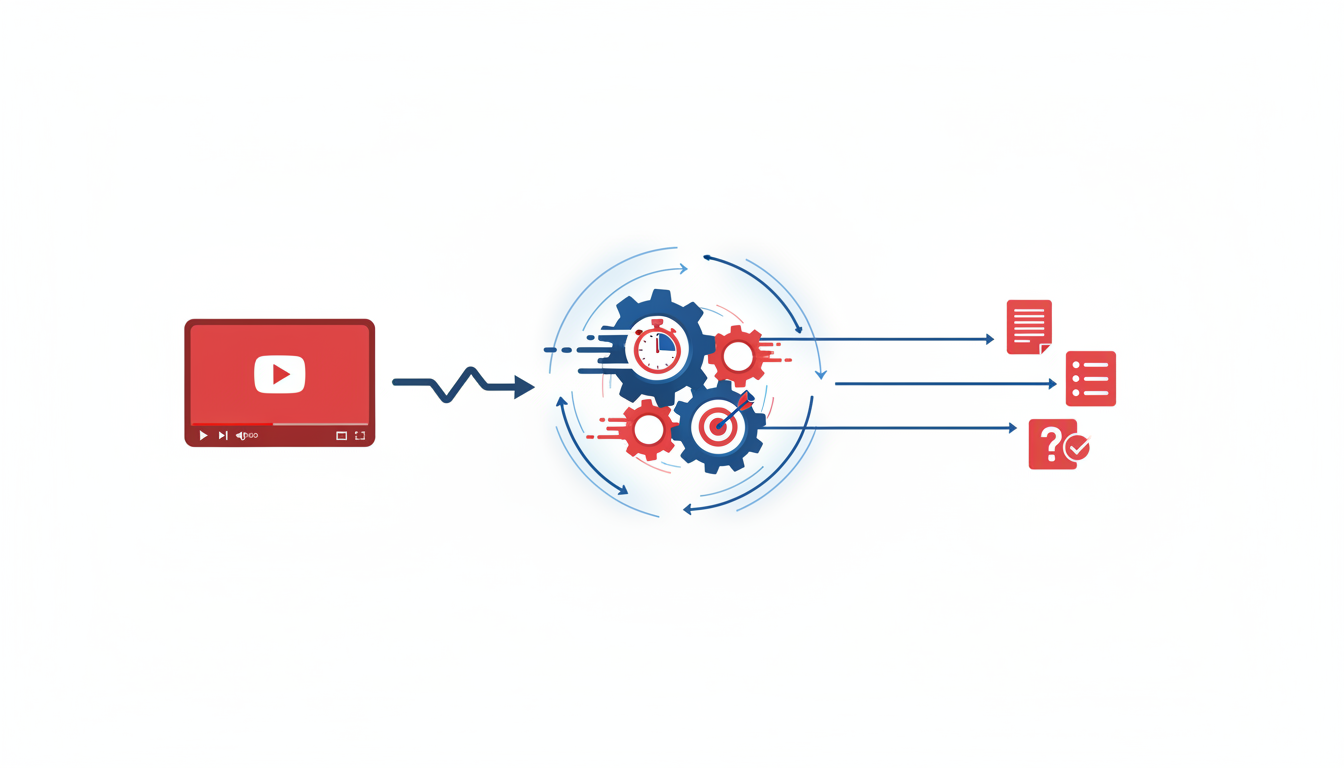
In the vast world of YouTube, where over 500 hours of video are uploaded every minute and users have 1 billion daily watch hours, finding efficient ways to distill content into key takeaways is invaluable. This is where a quality YouTube summarizer steps in. But what makes one truly effective?
Evaluation Criteria
Accuracy: The foundation of any good summarizer is its ability to produce accurate transcripts. The phrase "garbage in, garbage out" rings especially true here. A summarizer is only as good as the transcript it's based on. Tools like DeepScribe, powered by Whisper, boast 99% accuracy, ensuring you start with the best possible material.
Citations and Timestamps: For students, researchers, and marketers alike, the ability to trace back to the original content is crucial. Timestamps allow users to revisit specific sections, ensuring that summaries are not just concise but reliable. DeepScribe excels in providing detailed timestamps, which are essential for accurate referencing.
Export Capabilities: A versatile summarizer should support multiple export formats. Whether it’s generating a structured DOCX for academic purposes or creating SRT files for video captioning, export options play a critical role. DeepScribe stands out by offering robust export formats such as DOCX, PDF, SRT, and VTT, catering to diverse user needs.
Multilingual Support: With YouTube’s global reach, supporting multiple languages is non-negotiable. A good summarizer should accurately process content across languages, facilitating comprehension and distribution. DeepScribe offers transcription in 100+ languages, helping users navigate content seamlessly.
Privacy and Security: Users must feel confident that their data is secure. Transcription tools should ensure the privacy of your content with measures like end-to-end encryption and automatic deletion after processing. DeepScribe meets these needs, offering SOC 2 Type II compliance, prioritizing user privacy.
Key Insight: The quality of a YouTube summarizer hinges on the transcript quality. Tools like DeepScribe that emphasize accuracy and offer robust features stand out as indispensable allies in processing the ocean of content on YouTube.
When selecting a summarizer, consider these criteria to ensure it meets your workflow needs. Prioritizing transcript-backed summaries will lead to more reliable and actionable insights.
Quick Recommendations by Use Case
Navigating the complex landscape of YouTube summarizer tools can be daunting, but the right choice depends on what you need from the tool. Whether you’re a student, a researcher, or a marketer, there’s a perfect fit for your workflow.
For Students
If you’re buried under a deluge of lecture videos and need quick, accurate notes, DeepScribe is your best ally. With its Whisper-powered engine boasting 99% accuracy, students can rely on precise transcripts that capture every detail. This tool empowers students to efficiently create lecture notes from YouTube videos, enriched with timestamps for revisiting key sections. Exports in DOCX or PDF ensure that study notes are organized and accessible, making DeepScribe indispensable for academic success.
For Researchers/Journalists
Precision is crucial when sourcing quotes for articles or research papers. DeepScribe's advanced speaker detection & labeling ensures that transcripts reflect accurate attributions, crucial for interviews and panel discussions. With the ability to generate citations and exports in formats like SRT for video content, researchers can uphold the highest standards of traceability. This makes DeepScribe not just a tool but an essential research assistant.
For Marketers
Efficiency drives the marketing world, and DeepScribe caters perfectly to this need. Its capability to transcribe and summarize videos swiftly, while generating actionable insights, boosts productivity. Marketers can seamlessly integrate DeepScribe into their content repurposing workflows, extracting action items and generating captions for YouTube or social media. The tool’s robust export options ensure streamlined file management, perfect for creating posts, scripts, and briefs.
“In the fast-paced world of marketing, you need tools that not only deliver but integrate seamlessly with your workflow to maximize productivity.”
For those juggling numerous videos daily across various workflows, DeepScribe’s transcript-first approach ensures accuracy and reliable documentation—making it the go-to YouTube summarizer across diverse professional landscapes.
1. DeepScribe — Best for Transcript Accuracy + Exports
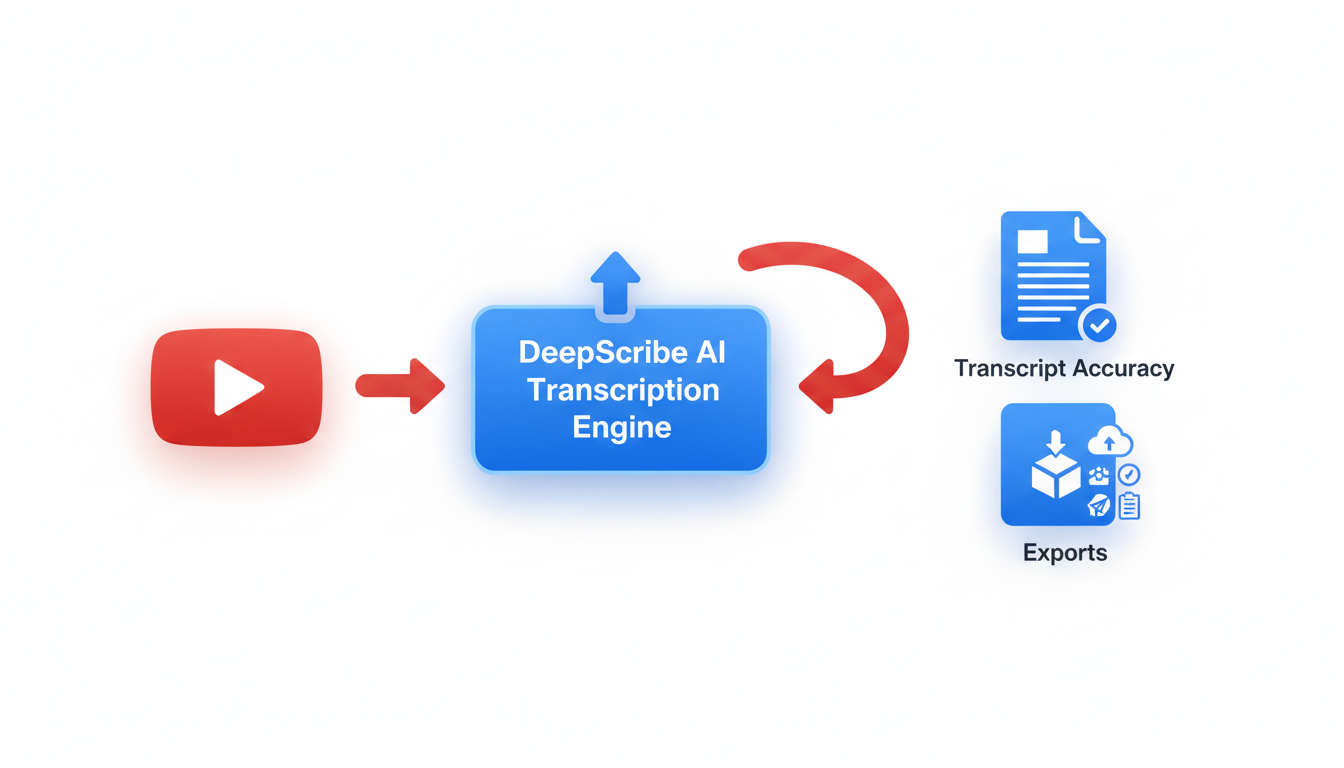
When you’re seeking a YouTube summarizer that excels in transcript accuracy and export versatility, DeepScribe stands out for its precision and robust feature set.
DeepScribe is powered by OpenAI's Whisper, renowned for achieving up to 99% accuracy—a feat crucial for tasks requiring exact transcripts. This tool goes beyond mere speech-to-text, offering advanced speaker labeling that helps in identifying and attributing dialogue in multi-speaker environments. This is especially beneficial for students, journalists, and content creators who rely on detailed, precise transcription.
The workflow with DeepScribe is straightforward yet powerful:
- URL Input: Begin by pasting your YouTube video link.
- High-Accuracy Transcription: Let Whisper work its magic, producing an accurate and comprehensive transcript.
- Summaries & Action Items: The AI generates concise summaries along with actionable items, making it easier to distill essential information.
Takeaway: Transcript quality determines summary effectiveness, and DeepScribe ensures high fidelity transcription that enhances downstream processes.
Exporting options are another area where DeepScribe shines. It supports a range of formats, including DOCX, PDF, SRT, and VTT, compatible across various platforms, facilitating seamless integration into your existing workflows. This versatility makes it an ideal choice for marketers repurposing content, or anyone needing to generate captions efficiently.
For those needing comprehensive solutions, DeepScribe's Pro and Business levels offer full export capabilities and are tailored to handle extensive transcription needs with features like AI-driven summaries and custom prompts.
Whether you’re extracting key points from complex YouTube videos or prepping content for distribution, DeepScribe combines accuracy with adaptability, making it the go-to YouTube summarizer for professional-grade outputs and ease of use.
2. Tool B — Best for Quick Summaries
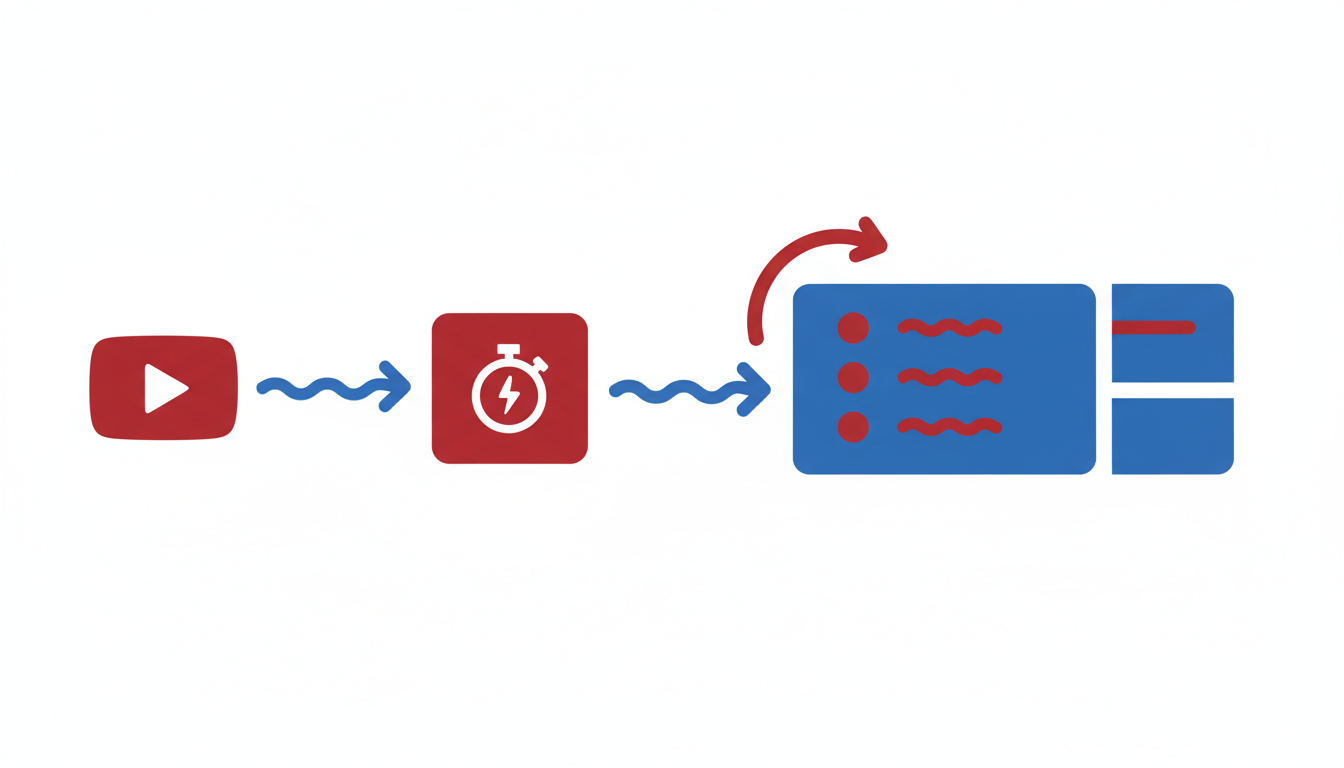
If you're pressed for time and need a fast overview of a YouTube video, Tool B might be your best bet. Designed for users who prioritize speed, this tool delivers rapid summaries without the fuss. Let's dive into what makes it stand out.
Best for: Users Needing Rapid Overviews
The highlight of Tool B is its ability to process YouTube videos and churn out summaries in record time. Whether you're a student trying to skim through lecture material or a marketer quickly reviewing industry webinars, this tool delivers efficiency when you need it most.
Strengths: Quick Processing, Easy Interface
Using Tool B is as simple as it gets. Its user-friendly interface allows you to upload your video effortlessly and receive an emailed summary in minutes. This straightforward workflow makes it accessible, especially for those who aren't tech-savvy but still need to keep up with fast-paced content consumption.
Workflow: Upload → Summary Email → Download Options
Here's how it works:
- Upload: Simply drag and drop your YouTube video file or link.
- Summary Email: Tool B processes the video quickly and sends a summary directly to your email.
- Download Options: From there, you can choose to download the summary in basic text formats for easy reference.
Export Notes: Basic Format Options Only
While Tool B excels in speed, it doesn't offer the same depth of export options as other tools. Available formats are relatively basic, lacking the flexibility of DOCX or PDF that might be necessary for detailed study or presentation.
Trade-offs: Lower Accuracy/Limited Customization
It's important to note that the speed of Tool B comes with a trade-off in accuracy. The summarization might miss nuances that are crucial for detailed research or analysis. Additionally, customization options are limited, making it less ideal for complex projects that need tailored outputs or in-depth analysis.
Key Takeaway: Tool B is your go-to for quick summaries when time is of the essence, but be mindful of its limitations in accuracy and export options.
3. Tool C — Optimal for Multilingual Transcription
When you're dealing with content across different languages, finding a reliable tool can feel like searching for a needle in a haystack. Tool C stands out as a top choice for multilingual content consumption thanks to its broad support for over 100 languages and automatic detection features. This means that whether you're consuming content in Spanish, Mandarin, or Swahili, Tool C can handle it effortlessly, making it a great option for global teams or content creators reaching diverse audiences.
One of the major strengths of Tool C is its ability to seamlessly detect the language of the uploaded content and begin transcription accordingly. This feature eliminates the need for manual language selection, streamlining the workflow considerably. Imagine uploading a video from a conference with talks in multiple languages—Tool C can switch between them without missing a beat.
The workflow is straightforward and efficient:
- Upload your file: Simply drag and drop your YouTube link or audio file.
- Language detection: Watch as the tool automatically identifies the languages in your content.
- Transcription and summary: Receive a comprehensive transcription followed by a concise summary.
“Automatic language detection is a game-changer for international teams,” says an industry expert.
Notably, Tool C also supports multilingual exports, which is essential for creating comprehensive documentation or sharing content widely across different language speakers. However, it's worth noting that while Tool C excels in multilingual capabilities, beginners might find its interface a bit complex initially.
For those juggling a variety of languages, you’ll find Tool C to be a robust ally in converting a YouTube transcript to notes across tongues. While DeepScribe also offers multilingual transcription and integrates seamless language detection—making it a strong alternative—it’s worth exploring Tool C for its specialized focus in this area.
4. Tool D — Ideal for Real-Time Summarization
In fast-paced settings where capturing the moment is key, Tool D stands out as the go-to for real-time summarization. Its ability to provide live transcription and immediate summary creation makes it indispensable for live events, webinars, and meetings. Imagine watching a crucial conference unfold and having the highlights captured in real-time—Tool D does just that.
Best for Real-Time Needs
Tool D is perfect for those moments when you need information instantly—think press conferences, panel discussions, or any event where the content is continuously evolving. It offers unmatched convenience, allowing you to keep up with the conversation without missing a beat.
Strengths: Immediate Transcription and Summarization
This tool excels in turning what you hear into text on the fly. With its advanced algorithm, Tool D transcribes spoken words as they happen, immediately creating a precise and concise summary. This capability is a game-changer for journalists needing to extract quotes or event coordinators who must capture action items without delay.
Seamless Workflow: Live Capture → Instant Summary
The workflow with Tool D is straightforward:
- Live Capture: Initiate the tool during any live event, and it begins transcription automatically.
- Instant Summary: As the event unfolds, the tool generates a running summary, pinpointing key information.
- Review and Export: After the event, quickly review and export the summaries in your desired format.
Export Notes: Basic Format Options
Tool D keeps it simple with basic export formats. Whether you need a text file for quick sharing or simple document formats for archival, it ensures your summaries are ready whenever needed.
Trade-offs: Requires Stable Internet Connection
While its real-time capabilities are impressive, Tool D requires a stable internet connection to function effectively. This might pose a challenge in locations with poor connectivity, but for most urban setups, it’s a minor consideration given the tool’s benefits.
For a comprehensive approach to real-time transcription combined with high accuracy, DeepScribe could be your alternative, featuring similar capabilities with enhanced export options across DOCX, PDF, and subtitle files.
5. Tool E — Best for Privacy and Security
For anyone handling sensitive or confidential content, Tool E emerges as a top choice for transcription and summarization with a strong emphasis on privacy in transcription. Leveraging cutting-edge encryption techniques, this tool ensures your data remains secure from the moment it’s uploaded to the final output.
Key Insight: Security is non-negotiable when dealing with confidential data. Tool E prioritizes this through robust encryption and stringent compliance standards.
Strengths:
- Strong Encryption: Your content is protected with advanced encryption protocols that safeguard data both in transit and at rest.
- Compliance Standards: Tool E adheres to multiple industry standards, ensuring your transcription processes align with legal and regulatory requirements.
Workflow:
- Secure Upload: Begin by uploading your YouTube content through a secure portal that encrypts your data instantly.
- Protected Processing: During processing, your data remains inaccessible to unauthorized parties, ensuring privacy throughout.
- Export Options: Transcripts can be safely exported in secure PDF or DOCX formats, giving you peace of mind about who can access the final documents.
Export Notes: Due to its focus on security, Tool E provides outputs that are not only accurate but also protected against unauthorized access.
Trade-offs:
- Longer Processing Times: Given the layers of security involved, expect slightly longer processing durations compared to less secure alternatives. This trade-off ensures that your private information is never compromised.
Tool E is ideal for users who place top priority on maintaining the security and confidentiality of their YouTube transcriptions. Whether you’re dealing with legal material, sensitive interviews, or private company meetings, this tool’s commitment to privacy ensures your content is handled with the utmost care.
Comparison Table: Features and Use Cases
Choosing a YouTube summarizer can be daunting, especially when evaluating transcription features, export capabilities, and specific use-case benefits. Here's a comprehensive comparison to help you identify the best fit for your needs.
Key Takeaway: The quality of a YouTube summarizer is heavily dependent on the accuracy of its transcription. A transcript-first approach ensures precise summaries, enhancing the output quality, whether for study, research, or content marketing.
| Tool | Best For | Transcription Features | Export Capabilities | Use Cases |
|---|---|---|---|---|
| DeepScribe | Video transcription and precise summaries | Whisper-powered 99% accuracy, speaker labeling, multilingual support | TXT, DOCX, PDF, SRT, VTT | Ideal for students requiring study notes, researchers needing accurate quotes, and marketers repurposing content |
| Tool B | Quick overviews | Basic transcription, limited language support | TXT, SRT | Suitable for casual users needing rapid overviews |
| Tool C | Multilingual content | Moderate accuracy, supports 50+ languages | PDF, SRT | Helpful for international teams needing language versatility |
| Tool D | Interactive summaries | Expansive audio-to-summary capabilities | TXT, CSV | Great for creators looking to streamline video content into short summaries |
| Tool E | Automated summary generation | AI-dependent transcription | Limited to TXT | Best for quick generation without manual input |
DeepScribe stands out for its robust transcription capabilities, offering precision with Whisper's 99% accuracy and speaker labeling, which is essential for students and researchers who rely on pinpoint accuracy. Its extensive export options, including DOCX, PDF, SRT, and VTT, make it perfect for content repurposing, enabling marketers to efficiently transform video content into various formats for distribution.
Expert Insight: A transcript-first method not only improves summary reliability but also facilitates traceable outputs that are vital for study and research.
In contrast, other tools on the list may focus on rapid output but often lack the accuracy and language support that DeepScribe provides. For instance, while Tool B offers a quick overview feature, it cannot match the detailed and organized outputs required by professionals.
If you're primarily looking at content repurposing, DeepScribe's export variety offers seamless integration into workflows, enhancing productivity and accessibility. Additionally, for those seeking high accuracy in multilingual settings, the multilingual transcription feature is critical.
With this comparison, you're better equipped to choose a YouTube summarizer that aligns with your specific needs and tasks, ensuring that your video content conversion is both effective and efficient.
How to Choose a YouTube Summarizer
Choosing a YouTube summarizer boils down to aligning your goals with the tool’s capabilities. Here’s a helpful checklist to guide you in making an informed decision.
1. Define Your Goals and Use-Case
Understanding your specific needs is crucial. Are you a student looking for streamlined study notes, a researcher needing precise citations, or a marketer focused on repurposing content? Each use case demands different features.
- Students need summaries with timestamps and export options like PDF or DOCX for easy study.
- Researchers require high transcript accuracy and speaker labeling for credible citations.
- Marketers prefer tools that offer quick action item extraction and seamless integration with content creation platforms.
2. Prioritize Transcript Quality
High-quality summaries start with high-quality transcripts. Tools that focus on accurate transcripts ensure that summaries are reliable and nuanced, not oversimplified or filled with errors. Using a transcript-first tool like DeepScribe can significantly enhance the overall quality of the results, thanks to its Whisper-powered accuracy.
3. Evaluate Key Features
When evaluating tools, focus on:
- Accuracy: How precise is the transcript? Look for tools that boast high accuracy rates.
- Traceability: Include timestamps and quotes for easy reference back to the source.
- Export Options: Ensure the tool can export in formats you need, such as DOCX, PDF, SRT, or VTT.
- Multilingual Support: If you work with diverse content, select a tool with broad language support.
- Privacy: Verify that the tool offers strong security measures, like encryption and data deletion policies.
4. DeepScribe: The Versatile Choice
For diverse needs, DeepScribe stands out. It excels in delivering high-accuracy transcripts with speaker labels, supports exports in multiple formats, and handles multilingual transcription efficiently. It’s especially well-suited for users who need reliable transcription bolstered by actionable summaries and document-ready outputs. You can explore more about DeepScribe’s capabilities here.
5. Test Different Tools
Before committing, take advantage of free trials to test various tools. Focus on how well they integrate into your workflow and whether they meet your expectations for speed and accuracy.
At the heart of a dependable YouTube summarizer is a robust transcript — choose wisely, and you’ll streamline your process considerably.
FAQs
What is the best tool to summarize a YouTube video?
The best tool for summarizing a YouTube video is one that starts with high-quality transcripts, as the summary quality is directly influenced by transcript accuracy. DeepScribe is a top choice for this task. Powered by Whisper, it boasts 99% accuracy, making it reliable for capturing every detail. DeepScribe also offers speaker labeling, ensuring clarity on who said what, which is crucial for detailed videos like interviews or lectures. Additionally, it exports in formats like DOCX, PDF, SRT, and VTT, making it versatile for various workflows.
How do transcript-backed summaries work?
Transcript-backed summaries begin with converting a video’s audio into a text transcript. This transcript acts as a reliable source, capturing the nuances and details missed by audio-only summaries. Tools like DeepScribe ensure these transcripts are accurate and comprehensive. Once the transcript is ready, AI processes it to extract key points and overarching themes, providing a concise summary. These summaries are contextually rich and can even include YouTube timestamps, making it easy to revisit specific moments in the video.
Are YouTube summarizers accurate?
The accuracy of YouTube summarizers largely depends on the underlying transcript quality. When using high-caliber tools like DeepScribe, accuracy is maximized thanks to its Whisper-powered technology and speaker detection features. This ensures that even videos with complex dialogues or multiple speakers are accurately captured. Summaries derived from such transcripts are not only precise but also contextually coherent, reducing the common issue of AI "hallucinations" found in other tools.
Can I export YouTube summaries in multiple formats?
Yes, exporting YouTube summaries in various formats is possible with the right tool. DeepScribe excels here by offering exports in commonly used document formats like DOCX and PDF, along with subtitle formats such as SRT and VTT. This flexibility is especially beneficial for students who need written notes, researchers who require citation-friendly formats, and marketers repurposing content across platforms. These export options integrate seamlessly with tools like Google Docs and Notion, streamlining workflow efficiency.
How to summarize a multilingual YouTube video?
Summarizing a multilingual YouTube video requires advanced transcription capabilities with automatic language detection. Tools like DeepScribe support transcription in over 100 languages, making it suitable for international content. By accurately detecting and transcribing multiple languages, DeepScribe ensures that summaries are inclusive of all spoken content, accurately reflecting the video's diverse linguistic elements. This feature is particularly useful for global teams and content creators targeting multilingual audiences.
Conclusion: Why Transcript Quality Matters
In the landscape of YouTube summarizer tools, the quality of a transcript is the bedrock of an accurate summary. High-quality transcripts lead to high-quality summaries, as they ensure the details and nuances of the original content are faithfully represented. When you think about it, a summary is only as good as the information it's based on. Poor transcripts can lead to missed context, incorrect information, and ultimately, summaries that don’t do justice to the source material.
DeepScribe stands out in this arena with its commitment to exceptional transcription accuracy. Powered by Whisper, DeepScribe boasts an impressive 99% accuracy rate, making it a reliable choice for anyone who needs to turn hours of content into readable, actionable material. This accuracy is particularly vital for students and researchers who need precise information for study notes and quoting purposes, ensuring every detail is captured correctly.
Moreover, DeepScribe excels in export options, offering formats like DOCX, PDF, SRT, and VTT, which cater to diverse needs—from creating study materials to generating subtitles. This flexibility is crucial for marketers repurposing content, as it allows for seamless integration into blogs, social media posts, and other formats.
Choosing the right tool largely depends on your specific needs, whether that's seamless integration with existing workflows or ensuring data privacy and multilingual support. However, if accurate transcription and versatile export options are your top priorities, DeepScribe emerges as an unmatched solution for creating dependable YouTube video summaries.
For more on how DeepScribe handles transcription with precision and efficiency, explore DeepScribe's blog to see how it transforms video content into clear, actionable insights.
Frequently Asked Questions
What is the best tool to summarize a YouTube video?
DeepScribe is a top choice for accuracy and robust export options.
How do transcript-backed summaries work?
They rely on high-quality transcripts to produce reliable summaries.
Are YouTube summarizers accurate?
Accuracy varies; tools like DeepScribe offer high accuracy with Whisper technology.
Can I export YouTube summaries in multiple formats?
Yes, many tools offer formats like DOCX, PDF, SRT, and VTT.
How to summarize a multilingual YouTube video?
Use a tool with automatic language detection and multilingual support.
Conclusion
In summary, the effectiveness of YouTube summaries relies significantly on the quality of the transcript. For students, researchers, and marketers seeking a reliable solution, DeepScribe offers superior accuracy and versatile export options. Choosing the right tool ensures that you're maximizing the value of YouTube content for your needs.
To experience transcript-accurate YouTube summaries and efficient exports, consider trying DeepScribe. With features like AI-powered transcription and robust export capabilities, you can easily elevate your content analysis. For more information, explore our guides on YouTube transcription, video transcription, and SRT generation.
Written by

DeepScribe Team
Content Team
The DeepScribe content team shares insights on audio transcription and AI technology.
Related Articles
Continue reading about this topic
9 Best Tools for YouTube Summaries (Fast + Accurate)
Explore 9 essential tools to summarize YouTube videos accurately and efficiently. Learn how transcript-backed summaries enhance reliability, featuring DeepScribe for top performance.

DeepScribe Team
March 20, 2026 · 18 min read · 3,523 words