9 Best AI Meeting Intelligence Tools for Notes & Action Items
Discover the top AI meeting intelligence tools that excel in transcript accuracy, speaker labeling, and more. Learn how to choose the right tool for your needs.

DeepScribe Team
Content Team
9 Best AI Meeting Intelligence Tools for Notes & Action Items
In today's remote and hybrid work environments, AI meeting intelligence tools have emerged as vital allies for revenue teams. With the market projected to skyrocket from $2.53 billion in 2024 to $3.16 billion in 2025, it's clear that automation in transcription, summarization, and action tracking is here to stay. Yet, most teams find themselves grappling with tools that fall short—be it due to inaccurate transcripts, ineffective speaker labeling, or action items that miss the mark. This post is for sales and RevOps leaders seeking a straightforward, reliable way to choose the right AI meeting tools. We'll use a practical scorecard to evaluate tools based on key factors that impact adoption: transcript quality, speaker labeling, summary accuracy, and follow-up workflows. Plus, discover how DeepScribe stands out, especially when you need a dual solution for live meeting notes and file transcription. Let's simplify your decision-making process and align tools to specific meeting types without unnecessary complexity.
Introduction: Why Meeting Intelligence Tools Matter
In today's fast-paced remote and hybrid work environments, AI meeting intelligence tools have become essential. These tools automate transcription, summarization, and action item tracking, fundamentally transforming how teams capture and use meeting data. Given the dramatic shift towards hybrid work models—with 28% of UK workers adopting hybrid setups—these tools are no longer a luxury but a necessity.
Imagine attending a meeting without worrying about taking meticulous notes while still having access to a detailed transcript with accurate speaker identification. This is the promise of meeting intelligence software. It ensures every word, decision, and action point is captured without interrupting the flow of conversation. For Sales and RevOps leaders tasked with maintaining seamless communication and follow-ups, these tools provide a robust solution.
“Choose tools that match your workflow to minimize disruption and maximize productivity."
The market for AI-powered meeting assistants is booming, expected to grow from $2.53 billion in 2024 to $3.16 billion in 2025, with a compelling CAGR of 24.9%. This growth reflects their increasing adoption across industries, driven by the need for efficiency in remote settings.
Transcript quality, speaker labeling, and action item accuracy are critical features for teams that rely on precise documentation. Inaccurate transcripts can erode trust and complicate follow-ups. Tools like DeepScribe, with its Whisper-powered 99% accuracy, excel in environments where precision is paramount, handling jargon and accents with ease.
For team leads and sales managers who find themselves constantly in meetings, it's crucial to leverage tools that align with their specific workflows. These tools not only streamline internal syncs but also enhance sales calls and coaching sessions by providing actionable insights derived from accurate meeting data. By transforming recorded calls and live meetings into structured, actionable documents, these tools help maintain momentum and drive productivity.
In essence, deploying the right AI meeting intelligence tool not only enhances operational efficiency but fundamentally changes how communication and action flow within an organization. With the right technology, teams can turn meetings from a perceived time-sink into a powerful tool for alignment and growth.
Market Context: The Rise of AI Meeting Assistants
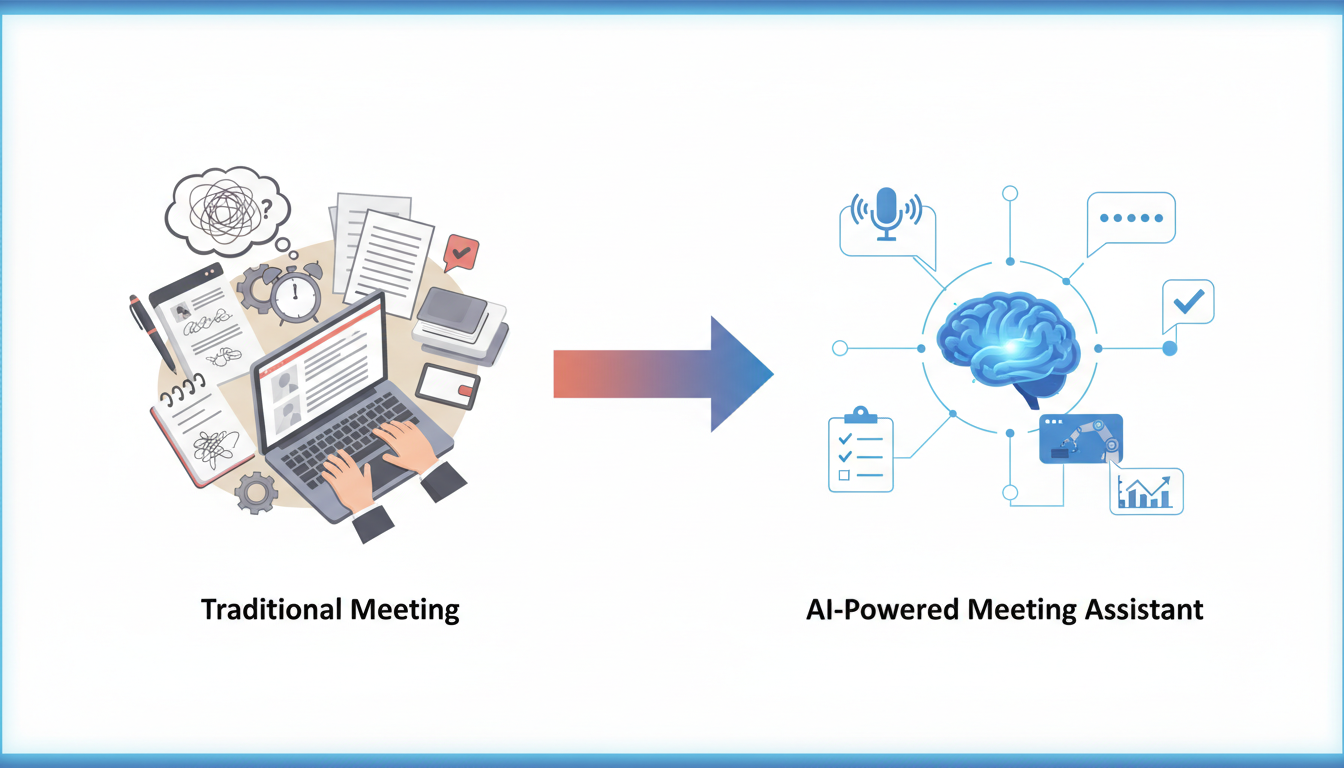
The landscape of AI meeting assistants is experiencing a remarkable surge, driven by the shift toward hybrid work meetings and the growing need for streamlined communication. The market for AI-powered meeting assistants is projected to grow from $2.53 billion in 2024 to $3.16 billion in 2025, reflecting a robust CAGR of 24.9%. This substantial growth underscores the increasing reliance on technology to enhance productivity in remote and hybrid work environments.
Hybrid Work Trends
The pandemic has accelerated the adoption of hybrid work models, permanently altering how teams collaborate. In the UK, from 2022 to 2023, 16% of workers were fully remote while 28% engaged in hybrid work. These figures highlight a significant shift towards flexible work arrangements, necessitating advanced tools that can bridge physical and virtual gaps effectively. AI meeting assistants are pivotal in this transformation by automating transcription, capturing meeting summaries, and tracking action items—ensuring no critical detail is overlooked.
Why Investment is Critical Now
Investing in meeting tools is not just a trend—it's a necessity. With meeting and collaboration assistants expected to dominate the market, holding a 38.8% share in 2024, their role in enhancing workflow efficiency is undeniable. These tools alleviate common pain points by providing accurate transcripts, insightful summaries, and actionable follow-ups, crucial for maintaining productivity in a dispersed work environment.
“Generative AI assistants, like Zoom AI Companion, deliver in-meeting answers, summaries, and action tracking at no extra cost, boosting workflow efficiency.”
Moreover, 2025 is set to introduce trends such as voice-first interfaces, predictive scheduling, and automated action items, making it imperative for organizations to prioritize tech that aligns with these advancements. By adopting AI meeting intelligence tools now, companies position themselves to capitalize on these upcoming technological innovations.
In this rapidly evolving landscape, selecting a robust AI meeting assistant like DeepScribe is essential. With its capability to handle both transcription and meeting notes, DeepScribe uniquely caters to teams navigating the dual demands of live meetings and recorded session transcription. Embracing such comprehensive solutions empowers organizations to tackle the challenges of hybrid work head-on and drive sustainable growth.
How We Evaluated These AI Meeting Intelligence Tools
When it comes to evaluating the best AI meeting intelligence tools, we wanted to get beyond just a surface-level feature comparison. We honed in on several critical criteria to help you identify tools that will actually stick after that initial pilot phase and truly enhance productivity.
Evaluation Criteria
Transcript Quality: The foundation of any meeting intelligence tool is its ability to transcribe audio accurately. We looked at how well these tools handle various accents, technical jargon, and noisy environments. For instance, DeepScribe, powered by OpenAI’s Whisper, is known for its 99% accuracy in maintaining the nuance of different tones and accents. This high standard is crucial in ensuring that trust in the transcripts isn't eroded by misunderstandings or missing information.
Speaker Labeling: Accurate speaker identification, or diarization, is essential for context, especially in environments like sales calls or panel discussions. Poor speaker labeling can break the flow of follow-up actions and hinder coaching efforts. Look for tools with advanced speaker detection, like DeepScribe, which effortlessly distinguishes between multiple participants, attributing the right speech to the right person.
Summaries and Action Items: Tools should deliver more than just verbatim transcripts; they need to generate insightful summaries and actionable items. A high-quality AI can sift through conversation clutter and pinpoint key takeaways and tasks. This ensures follow-up actions are precise and actionable, reducing manual curation.
Follow-ups and Workflows: Automation in creating follow-ups and integrating them into existing workflows is a game-changer. We examined how these tools manage post-meeting actions, from generating emails to updating CRM systems. The better tools seamlessly integrate with your workflow, like DeepScribe's ability to create structured follow-ups and action items tied directly to stakeholders within the conversation.
Common Obstacles and How to Overcome Them
Inaccurrate Transcripts: Many users find that poor transcription quality, especially around niche jargon or with various accents, undermines trust. Opt for solutions like DeepScribe that focus on high-quality, AI-driven transcription accuracy to avoid this issue.
Weak Speaker Identification: Misattribution of dialogue in multi-speaker meetings can break down team trust and future action effectiveness. Prioritizing tools with robust speaker tracking is essential.
Generic Summaries: Summaries that lack specificity lead to manual editing, defeating the purpose of automation. Ensure your choice delivers summaries that genuinely reflect meeting dynamics and insights.
Weighted Scoring Model
To ensure we ranked these tools fairly, we developed a weighted scoring model focusing on the most critical use cases and pain points:
- Transcript Accuracy (30% weight)
- Speaker Identification (25% weight)
- Summary and Action Item Quality (25% weight)
- Follow-up Workflow Integration (20% weight)
This model helps spotlight tools that excel in real-world applications, cutting through the noise to show the true game-changers in AI meeting transcription.
1. DeepScribe — Best for Comprehensive Features
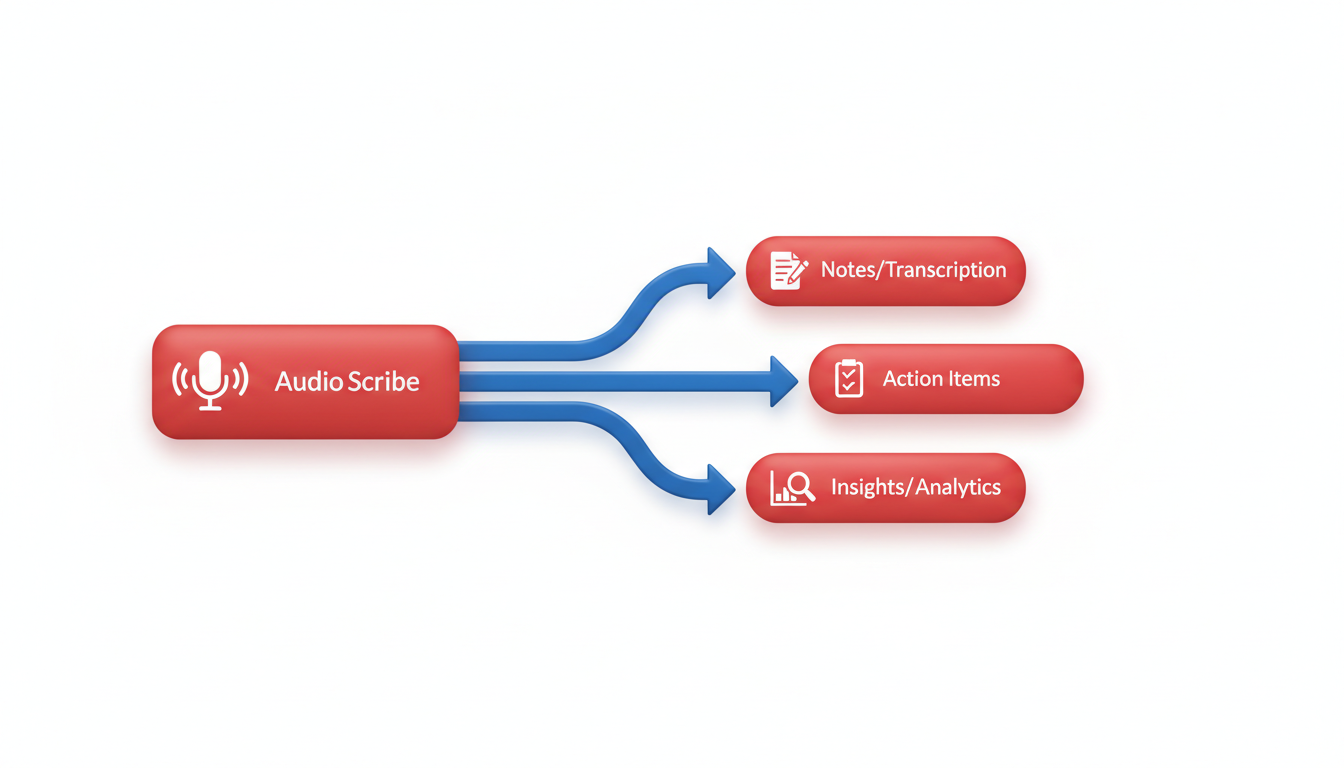
When it comes to meeting intelligence tools, DeepScribe stands out as the go-to solution for those seeking comprehensive transcription features. It's engineered to handle both meeting notes and file transcription, making it a versatile choice for diverse workflows.
Strengths
DeepScribe excels in transcript accuracy, a feature powered by OpenAI’s Whisper technology. This enables it to manage diverse accents, background noise, and even technical jargon with remarkable precision—claims an industry-leading 99% accuracy. Beyond merely converting audio to text, DeepScribe enhances productivity through its robust speaker labeling feature. It automatically identifies and labels speakers, making it crucial for interviews, podcasts, and meetings where attributions matter.
Perhaps most compelling is its capacity for extracting actionable insights. DeepScribe delivers AI-generated summaries and action items, ensuring that critical decisions and tasks don’t get lost in lengthy transcripts. For example, it automatically assigns action items to specific speakers, turning your discussions into execution-ready outputs.
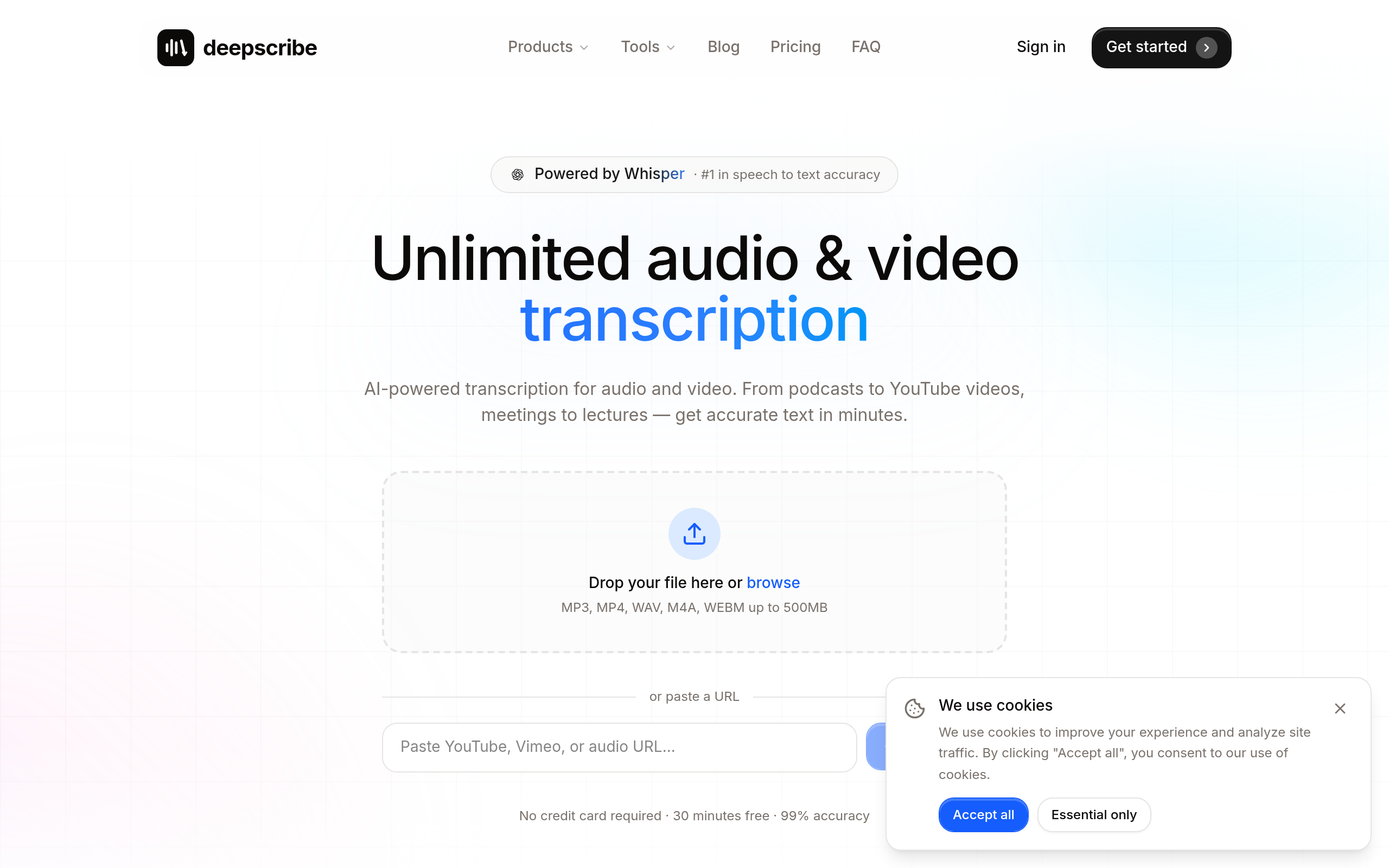
Watch-outs
However, it’s essential to consider pricing if you're scaling up. While the Basic tier offers competitive features, advanced functionalities like custom AI prompts and unlimited transcription are available at higher price points. The value provided, however, often justifies the cost, especially for businesses that rely heavily on accurate and comprehensive transcription.
Ideal Workflow
DeepScribe is ideally suited for roles that demand an all-in-one solution—for instance, sales teams needing precise meeting notes coupled with accessible transcription for uploaded recordings. Its built-in features like SRT/VTT exports cater to media and accessibility workflows, enabling seamless caption and subtitle generation.
In essence, if you're in search of a tool that marries meeting intelligence with robust file transcription, DeepScribe should be at the top of your list. Its dual capabilities make it an indispensable asset for remote and hybrid work environments where accurate documentation and action tracking are paramount.
Key Insight: Choosing the right tool can significantly enhance workflow efficiency. With DeepScribe, you’re not just getting transcription; you’re gaining a partner that transforms meetings into actionable intelligence.
2. Otter.ai — Best for Real-Time Transcription
When it comes to real-time transcription, Otter.ai stands out with its seamless ability to capture live conversations as they happen. This feature is particularly appealing to teams who need dynamic meeting summaries and quick access to notes immediately after discussions. Otter.ai’s real-time transcription is complemented by its user-friendly integration capabilities, allowing it to connect effortlessly with platforms like Zoom and Microsoft Teams. This integration ensures that users can initiate live transcription with minimal disruption, making it a practical choice for busy professionals who don't have extra time to spend on setup.
However, while Otter.ai excels in live scenarios, it's important to note its limitations in multilingual support. If your meetings often include multiple languages, you might find Otter.ai somewhat restrictive. The platform primarily focuses on English, which could be a drawback for global teams needing robust multilingual capabilities.
That said, Otter.ai remains a powerful tool for those focusing specifically on English-speaking environments, where its strengths in real-time transcription truly shine. It's particularly ideal for scenarios like sales calls or internal syncs where capturing evolving discussions accurately is key to follow-up actions. For teams prioritizing live meeting transcription, Otter.ai’s ability to transcribe in-the-moment is invaluable, providing written records that are immediately accessible.
“Generative AI assistants like Otter.ai provide in-meeting answers, summaries, and action tracking at no extra cost, boosting workflow efficiency."
For those needing more diverse language support or enhanced post-meeting analytics, it might be worth considering alternatives like DeepScribe, which not only offer live transcription but also provide advanced multilingual transcription and auto language detection. This can be particularly beneficial for international teams working across regions and languages.
3. Rev.com — Best for High Accuracy
When it comes to transcription needs where high accuracy is non-negotiable, Rev.com emerges as a top contender. Known for its precise transcription services, Rev.com uniquely combines AI technology with human verification to ensure almost flawless output. This approach makes it particularly valuable for tasks that demand critical accuracy, such as legal documentation or nuanced technical meetings.
Rev.com’s standout quality is its dual-layer process. Initially, AI transcribes the audio, capturing the core content quickly. Then, a human editor reviews this initial transcript to refine areas needing more nuance, like complex jargon or diverse accents. This ensures that the final product meets a high standard, perfect for sectors where accuracy is paramount. Imagine walking into a board meeting with a transcript that meticulously records every critical point—Rev makes that possible.
However, this high level of precision does come at a cost. Rev.com charges by the minute, making it potentially expensive for lengthy sessions or frequent use. Despite this, many organizations find the trade-off worthwhile when weighed against the potential costs of transcription errors.
For teams looking to ensure the highest transcription fidelity—be it for meeting intelligence software or detailed conversation intelligence—Rev.com stands as a reliable choice. Its meticulous process of combining AI efficiency with human oversight provides a consistent edge in fields where precision is crucial. Moreover, if you’re considering how to best match transcription tools to your workflow, remember: “Choose tools that match your workflow to minimize disruption and maximize productivity.”
For those balancing budget with accuracy, planning usage around critical sessions can optimize costs effectively. By integrating Rev for critical meetings and another robust tool like DeepScribe for regular sessions, teams can maintain quality without breaking the bank.
"Generative AI assistants like Zoom AI Companion provide in-meeting answers, summaries, and action tracking at no extra cost, boosting workflow efficiency." Yet when the finest details matter, Rev.com’s hybrid model is hard to beat.
4. Gong.io — Best for Sales Call Analysis
Gong.io is a standout in the realm of sales call analysis, known for its robust capabilities in deal intelligence and call coaching. If your team is primarily sales-driven, Gong.io offers a suite of features designed to provide deep insights and actionable data.
Strengths: At the heart of Gong.io’s offering is its advanced sales coaching tools. These allow teams to dive deep into call data, extracting critical insights that drive revenue. It excels in identifying key conversation patterns and pinpointing winning sales tactics. Its deal intelligence feature provides a comprehensive view of deal progress, helping sales leaders anticipate pipeline changes and strategize effectively. This kind of detailed analytics empowers sales teams to make informed decisions based on real-time data.
Watch-outs: However, Gong.io's laser focus on sales teams means it might not be the best fit for companies needing broad meeting intelligence capabilities beyond sales calls. Its tools are specifically tailored to enhance sales workflows, which might limit its utility in other contexts like general business or internal team meetings.
Ideal for sales-driven workflows: If your organization relies heavily on sales calls and is looking to optimize coaching, train reps, and increase deal closure rates, Gong.io is a match made in heaven. It integrates seamlessly with platforms like CRM systems, providing an end-to-end solution for sales call tracking and analysis.
In comparison, if your needs span beyond just sales calls into areas like meeting notes or file transcription, DeepScribe offers a more versatile stack. DeepScribe not only facilitates meeting note-taking but also provides robust transcription capabilities with support for multiple formats, ensuring seamless inclusion of SRT/VTT captions for various content types. Thus, for teams needing both comprehensive meeting intelligence and targeted sales call analysis, evaluating the balance between Gong.io for sales and DeepScribe for broader capabilities could be the strategic move.
5. Fireflies.ai — Best for Integration Ecosystem
Fireflies.ai stands out with its extensive integration ecosystem, making it a top choice for teams needing seamless connectivity with existing tools. Strengths: At its core, Fireflies.ai excels in meeting analytics and automating follow-up emails, thanks to its ability to connect with platforms like Slack, Salesforce, and HubSpot. These integrations enable smooth workflows by automatically capturing important data and pushing it into your CRM or project management tool. This capability is invaluable for sales teams who rely on accurate and timely information to close deals.
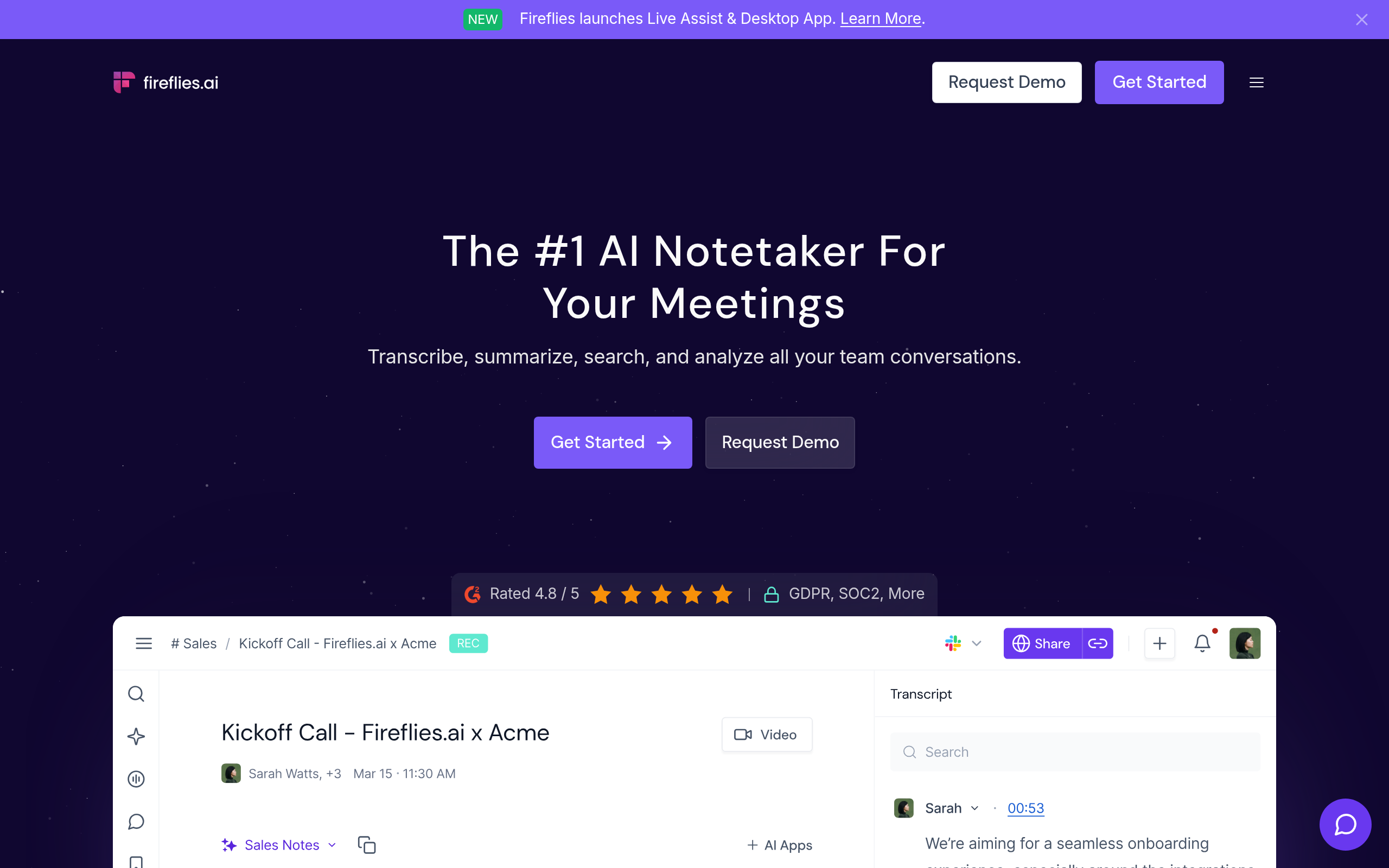
Watch-outs: While the integration possibilities are exciting, setting up Fireflies.ai can be complex. Tech-savvy users will find value here, but teams may need dedicated resources or an IT touchpoint to maximize potential. The learning curve can be steep, especially for those unfamiliar with API configurations or custom workflows.
“Choose tools that match your workflow to minimize disruption and maximize productivity.”
Ideal for: Fireflies.ai shines in environments where tech-savvy teams are present, making it an ideal fit for digital-first businesses that thrive on connectivity. It’s particularly well-suited for those in sales, who benefit from its follow-up automation and meeting analytics capabilities. Suppose your organization often navigates remote or hybrid meetings. In that case, Fireflies.ai can serve as the connective tissue, ensuring every conversation seamlessly translates into actionable insights.
For users seeking both comprehensive meeting notes and straightforward file transcription, consider complementing Fireflies.ai with a tool like DeepScribe, which offers advanced speaker labeling and SRT/VTT exports alongside its notetaking prowess. This combination ensures you have all bases covered, whether you’re deep in virtual meetings or handling audio files.
6. Zoom AI Companion — Best for Built-In Features
When it comes to AI meeting intelligence, Zoom AI Companion shines for those who live and breathe within the Zoom ecosystem. Its seamless integration offers a host of in-meeting enhancements without any additional costs. Here's why it stands out:
Strengths: The real charm of Zoom AI Companion is its ability to provide in-meeting answers and summaries effortlessly. Imagine being in a sales call and needing immediate clarification on a point—Zoom’s AI can provide quick responses, ensuring your momentum never skips a beat. Plus, action item tracking becomes a breeze, as the tool automatically identifies and highlights tasks, reducing the manual load after meetings. This integration means zero extra fees beyond your standard Zoom subscription, making it an attractive option for the cost-conscious.
Watch-outs: However, there's a caveat. Zoom AI Companion requires the full Zoom platform to leverage its capabilities. If your team is deeply embedded with other meeting platforms like Microsoft Teams or Google Meet, this could be a potential obstacle.
Ideal for Existing Zoom Users: If your organization already relies heavily on Zoom for collaboration, the AI Companion becomes a natural fit. It's particularly valuable for environments where voice-first interfaces are prioritized. You get not only verbal summaries but the added benefit of seamless action item tracking, ensuring nothing slips through the cracks post-meeting.
For those navigating the modern hybrid work world, the integration with Zoom’s existing ecosystem makes transitioning from meeting to follow-up smooth and efficient. And as the demand for intelligent meeting assistants grows, leveraging Zoom’s built-in capabilities can streamline operations without the hassle of adopting a new tool.
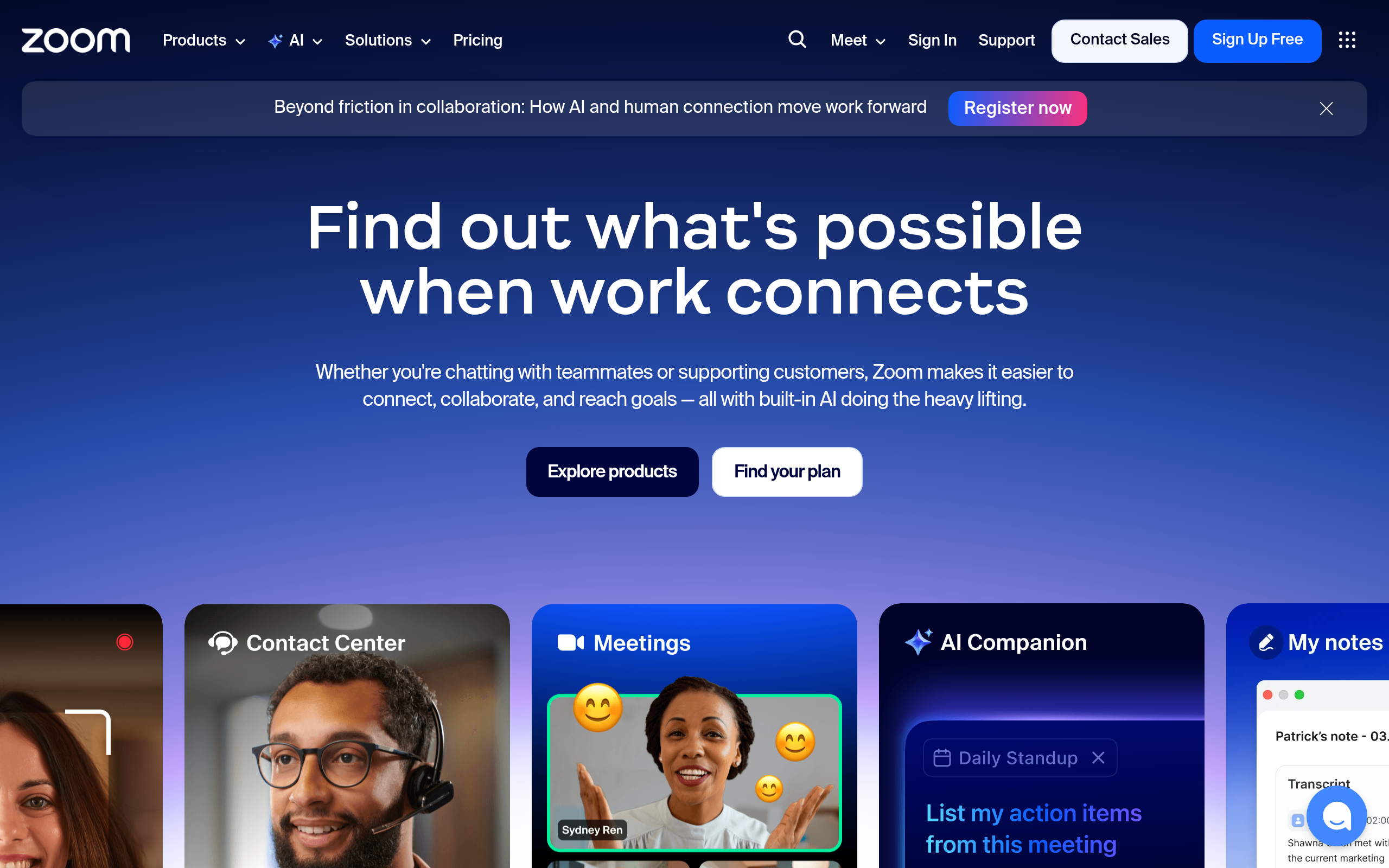
Incorporating tools like Zoom AI Companion into your workflow can greatly enhance productivity, especially if your team conducts frequent virtual meetings. Its tightly-knit integration with Zoom's platform guarantees a more streamlined, familiar user experience.
7. Microsoft Teams — Best for Microsoft Ecosystem
If your team thrives within the Microsoft ecosystem, then Microsoft Teams might be your best ally for managing remote meeting notes and meeting transcription. Its seamless integration with Office 365 allows for a streamlined experience, particularly when it comes to tracking actions and collaborating across familiar Microsoft tools like Outlook, Word, and Excel.
Strengths
The key advantage of Microsoft Teams lies in its robust integration capabilities. Since many businesses already rely on Office 365, the transition to using Teams for meeting intelligence becomes a natural extension of existing workflows. You can effortlessly schedule meetings through Outlook, access files via SharePoint, and co-edit documents in real-time. Additionally, Microsoft Teams enables efficient action tracking directly within your communications, centralizing tasks and follow-ups with ease.
Expert Insight: “Generative AI assistants like Zoom AI Companion provide in-meeting answers, summaries, and action tracking at no extra cost, boosting workflow efficiency.” This highlights the importance of tools that integrate action tracking seamlessly into meetings.
Watch-outs
Despite its strengths, Microsoft Teams has limitations, particularly for those not fully ingrained in the Microsoft environment. For organizations using a diverse set of tools, being tethered to the Microsoft suite can feel restrictive. Additionally, users have noted that while Teams excels at integration, its transcription features may not be as robust as specialized AI transcription tools like DeepScribe, which offer comprehensive speaker labeling and high accuracy.
Ideal for Office 365-based Teams
For teams already embedded in the Microsoft ecosystem, especially those leveraging Office 365 for day-to-day operations, Microsoft Teams presents a cohesive solution for managing communication and productivity. If you’re looking for an efficient way to handle remote meeting notes with direct links to your Microsoft-integrated tasks and documents, this tool fits the bill perfectly.

In conclusion, while Microsoft Teams is excellent for users comfortable within the Office 365 realm, those needing more advanced transcription features might consider complementing it with dedicated solutions like DeepScribe, especially if transcription accuracy and speaker labeling are priorities.
8. Chorus.ai — Best for Revenue Teams
Chorus.ai stands out for revenue teams seeking robust conversation insights and seamless CRM integration. This tool excels in capturing and analyzing sales call data, making it a valuable asset for Sales and RevOps leaders who prioritize sales call analysis.
Strengths: Chorus.ai's primary strength lies in its ability to deliver detailed conversation intelligence. With features like automatic transcription and key insights extraction, it helps sales teams identify successful tactics and areas for improvement. It integrates directly with popular CRMs, ensuring that crucial data flows smoothly into existing workflows, thereby enhancing productivity and reducing manual data entry.
For example, Chorus.ai can automatically flag moments when a competitor is mentioned during a call, allowing sales managers to swiftly address potential objections with relevant insights directly from the CRM. This capability not only boosts sales effectiveness but also aids in training new sales reps by showcasing best practices.
Watch-outs: However, potential users should be prepared for setup complexity. Integrating Chorus.ai into your existing systems might require initial time and technical resources, especially if your CRM is heavily customized. Organizations should allocate time for training and setup to fully leverage the tool’s capabilities.
Ideal for Revenue Operations Workflows: Ultimately, Chorus.ai is ideal for teams looking to elevate their sales call analysis and leverage actionable meeting intelligence seamlessly integrated with their CRMs. It offers a powerful way to gain insights that directly impact sales strategy and effectiveness.
In a landscape brimming with meeting intelligence software, tools like Chorus.ai cater specifically to the nuanced needs of revenue teams, offering measurable impact on sales outcomes. When considering tools, blending Chorus.ai’s insights with DeepScribe’s transcription accuracy could create a powerhouse solution for managing both live meetings and transcribed recordings in one cohesive workflow.
9. Voicea — Best for Meeting Management
When it comes to comprehensive meeting management, Voicea shines as a top contender. This AI meeting assistant is well-regarded for its ability to enhance productivity by providing detailed meeting summaries and tracking action items efficiently. Equipped with robust tools for managing meetings from start to finish, Voicea excels in ensuring that nothing slips through the cracks.
Voicea's strength lies in its all-encompassing approach to meeting management. It offers AI-generated meeting summaries that capture the essence of discussions and highlight key decisions. This means you won't have to sort through entire transcripts to find crucial information. Additionally, Voicea's action-item follow-ups keep everyone on the same page by assigning tasks and deadlines directly from meeting notes, minimizing the need for additional follow-up emails. These features are particularly beneficial for teams with complex projects where clear delegation and timelines are essential.
However, a potential watch-out is that the depth of features might overwhelm new users. For those unfamiliar with extensive meeting management systems, there could be a learning curve. It's important for teams to set aside initial time to explore and understand the full spectrum of what Voicea offers.
Voicea is ideal for teams seeking a comprehensive solution for managing intricate meetings. Whether your meetings involve multiple speakers, require detailed documentation, or result in numerous action items, Voicea provides tools designed to streamline these processes. It's particularly useful in sales environments and project management scenarios where tracking every detail is crucial.
In comparison to other tools, DeepScribe offers similar capabilities for meeting notes and action items but uniquely combines these with its advanced transcription services, including multimedia file support and export options like SRT/VTT.
For teams looking to enhance their meeting management while also needing robust transcription and export features, exploring how DeepScribe complements Voicea could be beneficial. By leveraging DeepScribe's transcription accuracy and Voicea's meeting management strengths, teams can create a seamless workflow—from capturing meeting content to assigning and tracking follow-ups.
Pick Your Tool in 5 Minutes: Decision Matrix
Choosing the perfect AI meeting intelligence tool can feel overwhelming, but with a clear decision matrix, you can make an informed choice in just a few minutes. Here's how to align your team's needs with the best tool for the job.
To start, consider your core requirements: transcript quality, speaker labeling, summary fidelity, and follow-up workflows. Each of these elements is crucial for ensuring a tool fits seamlessly into your operations, especially for revenue and operations teams juggling sales calls, internal syncs, and media content workflows.
Decision Matrix
| Considerations | Preferred Tool | Why? |
|---|---|---|
| Live Meeting Notes & Action Items | DeepScribe | Offers speaker-labeled transcripts with summaries and action items, enhancing recall and execution. |
| High Transcript Accuracy | DeepScribe | Powered by Whisper, ensuring 99% accuracy even with accents and background noise. |
| File Transcription + Captions | DeepScribe | Supports various file formats with seamless SRT/VTT export for captioning. |
| Hybrid Work Flexibility | Zoom AI Companion | In-meeting answers and summaries at no extra cost, boosting efficiency. |
| Integration Needs | Microsoft Teams | Calendar auto-join for effortless meeting attendance and note generation. |
| Budget-Focused | Fireflies.ai | Emphasis on affordability with robust integration features, suitable for smaller teams. |
Key Considerations
Live Transcription & Meeting Notes: If your team frequently engages in spontaneous meetings, having a tool like DeepScribe with a live meeting notetaker is invaluable. Its integration with platforms like Zoom and Microsoft Teams, plus speaker labeling and action-item extraction, keeps your notes concise and actionable.
Multilingual Support & Upload Capability: For teams with international reach, DeepScribe excels in offering transcription in over 100 languages, with the added benefit of SRT/VTT export, crucial for accessibility and content distribution.
Integration & Workflow Compatibility: Evaluate your current tech stack. Tools offering seamless integration with your CRM, calendar, and communication platforms reduce disruption. DeepScribe’s ability to auto-join meetings enhances this ease, making it ideal for high-paced environments.
Rollout Checklist
- Identify Needs: Pinpoint the specific workflows and integration points your team relies on.
- Evaluate Security: Ensure the chosen tool meets your security and compliance standards, such as SOC 2 Type II certification.
- Test Transcription & Summarization: Pilot the tool to verify transcript accuracy and summary quality. Consider practical tests for crosstalk, jargon understanding, and speaker attribution.
- Training & Adoption: Equip your team with training resources and support channels to maximize tool adoption and efficiency.
- Feedback & Iteration: Regularly collect user feedback and iterate on usage practices to reinforce the tool’s value over time.
By aligning your team's workflows with a suitable tool using this matrix, you'll streamline operations and improve productivity, ensuring you maximize the potential of AI meeting intelligence technology.
FAQs on AI Meeting Intelligence Tools
Navigating the realm of AI meeting intelligence tools can be daunting. Here, we answer some common questions to help you make informed decisions.
What are AI meeting intelligence platforms?
AI meeting intelligence platforms are tools designed to automate transcription, summarization, action item tracking, and analytics to enhance productivity, especially in remote and hybrid work settings. They help teams efficiently manage meeting content and streamline follow-up actions by converting spoken words into well-structured, searchable formats. An example is DeepScribe, which offers AI-powered transcription and meeting notetaking capabilities, ensuring high accuracy even with background noise or varied accents.
What’s the best AI meeting intelligence tool for sales teams?
When choosing an AI tool for sales teams, look for features that enhance sales call analysis, conversation intelligence, and call coaching. DeepScribe excels in these areas with its speaker-labeled transcripts and automatic action item generation, which are crucial for sales teams needing precise attribution to facilitate better coaching and deal intelligence. Additional benefits include the ability to export in various formats, such as TXT, DOCX, and SRT/VTT, suitable for different workflow needs.
How can AI meeting tools handle different meeting types?
AI tools can adapt to various meeting types, from live sales calls to recorded internal syncs. Meeting bots, like those in DeepScribe, join live meetings for real-time transcription, while file upload features allow for post-meeting transcription of recorded sessions. This flexibility makes it easier for teams to choose the right tool based on their unique needs.
“Choose tools that match your workflow to minimize disruption and maximize productivity.”
Are these tools secure?
Security is a top concern, and many platforms, including DeepScribe, prioritize it with end-to-end encryption, SOC 2 Type II compliance, and automatic deletion after processing. It's essential to check that the tool complies with your organization's privacy requirements to ensure sensitive meeting data remains protected.
Frequently Asked Questions
What are AI meeting intelligence platforms?
AI meeting intelligence platforms automate transcription, summarization, action item tracking, and analytics to enhance productivity in meetings.
Which is the best AI meeting tool for sales teams?
DeepScribe is highly recommended for its comprehensive features tailored to sales teams, including meeting note automation and accurate transcriptions.
How do AI meeting tools handle speaker labeling?
Most tools use AI algorithms to identify and label different speakers in a meeting, ensuring accurate attribution and follow-up.
Can AI meeting tools transcribe multi-language meetings?
Yes, many AI meeting tools offer multilingual transcription capabilities to support global teams.
Why should I choose DeepScribe?
DeepScribe offers a robust suite of features suitable for both meeting notes and file transcription, providing high accuracy and seamless integration.
Final Thoughts
Choosing the right AI meeting intelligence tool can significantly enhance your workflow by aligning features with your specific needs. Here are some key takeaways from our exploration:
- Match the tool to your unique workflow to minimize disruption.
- Consider capabilities such as transcription, speaker labeling, and AI-driven action items.
- Tools like DeepScribe offer a comprehensive solution, specially if you need both meeting notes and transcription, with plans starting at a generous free offering.
To find your perfect match, consider running a 7-day pilot using our test script. If you find yourself in need of both meeting notes and file transcription/captions, consider trying DeepScribe, which offers a Free plan with up to 30 minutes per month, no credit card required.
Start your journey towards more productive meetings today by leveraging these powerful tools to keep your workflow seamless and efficient.
Written by

DeepScribe Team
Content Team
The DeepScribe content team shares insights on audio transcription and AI technology.
Related Articles
Continue reading about this topic
9 Best AI Meeting Intelligence Tools (Notes + Action Items)
Explore the leading AI meeting intelligence tools evaluated by transcript quality, speaker labeling, summaries, and action items. Discover which suits your needs best.

DeepScribe Team
March 6, 2026 · 27 min read · 5,341 words
What Is Meeting Intelligence Software and Why It Matters
Meeting intelligence software turns conversations into actionable insights. Learn its core benefits and how to choose the right tool for your needs.
DeepScribe Team
February 26, 2026 · 12 min read · 3,827 words